
I can NOT get it to back up to a DVD

JDog42

New member
Local time
5:27 AM
Messages
3
Help! I have a new HP that has Windows 7, and I can NOT get it to back up to a DVD!

It worked fine when I first turned it on, and it allowed me to do a backup and then save an image file to DVD, but after I migrated files from my old pc, the backup will not prompt me for a new DVD when the first one gets filled up. I have tried to limit the backup to smaller files, but it still will not prompt me to put in the next DVD.

The IT rep at Staples, wher I purchased it, said I should buy an external backup, but this although this will probably work, I hate to spend extra money - it's a brand new machine with a brand new OP!

Is the Staples rep right? Is it planned by Microsoft that Windows will not allow a backup to DVDs?

What are your recomendations?

Thanks in advabnce for the help!
 

My Computer My Computer

At a glance

Windows 7 Home Premium 64 bit
OS
Windows 7 Home Premium 64 bit
The Staples Rep is wrong. Windows 7 can backup to DVDs if you like. However, it is best to backup to either a NTFS formated external HDD or another internal HDD. DVDs are bad about failing.
 

My Computer My Computer

At a glance

64-bit Windows 11 Pro for WorkstationsIntel i7-8700K OC'd to 5 GHz64 GB (4x16GB) G.SKILL TridentZ RGB DDR4 3600...ASUS ROG-STRIX-GTX1080TI-O11G-GAMING
Computer type
PC/Desktop
Computer Manufacturer/Model Number
Self built custom
OS
64-bit Windows 11 Pro for Workstations
CPU
Intel i7-8700K OC'd to 5 GHz
Motherboard
ASUS ROG Maximus XI Formula Z390
Memory
64 GB (4x16GB) G.SKILL TridentZ RGB DDR4 3600 MHz
Graphics Card(s)
ASUS ROG-STRIX-GTX1080TI-O11G-GAMING
Sound Card
Integrated
Monitor(s) Displays
2 x Samsung Odyssey G7 27"
Screen Resolution
2560x1440
Hard Drives
1TB Samsung 990 PRO M.2,
4TB Samsung 990 PRO PRO M.2,
TerraMaster F8 SSD Plus NAS
PSU
Seasonic Prime Titanium 850W
Case
Thermaltake Core P3
Cooling
Corsair Hydro H115i
Keyboard
Logitech wireless K800
Mouse
Logitech MX Master 4
Internet Speed
2 Gb/s Download and 100 Mb/s Upload
Antivirus
Malwarebyte Anti-Malware Premium
Browser
Google Chrome
Other Info
Logitech Z625 speaker system,
Logitech BRIO 4K Pro webcam,
HP Color LaserJet Pro MFP M477fdn,
APC SMART-UPS RT 1000 XL - SURT1000XLI,
Galaxy S23 Plus phone
Thanks, but is it posible that 10 DVD's failed? I have HP DVD + disks, and have tried repeatedly to get them to work... I have tried at least 2 complete backups, several data backups, selecting different critera, and none of them work.

Any ideas that WILL allow me to use dvds, so I don't have to purchase an external HD?

And thanks for getting bcak to me so promptly too!
 

My Computer My Computer

At a glance

Windows 7 Home Premium 64 bit
OS
Windows 7 Home Premium 64 bit
If you have a desktop, then you would be much better served by getting a new internal HDD to use to backup to. You can get them pretty cheap these days. Newegg is a good online retailer with cheap prices, or you can use to compare drives and prices at.

I've used DVD+R type DVDs without issue before.
 

My Computer My Computer

At a glance

64-bit Windows 11 Pro for WorkstationsIntel i7-8700K OC'd to 5 GHz64 GB (4x16GB) G.SKILL TridentZ RGB DDR4 3600...ASUS ROG-STRIX-GTX1080TI-O11G-GAMING
Computer type
PC/Desktop
Computer Manufacturer/Model Number
Self built custom
OS
64-bit Windows 11 Pro for Workstations
CPU
Intel i7-8700K OC'd to 5 GHz
Motherboard
ASUS ROG Maximus XI Formula Z390
Memory
64 GB (4x16GB) G.SKILL TridentZ RGB DDR4 3600 MHz
Graphics Card(s)
ASUS ROG-STRIX-GTX1080TI-O11G-GAMING
Sound Card
Integrated
Monitor(s) Displays
2 x Samsung Odyssey G7 27"
Screen Resolution
2560x1440
Hard Drives
1TB Samsung 990 PRO M.2,
4TB Samsung 990 PRO PRO M.2,
TerraMaster F8 SSD Plus NAS
PSU
Seasonic Prime Titanium 850W
Case
Thermaltake Core P3
Cooling
Corsair Hydro H115i
Keyboard
Logitech wireless K800
Mouse
Logitech MX Master 4
Internet Speed
2 Gb/s Download and 100 Mb/s Upload
Antivirus
Malwarebyte Anti-Malware Premium
Browser
Google Chrome
Other Info
Logitech Z625 speaker system,
Logitech BRIO 4K Pro webcam,
HP Color LaserJet Pro MFP M477fdn,
APC SMART-UPS RT 1000 XL - SURT1000XLI,
Galaxy S23 Plus phone
Thanks, but I can get a 320 GB "SimpleSave" ext backup for @ $50 on sale...

BUT, it gripes my butt to not be able to backupto DVD!v :)
 

My Computer My Computer

At a glance

Windows 7 Home Premium 64 bit
OS
Windows 7 Home Premium 64 bit
Just stop fighting it and bite the bullet and buy the external disk. DVDs are the worst options (in terms of reliability and cost) for images and expensive in the long run. If you want to do serious imaging, you have to make an image at least once a week (I make one once a day). Imagine managing all those DVDs-

Btw: in my book, a PC without a couple of external disks is pretty useless - especially a laptop that has only 1 HDD.
 

My Computer My Computer

At a glance

Vista, Windows7, Mint Mate, Zorin, Windows 8from 1.6GHz Duo to i7
Computer Manufacturer/Model Number
HP, Dell, Gateway, Toshiba - 4 laptops and 2 desktops
OS
Vista, Windows7, Mint Mate, Zorin, Windows 8
CPU
from 1.6GHz Duo to i7
Monitor(s) Displays
2x HP w2207
Hard Drives
5x HDD, 7x SSD, 12x Externals
Keyboard
with trackball - no mices
Mouse
Trackball mice
Internet Speed
DSL 6000
+1 Solid advice.
 

My Computer My Computer

At a glance

Windows 7 Ultimate 32 bitIntel(R) Pentium(R) 4 CPU 3.00GHz2.50 GB RAMNVIDIA GeForce 7600 GS
Computer Manufacturer/Model Number
Home built
OS
Windows 7 Ultimate 32 bit
CPU
Intel(R) Pentium(R) 4 CPU 3.00GHz
Motherboard
ASUS P4P800-VM Motherboard Chipset: Intel 865G + ICH5
Memory
2.50 GB RAM
Graphics Card(s)
NVIDIA GeForce 7600 GS
Sound Card
SoundMax Integrated Digital Audio (Chip)
Monitor(s) Displays
ViewSonic VX 1962 wm
Screen Resolution
1680 X 1050
Hard Drives
Seagate Barracuda 7200.10 80 GB
ST380215A ATA Device 18.6 GB
Western Digital "My Book" external hard drive 750 GB
Cooling
Fan based
Keyboard
Microsoft Comfort Curve Keyboard 2000 v10 USB
Mouse
Logitec optic USB
Internet Speed
3.01 Mb/s download 0.64 Mb/s upload
  • Like
Reactions: whs
I have felt better for myself to use an external or portable drive along with an extra internal drive for back ups. Some data such as pictures of family is not worth the risk on saving a buck.
I might add that I have also saved back ups on RW Blue Ray Disks that have never failed.

You have to do a back up these days so do what you can that fits your budget.

By the way, :mad::mad: why do all the companies that sell laptops bother with a back up on the same drive? That is so cheap! :devil: Why don't the cheap SOB's simply add the software and Op Sys on separate DVD's? There are so many users that do not understand how to create a back up that will work when they need it!
 

My Computer My Computer

At a glance

windows 7 home premium 64, and Windows 10 64 bitI7 94012 GB Dominator 3 channel 1600Radeon R9 Fury Nitro
Computer type
PC/Desktop
Computer Manufacturer/Model Number
Self made
OS
windows 7 home premium 64, and Windows 10 64 bit
CPU
I7 940
Motherboard
ASUS P6TX58D Premium- BIOS VERSION 1402
Memory
12 GB Dominator 3 channel 1600
Graphics Card(s)
Radeon R9 Fury Nitro
Sound Card
Z1
Monitor(s) Displays
50 Inch Panasonic TV
Screen Resolution
1920x1080
Hard Drives
Main drive OCZ Revodrive V2 and 8 TB multi drives
PSU
Coolermaster 1000
Case
CoolerMaster 932
Cooling
Coolermaster Dual fan
Keyboard
mx 5500 revolution
Mouse
mx 5500 revolution
Internet Speed
12 mb
Browser
Chrome
Other Info
set up for 3D Blue Ray applications with a surround room of 12 speaker Definitive Technology and multi amps, main is driven by yamaha M-65
Until you get an external: you can save the image file to your HD as a file, or create a Primary partition for it like the factory does.

You can then copy it over the network to another computer's hard drive for storage.

I keep our 6 home computers' images in a Primary partition on their HD, on an external and backed up to a Storage partition on my HD.

It's better to have it on another HD in case yours fails, but the factory doesn't do that so you can afford to park it in it's own partition or even save it as a file on your HD until you can back it up elsewhere.

Edit: THe reason to create a Primary Partition for it as the factory does is that if Win7 won't start and you boot the Repair CD or DVD Repair console, then click Recover Using Image, it will autodetect the image in its own "drive" on HD unless it is borked. I don't think it will similarly autodetect it if it is filed in Explorer, unless perhaps in the root. Try it to see.
 
Last edited:
The IT rep at Staples,
You're doing the IT crowd an injustice by referring to their staff as IT. Anyway, can you burn normal files to DVD? If so, than it is probably just an issue with the backup/imaging software. I also agree with the external hard drive idea. If you are complaining about the $50, then you should have bought the computer direct to save money, as opposed to getting it from Staples in the first place...so we can throw out the extra cost complaint. Also, is the data you are trying to back up worth $50 to you? if so, there's your answer.

Given that it is an HP, you should create your DVD restoration set first, however, and then store those discs in a safe place.
 

My Computer My Computer

At a glance

Windows 7 Ultimate x64 SP1Intel Core i7-260012 GB Patriot Extreme DDR3-1333Nvidia GTX 470
OS
Windows 7 Ultimate x64 SP1
CPU
Intel Core i7-2600
Motherboard
Gigabyte GA-P67A-UD3P-B3
Memory
12 GB Patriot Extreme DDR3-1333
Graphics Card(s)
Nvidia GTX 470
Monitor(s) Displays
Dell UltraSharp 2209WA
Hard Drives
OCZ Agility3 240 GB, WD5001AALS, WD7501AALS
PSU
OCZ ModStream 700W
Case
CoolerMaster HAF 912 Advanced
Cooling
CoolerMaster Hyper 212 Plus
A few comments for what they are worth...
I can do (Windows) file/folder backup and image to DVD+R (TDK) but honestly it is VERY slow. For some reason a full file/folder backup File/folder backup of around 3GB user data can over an hour. Then there is the endless debate on the reliability of DVD media and long term stability of typical low cost rewriters.

Low cost internal or external USB HDD are the way to go. I believe you need at least 2 because they do fail. I also use 2 imaging programs which are both "free" - MS imaging and Macrium Reflect (free). I'll probably buy the upgraded Macrium. 50GB imaging takes me around 25 min with both MS and Macrium on default settings. Restore about the same time if not a little faster.

In my opinion storing an image on a seperate partition is ok for:
(1) initial trial when you first get your system
(2) sometimes your OS just breaks and a reimage from the other partition could be faster. But still not ideal.
 

My Computer My Computer

At a glance

Windows 7x64 Home Premium SP1Intel i7 2600kG.Skill Ripjaws (DDR3-1600) 2x4GBNvidia GeForce GTS 450; Intel HD Graphics 300...
Computer type
PC/Desktop
Computer Manufacturer/Model Number
Own build
OS
Windows 7x64 Home Premium SP1
CPU
Intel i7 2600k
Motherboard
ASUS P8Z68 Deluxe
Memory
G.Skill Ripjaws (DDR3-1600) 2x4GB
Graphics Card(s)
Nvidia GeForce GTS 450; Intel HD Graphics 3000(GT2+)
Monitor(s) Displays
Dell Ultrasharp IPS panel U2311H, Samsung SyncMaster P2350
Screen Resolution
1920x1080
Hard Drives
Samsung 850 Pro SSD 256GB, Samsung SSD 840 120GB, Seagates 1TB Barracuda ST31000528AS x2
PSU
Seasonic M12II 520W
Case
Lian Li Lancool PC-K60
Cooling
Case: 1x120mm, 3x140mm CPU: Hyper 212+
Keyboard
Logitech MK520 (wireless)
Mouse
Logitech MK520
Internet Speed
6-7 Mbps
Antivirus
Norton Security Premium, Malwarebytes on 2 (MSE on 3rd PC)
Browser
FireFox
Other Info
Audio: Logitech Z523 2.1
I think imaging to a partition on the same HDD is OK for a laptop with only one HDD. If you carry the laptop all over the country and do not want to lug an additional external disk, it serves like the OEM recovery partition - only better - and can be useful when you are on the road and need to recover the system. Whilst at home, I would still use an external disk for additional safety.
 

My Computer My Computer

At a glance

Vista, Windows7, Mint Mate, Zorin, Windows 8from 1.6GHz Duo to i7
Computer Manufacturer/Model Number
HP, Dell, Gateway, Toshiba - 4 laptops and 2 desktops
OS
Vista, Windows7, Mint Mate, Zorin, Windows 8
CPU
from 1.6GHz Duo to i7
Monitor(s) Displays
2x HP w2207
Hard Drives
5x HDD, 7x SSD, 12x Externals
Keyboard
with trackball - no mices
Mouse
Trackball mice
Internet Speed
DSL 6000
FWIW: a lot of people have experienced problems backing up or doing a system image to DVDs. Apparently the brand of DVD burner in the computer, the brand of DVDs being used, whether the DVDs are + or -, RW or R, and the burning speed all contribute to success or failure. Some people have also discovered that using a blank DVD right out of the box causes problems unless it's formatted first separate from the formatting done by the Win 7 back up or imaging. A Microsoft user forum talks about some of the issues (going back to when 7 was in Beta and never fully addressed by Microsoft.)

Problems creating system image onto DVD-RW
 

My Computer My Computer

At a glance

Win 7 Pro 64-bitIntel i5 2.4 Ghz8GB DDR3Intel HD 3000
Computer type
Laptop
Computer Manufacturer/Model Number
Sony Vaio VPCEB47GM Laptop
OS
Win 7 Pro 64-bit
CPU
Intel i5 2.4 Ghz
Memory
8GB DDR3
Graphics Card(s)
Intel HD 3000
Sound Card
IDT High Definition
Monitor(s) Displays
15.6 WGXA Anti-Glare LED
Screen Resolution
1280x800
Hard Drives
640Gb 7200rpm
Antivirus
MSE
Browser
Opera (primary) with IE9 backup
[/QUOTE]
Given that it is an HP, you should create your DVD restoration set first, however, and then store those discs in a safe place.[/QUOTE]

JDog42

Definitely make your HP restore disks. Usually takes 2-3 DVD's.
This only takes you to your original system but you will need them possibly one day.

I'm a newbie on this forum.
I just built this system I am using 3 weeks ago. My first build. My first Win7.
Always had HP's with XP Pro the past eight years plus.

I mention this only to recommend what I have found the past few weeks.
You need two hard drives unfortunately.
Even if the second is a small external for back-up and a sytem image.
I didn't want to spend the extra $$$ either but I did.

All the pre-built PC's should come with an advisory in large enough lettering to read.

"It is highly recommended that you have an external storage device over 50GB in size to store backup files and images.
Not included."


As I said earlier I didn't really want to spend the extra money right now but it was the best alternative.

Good luck.
Mike
 

My Computer My Computer

At a glance

Windows7 Pro 64bit SP-1; Windows XP Pro 32bitIntel Core i7-870 Lynnfield 2.93GHz LGA 1156 ...8GB@1400MHz Crucial Ballistix DDR3-1600 4x2GBASUS ENGTX460 DirectCU/2DI/1GD5 1GB 256-bit G...
Computer Manufacturer/Model Number
Hopalong/ Godzilla
OS
Windows7 Pro 64bit SP-1; Windows XP Pro 32bit
CPU
Intel Core i7-870 Lynnfield 2.93GHz LGA 1156 95W Quad-Core
Motherboard
ASUS P7P55D-E PRO
Memory
8GB@1400MHz Crucial Ballistix DDR3-1600 4x2GB
Graphics Card(s)
ASUS ENGTX460 DirectCU/2DI/1GD5 1GB 256-bit GDDR5
Sound Card
VIA Onboard
Monitor(s) Displays
Asus VS248H-P 24"; Samsung SyncMaster 941BW 19"ws
Screen Resolution
1920x1080; 1440x900
Hard Drives
Samsung 830 120GB SSD
Intel 320 120GB SSD
Western Digital Caviar Black WD7501AALS 750GB 7200 RPM SATA 3.0Gb/s
Western Digital Caviar Black WD6401AALS 640GB 7200 RPM SATA 3.0Gb/s
PSU
COOLER MASTER Silent Pro RS850-AMBAJ3-US 850W Modular
Case
COOLER MASTER HAF 932 RC-932-KKN5-GP Black
Cooling
Scythe "Mugen-2 Rev.B" (2 ScytheKaze-Jyuni PWM fans)
Keyboard
Logitech K-320
Mouse
Kensington
Antivirus
Avast Inernet Suite
Browser
IE 9 ; Chrome
AS many have already stated, you are much better off Backing up to a Hard Drive.

Be it a internal drive set aside for backups, or a external drive. Burning Images to DVD is really only useful as a hard back up of Key restore points.

For example, a clean install of Windows that is activated, and possibly a second with all your software installed and settings made.

Its simply not that effecient as a regular backup method, nor to be depended on. But still, leave the original backup on a Hard Drive as well.


Having said that, saving a Image to a DVD should be possible. But you will need to Create a backup image to a Hard Drive 1st. Then burn that image to a DVD as a DATA disc.


Keep this in mind:

If you move all of your DATA off the OS drive (being picture, Music, Videos, Documents) the basic Image of Windows with little software installed will take up a regular DVD.

Once you get all your software installed, it will likely take most of a Dual Layer DVD for the Image to be saved.

This will be highly dependant on the Imaging program you choose. Some compress the back up better than others.

Be sure to verify the Image after you create it.
Burn slowly, and verify the burn afterwards,

You will still need to back up all your user DATA as a seperate backup.
 

My Computer My Computer

At a glance

Windows 7 Home Premium 64bitIntel Core i7 2700k8GB Mushkin Redline Ridgebacks @1866EVGA GTX570 SC
Computer Manufacturer/Model Number
Custom (Self Build)
OS
Windows 7 Home Premium 64bit
CPU
Intel Core i7 2700k
Motherboard
eVGA P67 SLI
Memory
8GB Mushkin Redline Ridgebacks @1866
Graphics Card(s)
EVGA GTX570 SC
Sound Card
XiFi Titanium HD
Monitor(s) Displays
LG W2453V
Screen Resolution
1920x1080
Hard Drives
Intel 320 80GB -- Intel X25-V 40GB --WD Black 1TB x2 -- WD Blue 640GB
PSU
Seasonic x750
Case
Corsair 600T SE White
Cooling
eVGA Superclocked CPU Cooler
Keyboard
Saitek Cyborg
Antivirus
Kaspersky
Browser
IE
Other Info
LG BD/DVD
Having said that, saving a Image to a DVD should be possible. But you will need to Create a backup image to a Hard Drive 1st. Then burn that image to a DVD as a DATA disc.
Saving an image directly to a DVD is an option with Windows and 3rd party imaging software.
In the past I restored from a windows 7 DVD image made directly to the DVDs in the first instance.
But as stated many times before practice seems to indicate that DVDs are not a good choice.
 

My Computer My Computer

At a glance

Windows 7x64 Home Premium SP1Intel i7 2600kG.Skill Ripjaws (DDR3-1600) 2x4GBNvidia GeForce GTS 450; Intel HD Graphics 300...
Computer type
PC/Desktop
Computer Manufacturer/Model Number
Own build
OS
Windows 7x64 Home Premium SP1
CPU
Intel i7 2600k
Motherboard
ASUS P8Z68 Deluxe
Memory
G.Skill Ripjaws (DDR3-1600) 2x4GB
Graphics Card(s)
Nvidia GeForce GTS 450; Intel HD Graphics 3000(GT2+)
Monitor(s) Displays
Dell Ultrasharp IPS panel U2311H, Samsung SyncMaster P2350
Screen Resolution
1920x1080
Hard Drives
Samsung 850 Pro SSD 256GB, Samsung SSD 840 120GB, Seagates 1TB Barracuda ST31000528AS x2
PSU
Seasonic M12II 520W
Case
Lian Li Lancool PC-K60
Cooling
Case: 1x120mm, 3x140mm CPU: Hyper 212+
Keyboard
Logitech MK520 (wireless)
Mouse
Logitech MK520
Internet Speed
6-7 Mbps
Antivirus
Norton Security Premium, Malwarebytes on 2 (MSE on 3rd PC)
Browser
FireFox
Other Info
Audio: Logitech Z523 2.1
But as stated many times before practice seems to indicate that DVDs are not a good choice.

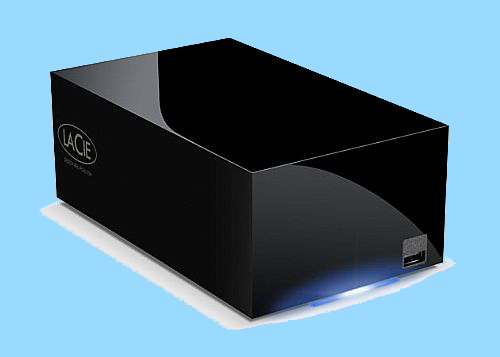
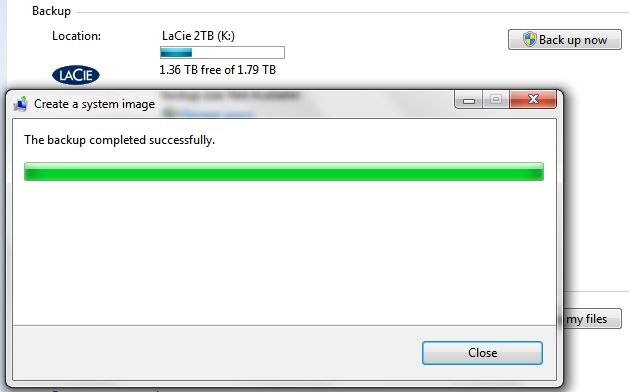
I now have over 400 GB in System Images, Macrium Reflect Images and Data backed up on 3 different external inert drives and it would take over 250 DVD's to cover the same job of backup. As soon as I finish posting here I'm going to do a fresh 24 GB System Image Backup on my LaCie 2TB eSATA Drive which shouldn't take but a few minutes.

LaCie.png


~Maxx~
.
938af360.png
 

My Computer My Computer

At a glance

Windows 7 x64 Home PremiumIntel Core i7 930 @ 2.8 Ghz Socket 1366 LGA8 GB 1366 Mhz DDR3 (PC3-10700) RAMATI Radeon 5770 1 GB DDR5 RAM
Computer Manufacturer/Model Number
HP HPE 270f
OS
Windows 7 x64 Home Premium
CPU
Intel Core i7 930 @ 2.8 Ghz Socket 1366 LGA
Motherboard
Pegatron Truckee v1.04E41
Memory
8 GB 1366 Mhz DDR3 (PC3-10700) RAM
Graphics Card(s)
ATI Radeon 5770 1 GB DDR5 RAM
Sound Card
Realtech High Definition
Monitor(s) Displays
32" Sony Bravia
Screen Resolution
1366 X 768
Hard Drives
Intel 25nm 120 GB Series 320 SSD HD Tune- 265 MBps Read/ 130 MBps Write

LaCie 1TB + 1TB RAID 0 eSATA Drive HD Tune- 160 MBps Read/ 90 MBps Write
Keyboard
Logitech Illuminated
Mouse
Logitech MX Revolution
Internet Speed
36.4 Mbps Maximum on a 37 Mbps Motorola SB501 Modem
78874219.jpg


The 24.4 GB Windows System Image Backup took 5:41 minutes which is decidedly longer than the 3:35 minutes it takes to do a 7.9 GB Macrium Reflect Image Backup, but at least I didn't have to fumble around putting it on 6 DVD's.

~Maxx~
.
938af360.png
 

My Computer My Computer

At a glance

Windows 7 x64 Home PremiumIntel Core i7 930 @ 2.8 Ghz Socket 1366 LGA8 GB 1366 Mhz DDR3 (PC3-10700) RAMATI Radeon 5770 1 GB DDR5 RAM
Computer Manufacturer/Model Number
HP HPE 270f
OS
Windows 7 x64 Home Premium
CPU
Intel Core i7 930 @ 2.8 Ghz Socket 1366 LGA
Motherboard
Pegatron Truckee v1.04E41
Memory
8 GB 1366 Mhz DDR3 (PC3-10700) RAM
Graphics Card(s)
ATI Radeon 5770 1 GB DDR5 RAM
Sound Card
Realtech High Definition
Monitor(s) Displays
32" Sony Bravia
Screen Resolution
1366 X 768
Hard Drives
Intel 25nm 120 GB Series 320 SSD HD Tune- 265 MBps Read/ 130 MBps Write

LaCie 1TB + 1TB RAID 0 eSATA Drive HD Tune- 160 MBps Read/ 90 MBps Write
Keyboard
Logitech Illuminated
Mouse
Logitech MX Revolution
Internet Speed
36.4 Mbps Maximum on a 37 Mbps Motorola SB501 Modem
It looks like everyone here is in agreement that an external drive or adding another internal drive is the way to go. Do you need help with how to add another internal drive? I do not mean to offend you with that question. I simply wish to offer help and as I have no idea how familiar you are with the insides of a PC.

Newegg.com - Hard Drives, Internal Hard Drives, Western Digital Hard Drives, Seagate Hard Drives, Hitachi Hard Drives, SAMSUNG Hard Drives, Hard Drive

http://www.newegg.com/Store/SubCategory.aspx?SubCategory=414&name=External-Hard-Drives

Here is a good place to get a hard drive and there are a few under $40 and some with free shipping. I hope this helps you out.
 
Last edited:

My Computer My Computer

At a glance

windows 7 home premium 64, and Windows 10 64 bitI7 94012 GB Dominator 3 channel 1600Radeon R9 Fury Nitro
Computer type
PC/Desktop
Computer Manufacturer/Model Number
Self made
OS
windows 7 home premium 64, and Windows 10 64 bit
CPU
I7 940
Motherboard
ASUS P6TX58D Premium- BIOS VERSION 1402
Memory
12 GB Dominator 3 channel 1600
Graphics Card(s)
Radeon R9 Fury Nitro
Sound Card
Z1
Monitor(s) Displays
50 Inch Panasonic TV
Screen Resolution
1920x1080
Hard Drives
Main drive OCZ Revodrive V2 and 8 TB multi drives
PSU
Coolermaster 1000
Case
CoolerMaster 932
Cooling
Coolermaster Dual fan
Keyboard
mx 5500 revolution
Mouse
mx 5500 revolution
Internet Speed
12 mb
Browser
Chrome
Other Info
set up for 3D Blue Ray applications with a surround room of 12 speaker Definitive Technology and multi amps, main is driven by yamaha M-65
Back
Top