I dropped a hdd drive the other day when i was just about to install windows 7 onit on a different pc .
but i dropped it on a wooden floor and now i cant see the two partitons i created ,the hdd was deffo working minutes before i dropped it
so when i go to install the os on the computer it shows know hdd to install to .
i then installed it alongside my hdd on my pc ,my bios recognised it and windows installed the device for me
but when i open my computer i only see one partition what is 1gb in size and the hdd is a 320gd wd 7200rpm
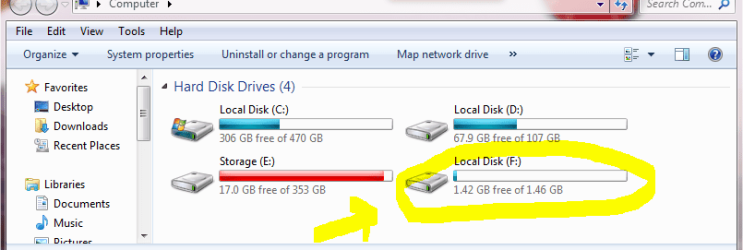
as you can see partiton f is of the damaged hardrive
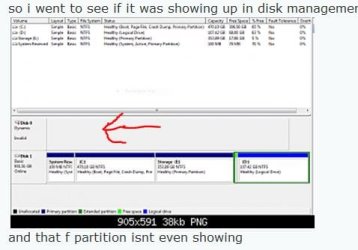
so i went to see if it was showing up in disk management
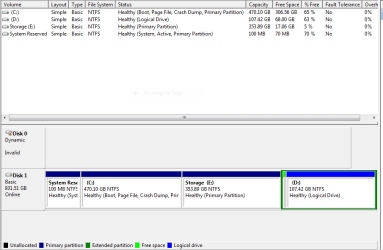
and that f partition isnt even showing
is this a case of a dead hdd??
i just want to know before i sling it
but i dropped it on a wooden floor and now i cant see the two partitons i created ,the hdd was deffo working minutes before i dropped it
so when i go to install the os on the computer it shows know hdd to install to .
i then installed it alongside my hdd on my pc ,my bios recognised it and windows installed the device for me
but when i open my computer i only see one partition what is 1gb in size and the hdd is a 320gd wd 7200rpm
as you can see partiton f is of the damaged hardrive
so i went to see if it was showing up in disk management
and that f partition isnt even showing
is this a case of a dead hdd??
i just want to know before i sling it
My Computer
- OS
- 7 RTM 64bit
- CPU
- AMD Phenom 965 B3
- Motherboard
- ASUS M3A79-T DELUXE
- Memory
- Corsair 4GB (2x2GB) DDR2 800MHz/PC2-6400 XMS2 Memory Kit CL5
- Graphics Card(s)
- PowerColour HD 5770 CF 16x-16x
- Monitor(s) Displays
- 32"
- Screen Resolution
- 1920-1080
- Hard Drives
- Hitachi
1tb 7200rpm
- PSU
- Be Quiet Straight Power 650wat
- Case
- Asus TA-M series
- Cooling
- CoolIT Eco ALC Water Cooling System
- Keyboard
- Microsoft wireless Keyboard
- Mouse
- Microsoft wireless mouse