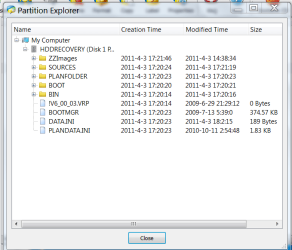
I now know what this is. I created 4 CDs using window media. It allows me to boot up either the 32 or 64 system.
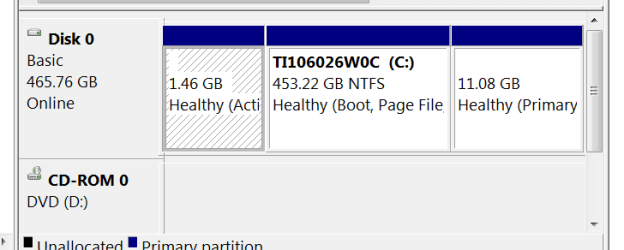
I don't understand how/what this partition got to be 1.6GB... instead of the usual 100MB of a "system reserved" partition (which normally only contains the Win7 boot manager files in a 1-OS enviroment).
Also, what is in that other 11GB partition?
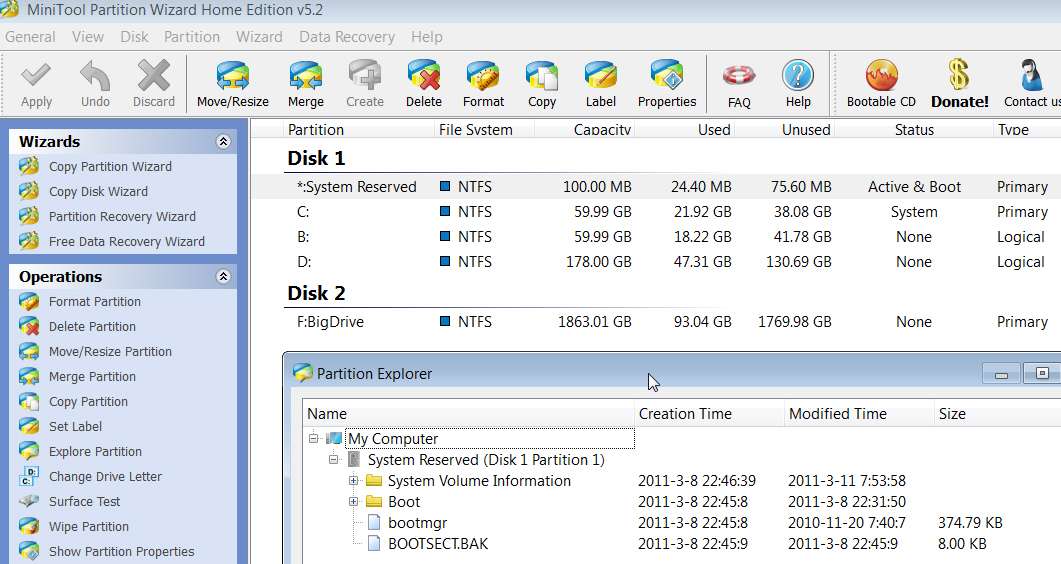
Also, you can use Partition Wizard to reconfigure the large C-partition if you want, for example into a C and D. You could shrink the partition down to maybe 60GB (or whatever size might seem appropriate, depending on what you plan to store in your \Users documents and Appdata).
Then, you could allocate a new partition D to the remaining newly available freespace, for say "data". It's not a second physical drive, but it is a second partition, which makes a subsequent re-install of Win7 a bit less intrusive in terms of concern for preserving user data.
Note that a standard "basic" hard drive is limited to FOUR PRIMARY PARTITIONS. You've already got THREE PRIMARY PARTITIONS, so shrinking C and creating a new partition from the freespace would be hitting that physical maximum of FOUR PRIMARY PARTITIONS... if you actually went ahead and allocated that newly available freespace into just ONE NEW PRIMARY PARTITION. That's it... now four.
But, if instead you allocated the new D partition in that freespace as a "LOGICAL" partition instead of a "PRIMARY" partition, that implies that you want the freespace to be constructed as what's called an "extended partition", which is a "primary" type of partition but which can support any number of "logical" partitions inside of it.
So you would end up having the 1.6GB primary partition, say a 60GB primary partition as C, an "extended partition (primary type) of several hundred GB, and then a fourth primary partition of 11GB (whatever's in there, probably Toshiba stuff).
Inside of that "extended partition" you would have your D partition (of "logical" type, not primary, but it makes no real difference to you). Or, you could allocate ANY NUMBER of "logical" partitions inside of that one "extended partition" (D, E, F, etc.) if you wanted to further subdivide your "user data".
Other than the "active" (i.e. bootable) primary partition, and the standard Win7 partition built by the Win7 installer on a new empty drive which also ends up being a primary partition, there really is no other need or requirement for "primary" partition types. Given that these are limited to a maximum of FOUR per hard drive, you can understand why this has to be a consideration.
In contrast, you really do NOT ever have to allocate new partitions as "primary". They can be allocated as "logical", and thus always be carved out of the "extended partition", and never be limited in number.
So, if you were to add a second hard drive you would NOT have to allocate ANY primary partition(s) on that new drive. You could just allocate "logical" partitions, and be unlimited in number on that drive. The first "logical" partition" you allocate causes the creation of the "extended partition" (i.e. that one true "primary" partition on the drive". After that, any additional "logical" partitions you allocate (and again, the fact that they are "logical" vs. "primary" is transparent to you) would be carved out of that one "extended partition".
This is all handled automatically by tools such as Partition Wizard, or Win7's DISKMGMT.MSC. If you did, for some reason, want to allocate another "primary" partition on that drive which was currently all allocated to that "extended partition" (which contains your "logical" partitions inside of it), you'd first have to shrink the partition at the high end of the currently allocated space, which really is thus reducing the size of the "extended partition" that contains all of the "logical" partitions inside of it, and then allocate the new "primary" partition in this new freespace at the upper-end of the drive.
Again, this would all be done automatically for you by Partition Wizard. You just indicate whether you want "logical" or "primary", and the program figures out (a) whether it's immediately possible, or (b) whether it's not possible right now but rather that you have to do some reconfiguration first.
Anyway, Partition Wizard is an excellent utility (including its standalone boot-CD which is used for more significant partition reconfigurations that cannot be done while Win7 is running).
My own suggestion is that unless you absolutely require a "primary" partition for some specific reason, there's no reason why you shouldn't allocate all new partitions (on the primary or additional secondary hard drives) as "logical". This provides maximum flexibility in sizing and eliminates all limits on the number of partitions you can place on a given drive.
Glad you finally figured out what's on your hard drive in these three partitions.