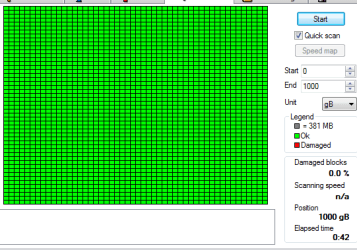
So, I'll be using my pc like normal, and randomly my 2nd HDD will just drop off, and I'm not sure why. When it does, my PC's HDD LED is always on... I don't get it. I don't think the hard drive is bad nor do I think the cables are bad, what should I do? Should I try a cable switch? Should I clean the connections? I'm lost. I ran a HDD diagnostic and the test passed recently. This is what the HDD activity light looks like:
It just stays always on like I said. If I reboot that solves the problem, but that's only a temporary fix.
The drive is Western Digital 1TB Caviar Green drive, and the model is wdc_wd10eads-00m2b0. I've had the drive for quite awhile, and it hasn't really given me any problems until recently.
Setting 'turn off the hard drives after' setting in power options to 'Never' doesn't solve the problem either.
My Computer
At a glance
Windows 7 Home Premium 64bitIntel Core 2 Quad Q9550 @ 2.83GHz8.0GB Dual-Channel DDR2 @ 333MHz (5-5-5-15)NVIDIA GeForce GTX 660
Computer type
PC/Desktop
Computer Manufacturer/Model Number
Custom
OS
Windows 7 Home Premium 64bit
CPU
Intel Core 2 Quad Q9550 @ 2.83GHz
Motherboard
Gigabyte Technology Co., Ltd. EP45-UD3L
Memory
8.0GB Dual-Channel DDR2 @ 333MHz (5-5-5-15)
Graphics Card(s)
NVIDIA GeForce GTX 660
Sound Card
C-Media PCI Audio Device
Monitor(s) Displays
2 - DELL 24 LED Monitor & Samsung SyncMaster 2233
Screen Resolution
1920x1080
Hard Drives
313GB Western Digital WDC WD3200AAJS-00L7A0 ATA Device (SATA)
977GB Western Digital WDC WD10EADS-00M2B0 ATA Device (SATA)
Keyboard
Logitech G105 Gaming Keyboard
Mouse
ENHANCE GX-M1 High Precision 6-Button Optical Gaming Mouse
Download Download Hard Disk Sentinel Post a screen shot of the findings. This can be the sata cables, the sata socket on the motherboard or even the hard drive.
ASUSTeK COMPUTER INC. SABERTOOTH 990FX R2.0 (Socket 942)
Memory
G Skill 32.0GB Dual-Channel DDR3 @ 1204MHz (11-13-13-31)
Graphics Card(s)
EVGA GeForce GTX 960 4GB Super SC ACX 2.0+ with Back Plate
Sound Card
Creative X-Fi Titanium HD Audiophile PCIe
Monitor(s) Displays
LG L227WTG x 3
Screen Resolution
1680 x 1050 16:10
Hard Drives
238GB Samsung850 PRO SATA Disk Device (SSD)
1863GB Seagate ST2000DM 001-1CH164 (SATA)
1397GB Seagate ST1500DL 003-9VT16L(SATA)
466GB Western Digital WDC WD50 03AZEX-00K1GA0 (SATA) x 2
932GB Seagate ST310005 28AS SATA Disk Device (SATA)
PSU
Enermax Revolution87+ 1000 Watts Gold Certified Power Supply
Case
Rocketfish Full Tower
Cooling
Cooler Master Hyper 212 EVO Push Pull 120mm Fans
Keyboard
Logitech K740
Mouse
Logitech G100S Laser LED + Logitech Gamepad F310
Internet Speed
500 mbs down and 30mbs up
Antivirus
Malwarebytes Pro & Avast and MSE on certain Virtual Machines
Browser
Firefox (Main) Chrome, Internet Explorer (Back Up)
Other Info
Logitech X 230 2.1 Stereo System and 5.1 Yamaha RX V2090
B&W DM6 Monitor Speakers + Center and Surround Speakers
Using Mouse Without Borders (Google it)
The 2378 number has not gone up. Also it appears the total start/stop count on my main drive is less than the bigger one. The main drive only has a start/stop count of 192 while the problem drive had a 5,060 count. Does that mean anything?
Main drive:
Problem one:
Here's a screenshot of the S.M.A.R.T tab of the problem drive:
My Computer
At a glance
Windows 7 Home Premium 64bitIntel Core 2 Quad Q9550 @ 2.83GHz8.0GB Dual-Channel DDR2 @ 333MHz (5-5-5-15)NVIDIA GeForce GTX 660
Computer type
PC/Desktop
Computer Manufacturer/Model Number
Custom
OS
Windows 7 Home Premium 64bit
CPU
Intel Core 2 Quad Q9550 @ 2.83GHz
Motherboard
Gigabyte Technology Co., Ltd. EP45-UD3L
Memory
8.0GB Dual-Channel DDR2 @ 333MHz (5-5-5-15)
Graphics Card(s)
NVIDIA GeForce GTX 660
Sound Card
C-Media PCI Audio Device
Monitor(s) Displays
2 - DELL 24 LED Monitor & Samsung SyncMaster 2233
Screen Resolution
1920x1080
Hard Drives
313GB Western Digital WDC WD3200AAJS-00L7A0 ATA Device (SATA)
977GB Western Digital WDC WD10EADS-00M2B0 ATA Device (SATA)
Keyboard
Logitech G105 Gaming Keyboard
Mouse
ENHANCE GX-M1 High Precision 6-Button Optical Gaming Mouse
It is set to never sleep in power options. Also AddRam, what 1TB drive would you recommend if I were to replace it? I mean I guess I could but I'd have to transfer the data over to the new drive if that's the case, and there's a lot of data to transfer over.
My Computer
At a glance
Windows 7 Home Premium 64bitIntel Core 2 Quad Q9550 @ 2.83GHz8.0GB Dual-Channel DDR2 @ 333MHz (5-5-5-15)NVIDIA GeForce GTX 660
Computer type
PC/Desktop
Computer Manufacturer/Model Number
Custom
OS
Windows 7 Home Premium 64bit
CPU
Intel Core 2 Quad Q9550 @ 2.83GHz
Motherboard
Gigabyte Technology Co., Ltd. EP45-UD3L
Memory
8.0GB Dual-Channel DDR2 @ 333MHz (5-5-5-15)
Graphics Card(s)
NVIDIA GeForce GTX 660
Sound Card
C-Media PCI Audio Device
Monitor(s) Displays
2 - DELL 24 LED Monitor & Samsung SyncMaster 2233
Screen Resolution
1920x1080
Hard Drives
313GB Western Digital WDC WD3200AAJS-00L7A0 ATA Device (SATA)
977GB Western Digital WDC WD10EADS-00M2B0 ATA Device (SATA)
Keyboard
Logitech G105 Gaming Keyboard
Mouse
ENHANCE GX-M1 High Precision 6-Button Optical Gaming Mouse
Nope I don't. Also hdd type isn't important as long as I know there won't be any issues, I guess I could always go green again, or blue, since you said blue has speed. I'm computer savvy, but when it comes to hardware I don't know a whole lot.
My Computer
At a glance
Windows 7 Home Premium 64bitIntel Core 2 Quad Q9550 @ 2.83GHz8.0GB Dual-Channel DDR2 @ 333MHz (5-5-5-15)NVIDIA GeForce GTX 660
Computer type
PC/Desktop
Computer Manufacturer/Model Number
Custom
OS
Windows 7 Home Premium 64bit
CPU
Intel Core 2 Quad Q9550 @ 2.83GHz
Motherboard
Gigabyte Technology Co., Ltd. EP45-UD3L
Memory
8.0GB Dual-Channel DDR2 @ 333MHz (5-5-5-15)
Graphics Card(s)
NVIDIA GeForce GTX 660
Sound Card
C-Media PCI Audio Device
Monitor(s) Displays
2 - DELL 24 LED Monitor & Samsung SyncMaster 2233
Screen Resolution
1920x1080
Hard Drives
313GB Western Digital WDC WD3200AAJS-00L7A0 ATA Device (SATA)
977GB Western Digital WDC WD10EADS-00M2B0 ATA Device (SATA)
Keyboard
Logitech G105 Gaming Keyboard
Mouse
ENHANCE GX-M1 High Precision 6-Button Optical Gaming Mouse
It could be some dirty data on your drive that is responsible for this, I would guess.
Backup all data to another drive. Zero wipe the problem disk with HDD Lowlevel Format tool HDDGURU: HDD LLF Low Level Format Tool(Download Windows Executable (works without installation): version 4.4 ) and then format your drive. Check whether your problem is resolved.
( You can zero wipe with diskpart cleanall too but exercise care that you don't perform it on a wrong drive - most people do and then come here saying I accidentally did it on a wrong drive and lost all my data. Help . Remove all other external drives to avoid such accidents.)
Ok jumanji. Well, so far, after switching the cables around, my 2nd disk has been fine thus far, haven't had the 2nd hdd drop out yet. I'll keep that in mind though in the event that this happens again.
My Computer
At a glance
Windows 7 Home Premium 64bitIntel Core 2 Quad Q9550 @ 2.83GHz8.0GB Dual-Channel DDR2 @ 333MHz (5-5-5-15)NVIDIA GeForce GTX 660
Computer type
PC/Desktop
Computer Manufacturer/Model Number
Custom
OS
Windows 7 Home Premium 64bit
CPU
Intel Core 2 Quad Q9550 @ 2.83GHz
Motherboard
Gigabyte Technology Co., Ltd. EP45-UD3L
Memory
8.0GB Dual-Channel DDR2 @ 333MHz (5-5-5-15)
Graphics Card(s)
NVIDIA GeForce GTX 660
Sound Card
C-Media PCI Audio Device
Monitor(s) Displays
2 - DELL 24 LED Monitor & Samsung SyncMaster 2233
Screen Resolution
1920x1080
Hard Drives
313GB Western Digital WDC WD3200AAJS-00L7A0 ATA Device (SATA)
977GB Western Digital WDC WD10EADS-00M2B0 ATA Device (SATA)
Keyboard
Logitech G105 Gaming Keyboard
Mouse
ENHANCE GX-M1 High Precision 6-Button Optical Gaming Mouse
If you have any doubt get another SATA cable and throw away the cable that was between the drive and motherboard. It can be be the hard drive also that is just going to sleep when it is not supposed too. Cheapest to replace is the cable, go for that first after that it is either the motherboard socket or the drive.
ASUSTeK COMPUTER INC. SABERTOOTH 990FX R2.0 (Socket 942)
Memory
G Skill 32.0GB Dual-Channel DDR3 @ 1204MHz (11-13-13-31)
Graphics Card(s)
EVGA GeForce GTX 960 4GB Super SC ACX 2.0+ with Back Plate
Sound Card
Creative X-Fi Titanium HD Audiophile PCIe
Monitor(s) Displays
LG L227WTG x 3
Screen Resolution
1680 x 1050 16:10
Hard Drives
238GB Samsung850 PRO SATA Disk Device (SSD)
1863GB Seagate ST2000DM 001-1CH164 (SATA)
1397GB Seagate ST1500DL 003-9VT16L(SATA)
466GB Western Digital WDC WD50 03AZEX-00K1GA0 (SATA) x 2
932GB Seagate ST310005 28AS SATA Disk Device (SATA)
PSU
Enermax Revolution87+ 1000 Watts Gold Certified Power Supply
Case
Rocketfish Full Tower
Cooling
Cooler Master Hyper 212 EVO Push Pull 120mm Fans
Keyboard
Logitech K740
Mouse
Logitech G100S Laser LED + Logitech Gamepad F310
Internet Speed
500 mbs down and 30mbs up
Antivirus
Malwarebytes Pro & Avast and MSE on certain Virtual Machines
Browser
Firefox (Main) Chrome, Internet Explorer (Back Up)
Other Info
Logitech X 230 2.1 Stereo System and 5.1 Yamaha RX V2090
B&W DM6 Monitor Speakers + Center and Surround Speakers
Using Mouse Without Borders (Google it)