Hi everyone
I have a toshiba satellite L655 laptop with window 7 64bit (original)
My hardrive has been crashed and luckily I have copied my D drive manually ( not backup and restore ) on my external hardrive a day ago
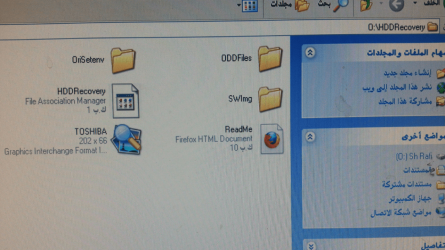
Now I have Hdrecovery files around 8gb in my passport. How to install directly from passport with boot aswell or can I make a boot able dvd with my recovery files from another computer?
Thank you
I have a toshiba satellite L655 laptop with window 7 64bit (original)
My hardrive has been crashed and luckily I have copied my D drive manually ( not backup and restore ) on my external hardrive a day ago
Now I have Hdrecovery files around 8gb in my passport. How to install directly from passport with boot aswell or can I make a boot able dvd with my recovery files from another computer?
Thank you
Last edited:
My Computer
- Computer type
- PC/Desktop
- OS
- windows 7 home perimum 64bit