boneyarsebogman
New member
- Local time
- 3:47 PM
- Messages
- 2
I wonder if people can help me here; I've been googling this question and searching through this forum but cannot find anything that could even come close to helping me.
I have a Samsung R530 running Windows 7 32bit. When I hook it up to my Philips Cineos TV via the HDMI cable, the video comes through perfectly but audio only plays through the laptop speakers. When I went into sound in control panel, this is why I see:
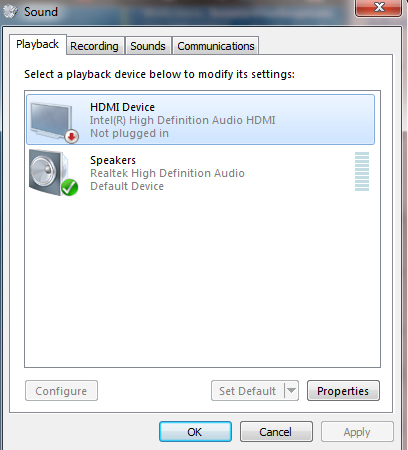
When I click on Intel HDMI device, it is greyed out so I can neither set as default or configure. I'm not entirely sure what it means by "not plugged in".
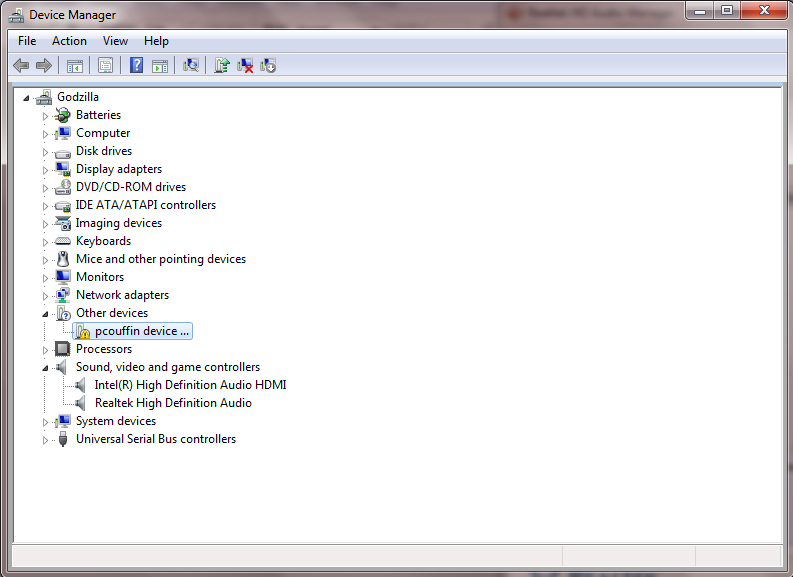
This is what comes up under device manager:
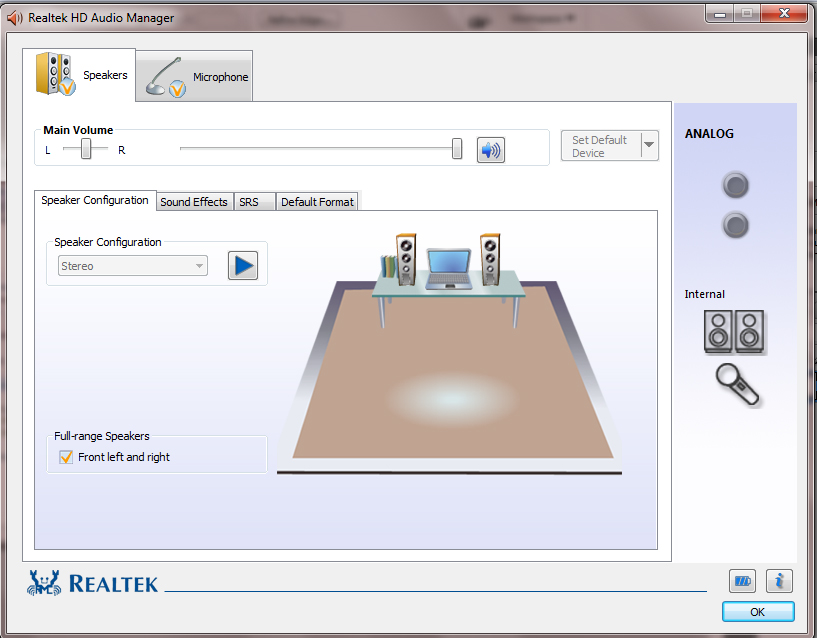
And this is what I see with the Realtek audio:
Any ideas because this is something that is increasingly hurting my head? Is it something to do with my audio card, my video card or.. what?
Thank you.
I have a Samsung R530 running Windows 7 32bit. When I hook it up to my Philips Cineos TV via the HDMI cable, the video comes through perfectly but audio only plays through the laptop speakers. When I went into sound in control panel, this is why I see:
When I click on Intel HDMI device, it is greyed out so I can neither set as default or configure. I'm not entirely sure what it means by "not plugged in".
This is what comes up under device manager:
And this is what I see with the Realtek audio:
Any ideas because this is something that is increasingly hurting my head? Is it something to do with my audio card, my video card or.. what?
Thank you.
My Computer
At a glance
Windows 7 Home Premium 32bit
- OS
- Windows 7 Home Premium 32bit


 server... PLAN G! Time to use extended display. It worked, but still Realktek Digital Output is "not plugged in".