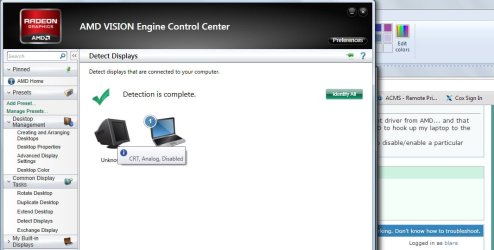
Hi, I use HDMI output to connect to my TV a lot. One day I was using it without issue, disconnected the cable to move the laptop and when I reconnected it didn't work. I tried using (Win + P) and another dedicated keyboard shortcut (Fn + F4) to chage the display, neither would restore the TV display. I can still connect to a projector using VGA and I know the TV and HDMI cable are still good because they both work with my Windows 8 laptop and bluray player.
I'm just not sure how to start troubleshooting. I don't see display ports in the device manager and the graphics card says "This device is working properly." So where do I go from here?
Thanks in advance for any suggestions!
I'm just not sure how to start troubleshooting. I don't see display ports in the device manager and the graphics card says "This device is working properly." So where do I go from here?
Thanks in advance for any suggestions!
My Computer
At a glance
Windows 7 Home Premium 64 bitAMD Phenom II N8306 GBATI Radeon™ HD 4250
- Computer type
- Laptop
- Computer Manufacturer/Model Number
- Gateway NV50A
- OS
- Windows 7 Home Premium 64 bit
- CPU
- AMD Phenom II N830
- Memory
- 6 GB
- Graphics Card(s)
- ATI Radeon™ HD 4250
- Browser
- Chrome