hereforjustthis
New member
- Local time
- 2:36 PM
- Messages
- 7
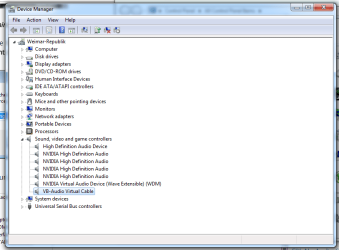
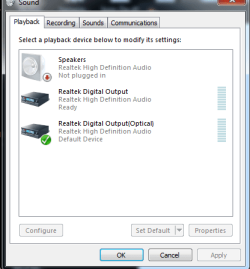
Here's the sitch: took an extra fan out of my ASUS, restarted it, and suddenly my computer doesn't recognize when I plug my earbuds into the front jack. Weird, so I check to see what device is the default audio input, and oddly, it's an audio cable. Headphone option is greyed out because it doesn't detect that any headphones are plugged in. All the threads I've seen on this issue either deal with laptops or tell me to use my Realtek HD Audio Manager. I think, okay, I'll go use that. Oops, turns out, I don't have a Realtek HD Audio Manager and the Realtek site wasn't much use in acquiring one. So how in the hell do I fix this? It's incredibly frustrating.
My Computer
At a glance
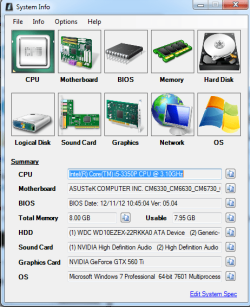
Microsoft Windows 7 Professional 64-bit 7601 ...Intel(R) Core(TM) i5-3350P CPU @ 3.10GHz8.00 GBNVIDIA GeForce GTX 560 Ti
- Computer type
- PC/Desktop
- Computer Manufacturer/Model Number
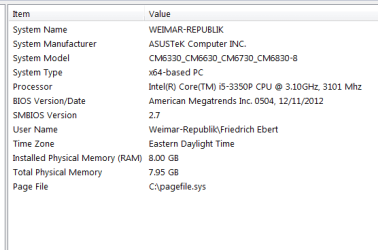
- Asus CM6330_CM6630_CM6730_CM6830-8
- OS
- Microsoft Windows 7 Professional 64-bit 7601 Multiprocessor Free Service Pack 1
- CPU
- Intel(R) Core(TM) i5-3350P CPU @ 3.10GHz
- Motherboard
- ASUSTeK COMPUTER INC. CM6330_CM6630_CM6730_CM6830
- Memory
- 8.00 GB
- Graphics Card(s)
- NVIDIA GeForce GTX 560 Ti
- Sound Card
- NVIDIA High Definition Audio