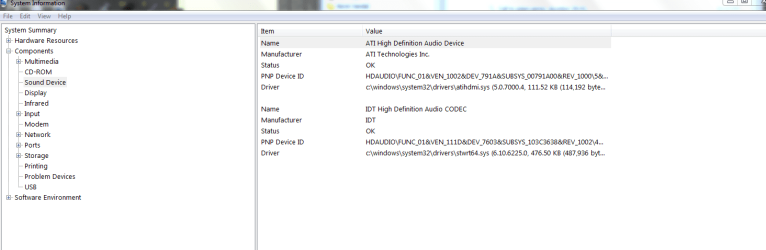
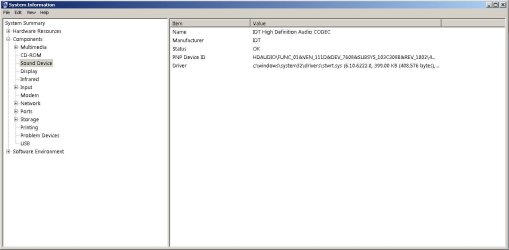
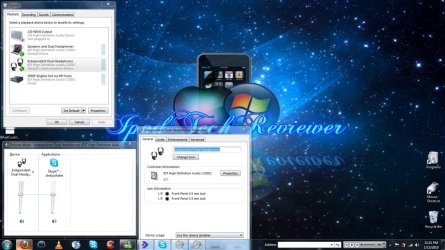
When I plug my headphones in sometimes random things don't play through them. For example atm I'm talking on skype and I can hear my friend talking to me but if I play a youtube video the audio from the video comes out through the speakers. How do I make everything come through the headphones?
I am using an HP pavilion dv7 laptop.
I have tried making the speakers the default sound device
I have tried making the headphones the default sound device
I have tried disabling the speakers while the headphones are in
I have tried updating both drivers via right click>properties>drivers>update driver
Any help would be much appreciated
edit: just discovered that if I am not in a skype call all of the audio comes from the headphones. So it has to be something to do with skype I guess
I am using an HP pavilion dv7 laptop.
I have tried making the speakers the default sound device
I have tried making the headphones the default sound device
I have tried disabling the speakers while the headphones are in
I have tried updating both drivers via right click>properties>drivers>update driver
Any help would be much appreciated
edit: just discovered that if I am not in a skype call all of the audio comes from the headphones. So it has to be something to do with skype I guess
Attachments
Last edited:
My Computer
- Computer Manufacturer/Model Number
- Custom
- OS
- Windows 7 Ultimate x64
- CPU
- AMD FX 8150 Zambezi 3.6Ghz
- Motherboard
- MSI 990XA-GD55 AM3+
- Memory
- G.SKILL Ares Series 16GB (2 x 8GB) 240-Pin DDR3 1866
- Graphics Card(s)
- NVIDIA Gigabyte Geforce GTX 560 Fermi
- Monitor(s) Displays
- Samsung SyncMaster 2494HM
- Screen Resolution
- 1920x1080
- Hard Drives
- 500GB WD don't remember the speed.
- PSU
- 500W Cooler Master
- Case
- Sentey Extreme Division GS-6510 Burton
- Cooling
- Stock FX8150 cooler. :( 5+ LED fans on the case.
- Keyboard
- Wireless Microsoft Keyboard
- Mouse
- Logitech M510 Wireless Mouse