Hello and thanks for reading and any advice!
I am having trouble trying to migrate/clone my original Toshiba Satellite c855 - s5214 640G HDD (the one listed on my specs here) to a new SanDisk Extreme Pro 480G SSD.
(The only experience I have with the migration/clone process is a Samsung 850 EVO 250G I successfully migrated 2 days ago using Samsung Migration software disk that came with the SSD. Samsung's Migration Software only appears to work with Samsung HDD's/SSD's, as I discovered)
So, after doing research on 7forums and YouTube I decided on attempting the migration with a Clonezilla method I found on YouTube. This is the link
https://www.youtube.com/watch?v=LS6VhLDw-io
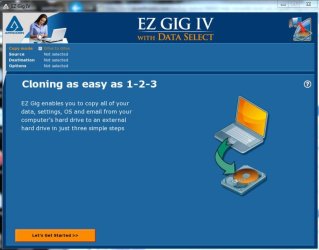
I followed instructions to make a Bootable USB with Clonezilla (success), and then carefully followed the migration/cloning instructions (or so I believe). However, after several attempts (and various experimental format/unformatted approaches (making simple Volumes, attempting unallocated, even exFAT) I can't get the Clonezilla method to work or complete.
*The one thing I suspect is that the YouTube video does not specifically detail the format/unformatted characteristics of the "target" drive (in this case, my new SanDisk SSD) the backup clone/image "source" is being copied to.*
I have some screenshots I will attach that correspond to the following methods I've tried. Thank you again for reading and any help you can provide!
1st attempt:huh:
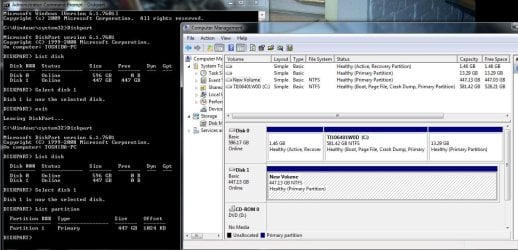
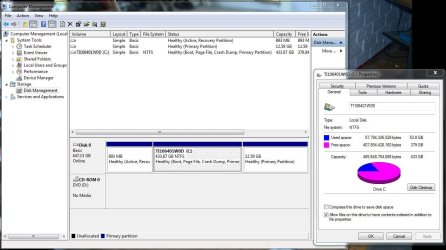
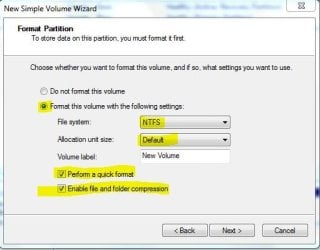
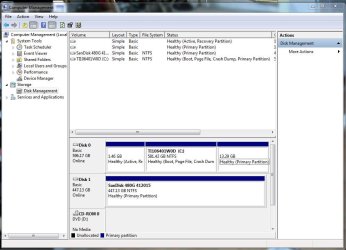
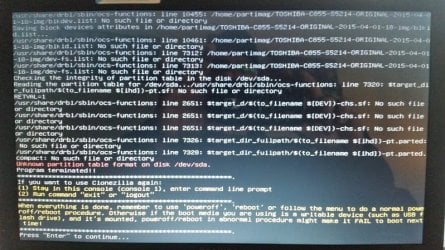
Opened Disk Management in Windows 7, Initialized SanDisk SSD (after connecting via USB enclosure), Made simple Volume, no drive letter assigned, formatted NFTS with default Allocation Unit Size, rebooted with Clonezilla, ran smooth into cloning setup process until "target drive format" failure (screenshots 1,2,3)
2nd attempt:sarc:
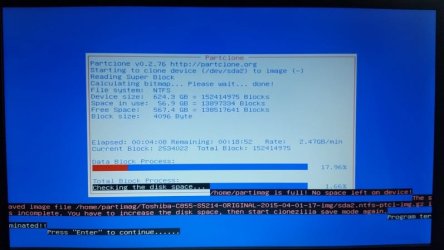
Deleted volume (to remove previous format), made new simple volume, no drive letter assigned, chose "Do not format this drive", rebooted with Clonezilla, ran smooth into cloning process until "no space left on device" failure
(screenshots 4,5)
3rd attempt
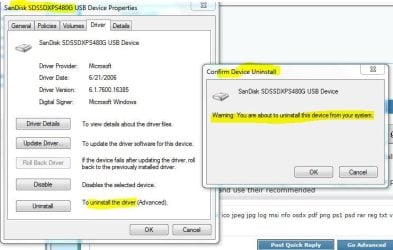
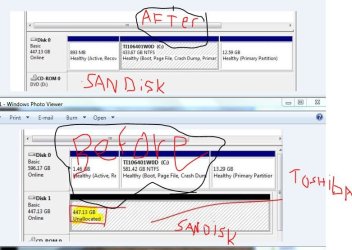
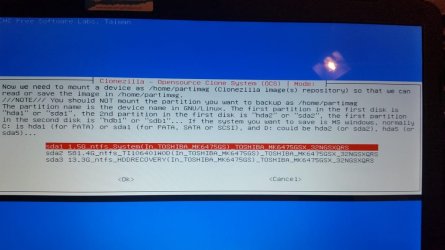
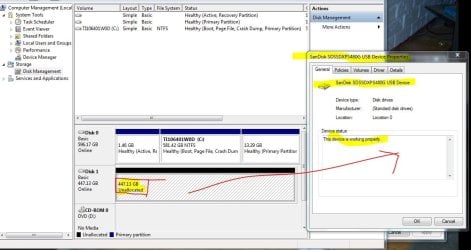
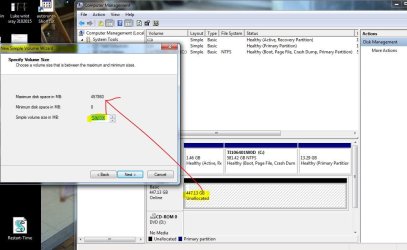
Deleted volume (to remove previous format), left SanDisk SSD unallocated and unformatted, rebooted with Clonezilla, ran to beginning of setup process, SSD was not recognized by Clonezilla
(screenshots 6,7,8)
4th attempt
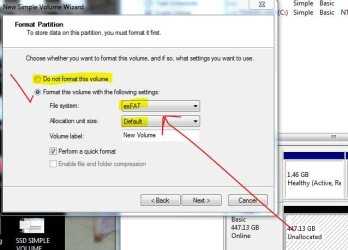
Made simple Volume, no drive letter assigned, formatted exFAT with default Allocation Unit Size, rebooted with Clonezilla, ran smooth into cloning setup process until "target drive format" failure
(screenshots 9,3)

I am having trouble trying to migrate/clone my original Toshiba Satellite c855 - s5214 640G HDD (the one listed on my specs here) to a new SanDisk Extreme Pro 480G SSD.
(The only experience I have with the migration/clone process is a Samsung 850 EVO 250G I successfully migrated 2 days ago using Samsung Migration software disk that came with the SSD. Samsung's Migration Software only appears to work with Samsung HDD's/SSD's, as I discovered)
So, after doing research on 7forums and YouTube I decided on attempting the migration with a Clonezilla method I found on YouTube. This is the link
https://www.youtube.com/watch?v=LS6VhLDw-io
I followed instructions to make a Bootable USB with Clonezilla (success), and then carefully followed the migration/cloning instructions (or so I believe). However, after several attempts (and various experimental format/unformatted approaches (making simple Volumes, attempting unallocated, even exFAT) I can't get the Clonezilla method to work or complete.
*The one thing I suspect is that the YouTube video does not specifically detail the format/unformatted characteristics of the "target" drive (in this case, my new SanDisk SSD) the backup clone/image "source" is being copied to.*
I have some screenshots I will attach that correspond to the following methods I've tried. Thank you again for reading and any help you can provide!
1st attempt:huh:
Opened Disk Management in Windows 7, Initialized SanDisk SSD (after connecting via USB enclosure), Made simple Volume, no drive letter assigned, formatted NFTS with default Allocation Unit Size, rebooted with Clonezilla, ran smooth into cloning setup process until "target drive format" failure (screenshots 1,2,3)
2nd attempt:sarc:
Deleted volume (to remove previous format), made new simple volume, no drive letter assigned, chose "Do not format this drive", rebooted with Clonezilla, ran smooth into cloning process until "no space left on device" failure
(screenshots 4,5)
3rd attempt
Deleted volume (to remove previous format), left SanDisk SSD unallocated and unformatted, rebooted with Clonezilla, ran to beginning of setup process, SSD was not recognized by Clonezilla
(screenshots 6,7,8)
4th attempt
Made simple Volume, no drive letter assigned, formatted exFAT with default Allocation Unit Size, rebooted with Clonezilla, ran smooth into cloning setup process until "target drive format" failure
(screenshots 9,3)
Attachments
-
 1st attempt.JPG30.9 KB · Views: 32
 -
 1st attempt SanDisk 480G SSD.JPG79.7 KB · Views: 0
 -
 1st and 4th attempts Terminated due to Formatted drive.jpg90.7 KB · Views: 0
 -
 2nd attempt SSD UNFORMATTED PROPERTIES.JPG108.6 KB · Views: 0
 -
 2nd attempt unformatted Disk full.jpg46.5 KB · Views: 0
 -
 4th attempt SSD SIMPLE VOLUME WIZARD 3.JPG43.8 KB · Views: 32
 -
 3rd attempt unallocated SSD.jpg69.5 KB · Views: 0
 -
 3rd attempt SSD UNALLOCATED PROPERTIES.JPG94.7 KB · Views: 0
 -
 3rd attempt SSD SIMPLE VOLUME WIZARD 1.JPG92.2 KB · Views: 0
My Computer
At a glance
windows 7 professional 64 bit Version 6.1.760...Intel(R) Pentium(R) CPU B970 @ 2.30GHz, 2300 ...8GbIntel HD Graphics Driver Vers 9.17.10.3347 Da...
- Computer type
- Laptop
- Computer Manufacturer/Model Number
- Toshiba Satellite c855-s5214
- OS
- windows 7 professional 64 bit Version 6.1.7601 Service Pack 1 Build 7601
- CPU
- Intel(R) Pentium(R) CPU B970 @ 2.30GHz, 2300 Mhz, 2 cores
- Motherboard
- Toshiba Portable BIOS Insyde Corp Version 1.60 Date 4/20/12
- Memory
- 8Gb
- Graphics Card(s)
- Intel HD Graphics Driver Vers 9.17.10.3347 Date 10/31/20
- Hard Drives
- SanDisk Extreme Pro SSD 480 Gb (approx. 381gb free)
Firmware Version X21200RL
Migrated and Installed 4/3/2015
- Antivirus
- BitDefender AntiVirus Free Edition Version 1.0.21.1099
- Browser
- Internet Explorer 11 update version 11.0.16
- Other Info
- Additional Systems:
Samsung NP-QX410 Laptop Windows 7 Home Premium SP1
Samsung 850 EVO 250G 4G ram
Avast! Free 2015
Toshiba A205-S7468 Laptop Windows 7 Ultimate
WD 320G HDD 4G ram
AVG free 2015