Help! I lost my Win 7 boot...

gotdurt

New member
Local time
4:04 PM
Messages
5
Okay, first off, I'm no geek, so please be patient with me ;) Here's the progression of the problem...

I had my Dell Optiplex 745 set up to triple boot to Win 7 Pro, XP Pro and Ubuntu (on 3 separate drives) using EasyBCD. For some reason XP quit booting, saying it was missing a file... long story short I finally had to reinstall XP on in its drive. I didn't think this would be a big deal...

After installation, I rebooted so I could do some work in Win 7, but instead I was faced with 2 boot choices: "Microsoft Windows XP professional" and "Windows XP on D:\" (the latter was my old choice). Win 7 and Ubuntu are no longer choices.

I went back into XP to make sure the other drives were in tact and nothing was missing, everything appears to be there. Checked the bios and the drives were all fine and working. I scoured the bios and boot menu don't see any way to get back to Win 7; the machine insists on the New XP installation. I removed the XP drive and turned that SATA port off in bios to see if I could get it to boot from the Win 7 drive, but the problem persists.

Oh, and for some reason it won't boot to my Win7 repair disc; the boot order is correct, the lights come on and the drive spins, but it goes straight to the XP OS choices.

Ideas?
 

My Computer

OS
Windows 7 Pro 64
If you have separate HD's it's cleaner to boot via the BIOS so that all OS's don't depend upon System boot files on one OS. This is especially important with Ubuntu involved since booting with GRUB can corrupt Win7 irreparably.

If you'll post back a screenshot of your maximized Disk Mgmt drive map and listings we will advise you on setting up BIOS boot method or how to repair the Windows-managed Dual Boot.

Screenshot with Paint
Screen Shots
 
I'm not seeing a way to boot from BIOS... maybe I'm missing something, but I don't see any list of OS's or the option to boot from a specific drive; I can only turn drives on/off or change the order. I tried turning off all but the Win 7 drive, but when I reboot, it's still looking for XP.

That machine isn't connected to the internet, I'll have to copy a screen shot in the morning.
 

My Computer

OS
Windows 7 Pro 64
It may be one of the rare boards that doesn't have a one-time Boot Menu key: BIOS Boot menu keys

If so then ignoring Ubuntu and GRUB you would normally follow Steps 7-12 in Method Two of this tutorial which shows how to Dual Boot Win7 with XP installed last: Dual Boot Installation with Windows 7 and XP
Afterwards you can try adding Ubuntu back to multi-boot on the Linux tab of EasyBCD, after working through the steps to see if Win7 will add. If not, we have other tricks.
 
When you Repaired Win XP, did you unplug Windows 7 & Linux HD's?
If you did not, sometimes Win XP will make the HD to a Logical drive.

The one-time Boot Menu is the best setup. Most Dell's are F12,

GA BIOS2.PNG

screen shot of Disk management would be good.
 

My Computer

OS
ME/XP/Vista/Win7
It may be one of the rare boards that doesn't have a one-time Boot Menu key: BIOS Boot menu keys

Yep, I've tried that (F12); this is my same issue:

Every computer or mobo has a one-time BIOS Boot Menu key which when tapped at bootup will override the first boot device. Dell's is F12. Have you tried that?

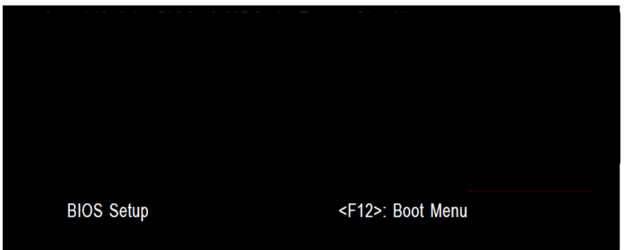
Yes, for my system F12 only give a choice of data, usb device, or cd-rom - no choice between sata drives, just the first it finds.

My choices are:
CD-ROM drive
SATA hard drive
USB device
System setup
Hard drive diagnostics
Boot to utility partition

I've tried them all. There's no way to select between SATA drives. As I pointed out, I even tried it with all but the win 7 drive turned off in bios and physically unplugged, still wants to go to XP (even though it's not there).

If so then ignoring Ubuntu and GRUB you would normally follow Steps 7-12 in Method Two of this tutorial which shows how to Dual Boot Win7 with XP installed last: Dual Boot Installation with Windows 7 and XP
Afterwards you can try adding Ubuntu back to multi-boot on the Linux tab of EasyBCD, after working through the steps to see if Win7 will add. If not, we have other tricks.
I'll take a look at that. Ubuntu isn't important, it was more of a novelty than anything; Win 7 and XP are my work horses and I need Win 7 back, pronto.
 

My Computer

OS
Windows 7 Pro 64
Let us know how this proceeds. If the steps fail after following them carefully repeatedly, then you'll need to mark Win7 active, boot the DVD Repair console or Repair CD to Startup Repair - Run 3 Separate Times
until Win7 starts, then install EasyBCD 2.1 to Add XP, accepting offered boot files, then Linux.

If there are persistent problems you should wipe Grub from the drive using free Partition Wizard bootable CD Wipe function on its partition, since GRUB can render Win7 irreparable.
 
Okay, I looked at the "Dual Boot Installation with Windows 7 and XP" tutorial, and I'm getting hung on installing EasyBCD on XP. I had actually already tried that, but for some reason Easy BCD cancelled installation near the end... so this time I installed .Net Framework 2.0 32 (hoping that would fix the problem) and reinstalled EasyBCD and am still getting "installation cancelled".
 

My Computer

OS
Windows 7 Pro 64
Woot! I finally got it to boot from the repair disk, and after a couple of tries, it worked. My OS boot menu returned as well. Still have to figure out why when I select the XP option, it then gives me 2 XP choices, one of which doesn't work (takes me back to my old problem, but this isn't an XP forum :p) Thanks for your help!
 

My Computer

OS
Windows 7 Pro 64
Good work. :geek:

Actually we help with more Win7/XP Dual Boots that any other place on the web, often a dozen per day.

Use EasyBCD 2.1 to Delete the stray XP listing in Edit Boot Menu tab. If it doesn't work from XP, install and use it from Win7.

You may have to rename both XP listings first to determine with certainty which is the ghost listing after several restarts.
 
Woot! I finally got it to boot from the repair disk, and after a couple of tries, it worked. My OS boot menu returned as well. Still have to figure out why when I select the XP option, it then gives me 2 XP choices, one of which doesn't work (takes me back to my old problem, but this isn't an XP forum :p) Thanks for your help!

Can you post a screen shot of Disk management from Windows 7 & Win XP?
http://www.sevenforums.com/tutorials/9733-how-post-screenshot-seven-forums.html

Screenshot tools.
http://www.sevenforums.com/general-...ed-method-uploading-posting-screen-shots.html
How to Use the Snipping Tool in Vista - Vista Forums
Snipping Tool - Windows 7 features - Microsoft Windows
Use Snipping Tool to capture screen shots
http://www.sevenforums.com/tutorials/9717-screenshot-paint.html
http://www.sevenforums.com/tutorials/51160-screenshot-upload-using-mwsnap.html
fscapture free download

Use Snipping Tool to capture screen shots
 

My Computer

OS
ME/XP/Vista/Win7
Back
Top