Help in PS7

Gyaneshwar

New member
Local time
3:41 PM
Messages
7
How can I make an image fade out in the background and have a text 100 % visibality. what I want is I have to make my logo as a watermark. Then I want to write something on it. then print it out.

Help. Thanks Gyanesh
 

My Computer

Computer Manufacturer/Model Number
Assembled
OS
Windows 7 Ultimate 64 bit & Windows XP 32 bit Dual Boot diff. Partition
CPU
Intel Core i7-930
Motherboard
Gigabyte X-58A-ud5
Memory
6 GB DDR 3 1600 Mhz
Graphics Card(s)
Nvidia Zotac geforce gts 250
Monitor(s) Displays
17 Inch CRT BenQ
Screen Resolution
1024X768
Hard Drives
1 500 GB WD Caviar green
PSU
cooler master silent pro 850 wt
Case
cooler master elite 310
Cooling
200 MM fan
Keyboard
Microsoft MM
Mouse
Microsoft
Internet Speed
25 kBps
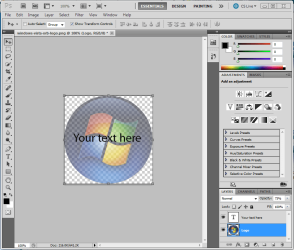
Maybe this? Open your image/logo in Photoshop. Create a new empty layer and put your text on the new layer. The adjust the opacity value for the first layer with your logo in it until it looks the way you want.

I'm no Photoshop expert, but this should work :D

If you want the logo have a gradient fade that can be done also, but someone else will have to help you with that.
 

Attachments

  • Capture.PNG
    Capture.PNG
    56.4 KB · Views: 4
Last edited:

My Computer

Computer Manufacturer/Model Number
Dell E520
OS
Windows 7 Enterprise x64 SP1, Ubuntu 11.04 x64
CPU
Core2Quad Q6700 - 2.66 GHz
Motherboard
Whatever the heck Dell put in there...
Memory
8 Gig Mushkin DDR2 800 MHz
Graphics Card(s)
EVGA NVIDIA 9800GT - 512MB DDR3
Monitor(s) Displays
2 x 19" ViewSonic LCD
Screen Resolution
2560x1024
Hard Drives
1 Intel X25-M 120G SSD, 1 300G VelociRaptor, 1 WD Caviar Black 1TB
PSU
PCPower & Cooling Silencer 500 Watt
Internet Speed
15/2 Roadrunner Cable
Other Info
NOD32 AV - Malwarebytes
Back
Top