Ive been just dealing with this issue for some time, randomly my Windows Media player displays a message after listening to music saying Windows Media player stopped working. What do i need to do to track down why its crashing?
Everytime it crashes it gives me the below information
Description
Faulting Application Path: C:\Program Files (x86)\Windows Media Player\wmplayer.exe
Problem signature
Problem Event Name: BEX
Application Name: wmplayer.exe
Application Version: 12.0.7600.16667
Application Timestamp: 4c7dc5a1
Fault Module Name: StackHash_0a9e
Fault Module Version: 0.0.0.0
Fault Module Timestamp: 00000000
Exception Offset: 0000cf37
Exception Code: c0000005
Exception Data: 00000008
OS Version: 6.1.7600.2.0.0.256.1
Locale ID: 1033
Additional Information 1: 0a9e
Additional Information 2: 0a9e372d3b4ad19135b953a78882e789
Additional Information 3: 0a9e
Additional Information 4: 0a9e372d3b4ad19135b953a78882e789
Yeah, ive tried reinstalling windows media player via the add and remove features rebooting and then going back and selecting windows media player again. No luck. I would like to stick with Windows media player. I do use VLC from time to time.
When you uninstalled WMP did you uninstall then restart the PC and reinstall? If you just uninstalled and then reinstalled, the original problem can still be there.
My Computer
Computer type
PC/Desktop
Computer Manufacturer/Model Number
My Own Build
OS
Windows 10 64 bit
CPU
Intel i7 6700K
Motherboard
ASUS ROG Maximus VIII Hero
Memory
16GB Corsair Dominator
Graphics Card(s)
Intel CPU Graphics
Sound Card
RealTek
Monitor(s) Displays
27" Dell S2719dgf
Screen Resolution
2560X1440
Hard Drives
1 TB Samsung 850 EVO SSD for Win 10 Pro
500GB Samsung 850 EVO SSD for Win 10 Insider
2 TB drive for backup
PSU
EVGA Supernova 750G2
Case
BeQuiet Silent Base 600
Cooling
Deepcool Captain 120EX
Keyboard
Microsoft Wireless 2000
Mouse
Microsoft wireless
Internet Speed
100 MB/sec (Cable)
Antivirus
Microsoft Defender and Malwarebytes
Browser
Edge/Firefox
Other Info
Cakewalk (Sonar) by BandLab and Studio One 4.1 Pro recording studio software. MOTU 896Mk3 Hybrid recording interface, Frontier Tranzport wireless control unit, Behringer X-Touch Control Surface.
Five USB connected optical drives for CD Audio production using Nero BurningROM
Ok so when i removed windows media player from features rebooted and tried to install again it gives me this. Please help!! lol As of right now i have no way to listen to music
Not really my area of expertise....as if I had one....but if your libraries are very large that can cause the issue...on the last post do you have any restore points?
My Computer
Computer type
PC/Desktop
Computer Manufacturer/Model Number
Custom
OS
windows 10 pro 64 bit
CPU
i5 4690K@4500 COOLER MASTER Seidon 120M water cooler
Motherboard
ASUS SABERTOOTH Z87 LGA 1150 Intel
Memory
16gb Kingston HyperX DDR3 1600
Graphics Card(s)
EVGA GTX 1070 sc
Monitor(s) Displays
BenQ GL2760H Black 27" 2ms HDMI Widescreen LED 1920X1080
Nope, Tried system restore it Failed Unable to restore successfully. Im stumped man. Cant find my windows install disc cant find the backup image >.< Any Ideas Anyone??
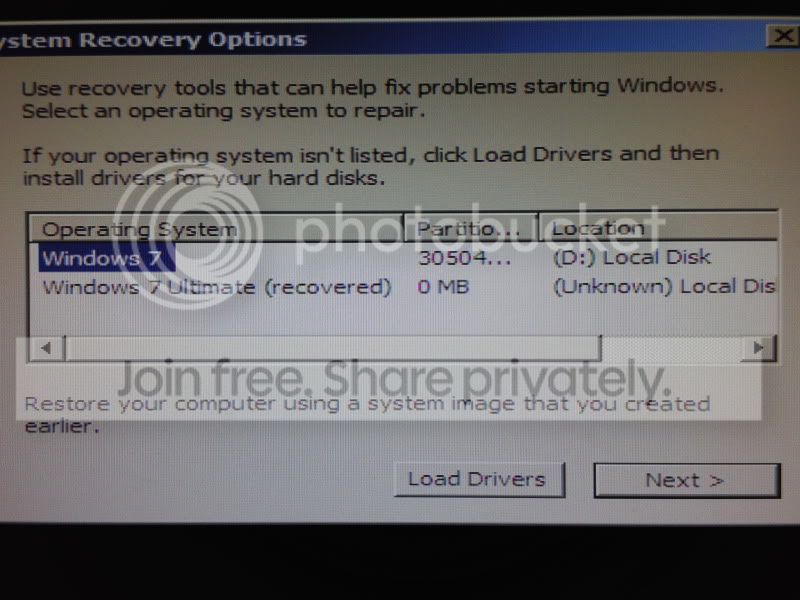
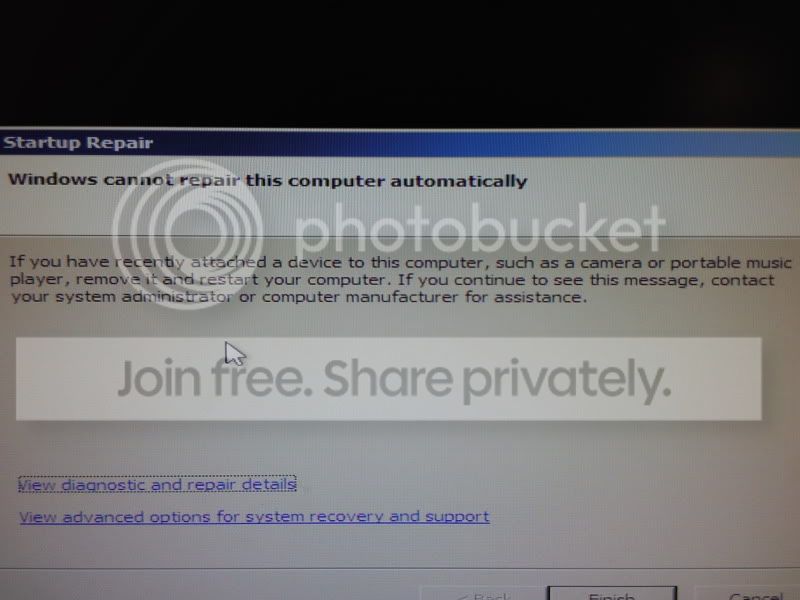
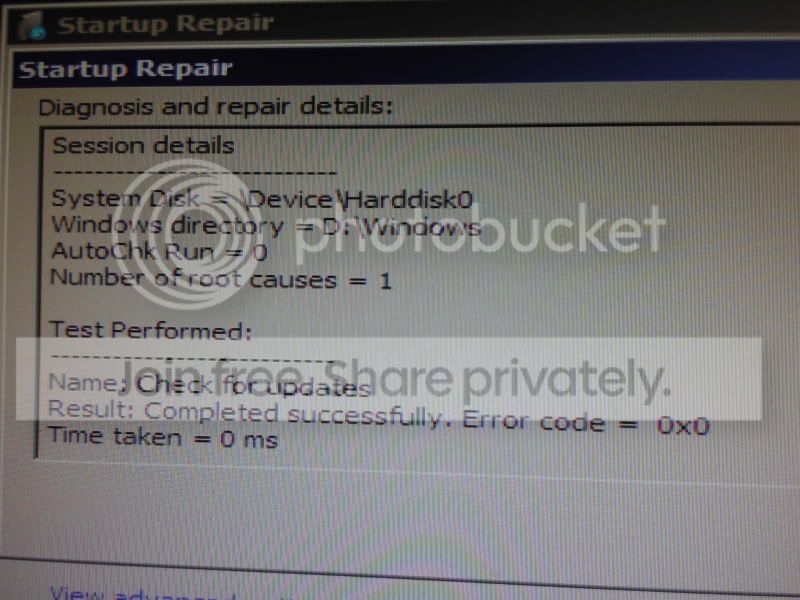
Not sure If that would work or not. Probably not being as its Microsoft for you Making things very complicated. Its irritating so basically now. Im unable to turn Windows Media Player back on. And Unable to use system restore. Tried using the repair disc but it recognized my Drive as another Letter and give me some message about having recently plugged any webcams or anything in. Well right now theres nothing plugged in. >.< *bashes head* Im Most definitely More Hardware then software kinda guy. So im Completely Stumped.
I hear you there software is a pain in the a$$ can you do repair recovery on the start up ? scan disk for errors or bad clusters preventing the recovery from working right?
My Computer
Computer type
PC/Desktop
Computer Manufacturer/Model Number
CoreI7-6700K MrFingerIII Special Builds
OS
Windows 10 Home Premium 64bit sp1
CPU
Intel I7-6700K @ 4.6 Ghz 1.344 volts everyday OC
Motherboard
Asrock Fatality K6 Z170 Socket 1151
Memory
32GB G-Skill TridentZ 3200mhz 16-18-18-38 DDR4
Graphics Card(s)
Sli Gigabyte Windforce GTX 980 G1
Sound Card
AC97 Creative Rage Tactic 3D Headphones Bluetooth
Monitor(s) Displays
27" Asus ROG Swift PG278Q G-Sync 48" Vizio Smart HD TV
Screen Resolution
2560x1440p 27"- 48" Currently Gaming at 2560x1440p Res 2K
I just dont understand why the repair disc wont work. Ill try again post up a screen shot from my phone to show you guys what it says. That will allow us to look into it better. Ill Brb in a sec.. Trying some things.
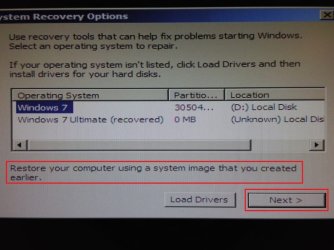
From the shots it seems that you attempted a startup repair .... while you have to do a image restoration (as you said it earlier that you have a backup image) .
To do it , you are to click on the link "restore your computer using a system inage that you created earlier" and then press the "next" button .... it will automatically search a system image.... if there is at least one .
Post back with results . (understanding from post 12 that you have a backup image).