hamadakota
New member
- Local time
- 1:18 AM
- Messages
- 5
I have problem with Google Apps for Work to authenticate my email with outlook

after i checked with google support they told me the problem from my computer
than i try to open any website from command line it is say

actually i removed all browser (chrome - Firefox) and use only (IE) than i restart my pc
but still have this problem
when i try to use this solution no new
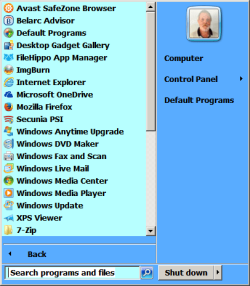
{Start button > Default Programs > Set Your Default Programs > left coulm, click Internet Explorer ( or your main browser ) > does it say " This program has all its defaults " ?
If it does not say so, click Choose Defaults for this program > put checkmarks on all entries under the list > clikc Save.}
My OS windows 7 ultimate 64 bit
please can any one help me
after i checked with google support they told me the problem from my computer
than i try to open any website from command line it is say
actually i removed all browser (chrome - Firefox) and use only (IE) than i restart my pc
but still have this problem
when i try to use this solution no new
{Start button > Default Programs > Set Your Default Programs > left coulm, click Internet Explorer ( or your main browser ) > does it say " This program has all its defaults " ?
If it does not say so, click Choose Defaults for this program > put checkmarks on all entries under the list > clikc Save.}
My OS windows 7 ultimate 64 bit
please can any one help me
My Computer
- Computer type
- PC/Desktop
- Computer Manufacturer/Model Number
- HP
- OS
- 64
- Memory
- 8