
jury foreman
New member
- Local time
- 8:41 AM
- Messages
- 1

I thought I'd give the W8 consumer preview a go, not being that tech savvy (I'm not computer illiterate though) I think I've messed it up a bit.
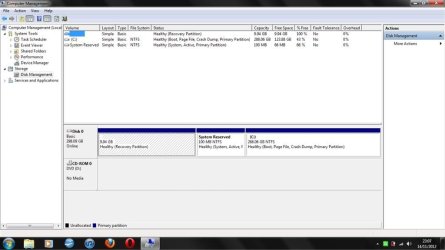
Now I want the space back, but CAN'T find the VHD partition in DISK MANAGEMENT on W7, but I CAN on W8.
I've added print screens from both W7
Obviously I can't delete the VHD inside of W8 and can't delete it in W7 either, I'm lost.
Either way, any help you guys can offer would be great, my laptop has been running slow lately so I decided to have a clean up, so far I've un-installed about four programs before trying to figure what's happened here for the past three hours.
Cheers guys,
JF.
Attachments

My Computer
At a glance
Windows 7 Home Premium 64bit
- OS
- Windows 7 Home Premium 64bit
