
HELP!!! Virus in Windows 7 :(

lakerkid08

New member
Local time
4:25 PM
Messages
7
Hey everyone, so i just bought an authentic version of windows 7 pro for my Acer Extensa laptop. I booted from dvd, did a clean install, formated my C drive (partition 2), and eevrything was running smoothly. However, when I went online to download a driver for my touchpad, on accident I went to a "fake" site, and downloaded the driver from there. BAD BAD IDEA.

After downloading, my computer screen started flicking black and changing screen resolutions. During each black flicker, there were these little blue and yellow "character" markings all over the black screen. When I restarted, windows said there was a problem...and fixed it. The error said it was "bluescreen". However, the black flickering didnt stop.

THEREFORE, I am rebooting my computer from the disk again. I have 3 partitions, and noticed THIS time the 3rd partition labaled D: DATA (Primary) is not completely empty. It has a total size of 69.9GB but only 69.8GB are free. I am wondering if this is where the virus is hiding. Also, Partition 1: PQSERVICE (OEM Reserved) has size of 9.8GB and free space 4.6 GB.

My QUESTION to you guys is..this time instead of just formating the 2nd partition like the first time around, should i format the 2nd and 3rd to ensure I have whiped the virus clean? THANK YOU for your help :)

*note*
i would like to add that i also installed the systemics touchpad driver for vista from the REAL Acer site upon the same restart that the virus took full effect. At first i thought that the driver was causing the issues, then I realized it must have been the fake driver detector downloaded right before
 

My Computer

Computer Manufacturer/Model Number
Acer Extensa 4620-4605
OS
Windows 7 Professional
CPU
Intel(R) Pentium(R) Dual CPU T2310 @ 1.46GHz
Memory
2GB
Monitor(s) Displays
32 Bit Operating System
Internet Speed
Comcast High Speed Wireless 16mbps

My Computer

Computer type
PC/Desktop
Computer Manufacturer/Model Number
Custom Build/Mod
OS
Windows 7 Home Premium x64
CPU
Intel QX9650 Extreme 4.0 GHz
Motherboard
ASUS Rampage Extreme Rev2
Memory
8GB (4x2) Corsair Dominator DDR3
Graphics Card(s)
2x Radeon R390X [8GB]
Sound Card
SupremeFX X-Fi
Monitor(s) Displays
Dell 2408WFP 26" Panel
Screen Resolution
1920x1200
Hard Drives
4x WD 2TB (8TB+ Total)
2x Crucial SSD 128GB (RAID-0)
1x LG Blu-ray read/write
1x Phillips LightScribe DVD read/write
PSU
Corsair HX1000
Case
CoolerMaster - Cosmos S
Cooling
Custom Liquid - 320mm rad w/ 3x 80mm fans, CPU/NB/SB Blocks
Keyboard
Logitech Illuminater Pro
Mouse
Logitech
Internet Speed
Fractional T1 - 125Mbps
Antivirus
ESET Security Suite / Microsoft Security Essentials
Browser
Cyberfox Intel x64
Other Info
OC'd to 5.0GHz @ 44c under full load
After i read this thread...

http://www.sevenforums.com/general-discussion/19121-bluescreen-problem.html#post274145

maybe it wasn't a virus afterall? I had the same error message when I restarted my computer. although that was some pretty sketchy software, called "driverbot". Hmm...

You 'bought' a genuine copy? .

yeah i did. Paid $51.00 to become a member of MSDNAA through my school, and downloaded a 100% real RTM version of windows 7 pro with authentic key
 

My Computer

Computer Manufacturer/Model Number
Acer Extensa 4620-4605
OS
Windows 7 Professional
CPU
Intel(R) Pentium(R) Dual CPU T2310 @ 1.46GHz
Memory
2GB
Monitor(s) Displays
32 Bit Operating System
Internet Speed
Comcast High Speed Wireless 16mbps

My Computer

Computer Manufacturer/Model Number
Samsung NP530U4B-S02IN
OS
Windows® 8 Pro (64-bit)
CPU
Intel® Core™ i5 Processor 2467M (1.60GHz, 3MB L3 Cache)
Motherboard
Samsung Electronics
Memory
6GB DDR3 System Memory at 1,333MHz (on BD 4GB + 2GB x 1)
Graphics Card(s)
AMD Radeon™ HD7550M 1GB DDR3 (Ext. Graphic)
Sound Card
Realtek High Definition Audio
Monitor(s) Displays
35.56cm (14.0) SuperBright 300nit HD LED Display
Screen Resolution
1366x768
Hard Drives
1TB S-ATA II Hard Drive (5400RPM) with ExpressCache 16GB SSD
Internet Speed
sucks
Antivirus
Microsoft Security Essentials
Browser
Google Chrome (Sync enabled)

Just ran bitdefender. All is well in the world lol. But then again, I also reinstalled windows from the boot dvd, so maybe that already deleted the virus. It was a strange black screen i tell ya... QUESTION: Can I re-enter my key again? Or will microsoft decline it because I used it the first time i setup windows 7?
 

My Computer

Computer Manufacturer/Model Number
Acer Extensa 4620-4605
OS
Windows 7 Professional
CPU
Intel(R) Pentium(R) Dual CPU T2310 @ 1.46GHz
Memory
2GB
Monitor(s) Displays
32 Bit Operating System
Internet Speed
Comcast High Speed Wireless 16mbps
The key should work again and again, as long as you dont change, lets say the motherboard.
 

My Computer

Computer Manufacturer/Model Number
Self Build 64bit
OS
Vista Ult64, Win7600
CPU
Intel Core 2 Quad Q6600 @ 2400 MHz 64bit OS
Motherboard
Asus P5E3 Deluxe WiFi @p 64 bit OS
Memory
4096 MB DDR3-SDRAM
Graphics Card(s)
ATI Radeon HD 3870 Series x2 Crossfired
Sound Card
Realtek on board
Monitor(s) Displays
Samsung SyncMaster - 23 inches
Screen Resolution
1680x1050 pixels at 60 Hz in True Colors
Hard Drives
Hitachi (250 GB)/Samsung 750 GB. /Barracuda 160 GB.
My Book 1 TB external..
PSU
Cooler Master 1000w
Case
Cooler Master Cosmos 1000.
Cooling
Fans and fresh air,
Keyboard
Wireless
Mouse
Wireless
Internet Speed
Never fast enough
Other Info
I use a Magnum.
Thanks so much everyone for all of your help! Mods...for deleting my duplicate posts, jfar for the key advice, and dinesh for the anti-virus links! This website is definitely going to be in my favorites from here on out.
 

My Computer

Computer Manufacturer/Model Number
Acer Extensa 4620-4605
OS
Windows 7 Professional
CPU
Intel(R) Pentium(R) Dual CPU T2310 @ 1.46GHz
Memory
2GB
Monitor(s) Displays
32 Bit Operating System
Internet Speed
Comcast High Speed Wireless 16mbps
glad to hear that mate. :thumbsup:
 

My Computer

Computer Manufacturer/Model Number
Samsung NP530U4B-S02IN
OS
Windows® 8 Pro (64-bit)
CPU
Intel® Core™ i5 Processor 2467M (1.60GHz, 3MB L3 Cache)
Motherboard
Samsung Electronics
Memory
6GB DDR3 System Memory at 1,333MHz (on BD 4GB + 2GB x 1)
Graphics Card(s)
AMD Radeon™ HD7550M 1GB DDR3 (Ext. Graphic)
Sound Card
Realtek High Definition Audio
Monitor(s) Displays
35.56cm (14.0) SuperBright 300nit HD LED Display
Screen Resolution
1366x768
Hard Drives
1TB S-ATA II Hard Drive (5400RPM) with ExpressCache 16GB SSD
Internet Speed
sucks
Antivirus
Microsoft Security Essentials
Browser
Google Chrome (Sync enabled)
I may be too late for this, but don't enter your key in during setup. I have to honestly wonder why people are doing this with Vista and Windows 7. You are a prime candidate, and have given a beautiful example of why this is. Anytime you are doing the OS install, get it up and running, updated, and drivers installed first. Then, when you are happy with it, and feel that it is stable, then worry about putting in your key and activating.

You also could try deleting the OEM partition, assuming you made recovery discs. There's no need to keep that, if you have these discs. Besides, if your HDD dies, so will your restore method anyway, without the discs. If you think it was a virus, it is best to clear the drive, and the MBR, before reloading the OS.
 

My Computer

OS
Windows 7 Ultimate x64 SP1
CPU
Intel Core i7-2600
Motherboard
Gigabyte GA-P67A-UD3P-B3
Memory
12 GB Patriot Extreme DDR3-1333
Graphics Card(s)
Nvidia GTX 470
Monitor(s) Displays
Dell UltraSharp 2209WA
Hard Drives
OCZ Agility3 240 GB, WD5001AALS, WD7501AALS
PSU
OCZ ModStream 700W
Case
CoolerMaster HAF 912 Advanced
Cooling
CoolerMaster Hyper 212 Plus
You also could try deleting the OEM partition, assuming you made recovery discs. There's no need to keep that, if you have these discs. ..... If you think it was a virus, it is best to clear the drive, and the MBR, before reloading the OS.

Thanks for the tip, before i read your post I actually rebooted the OS but only formated partition 2 (C: System) and not the other two partitions. Is it too late to also delete the OEM partition using the boot dvd, or would I have to re-install the OS again?

Also, when you say delete...you mean actually click "delete" on the win7 setup install right? And not just click "format"? Thanks!
 

My Computer

Computer Manufacturer/Model Number
Acer Extensa 4620-4605
OS
Windows 7 Professional
CPU
Intel(R) Pentium(R) Dual CPU T2310 @ 1.46GHz
Memory
2GB
Monitor(s) Displays
32 Bit Operating System
Internet Speed
Comcast High Speed Wireless 16mbps
Yeah, that's basically what I meant, but I prefer to remove all partitions before starting the OS install. I would think the delete option on the install screen would do the trick.

If you already reinstalled W7, you could still use a partition manager to delete the OEm partition, move your existing partitions to the beginning of the drive, and reclaim that space for your data partition. This is all assuming you made your recovery discs.
 

My Computer

OS
Windows 7 Ultimate x64 SP1
CPU
Intel Core i7-2600
Motherboard
Gigabyte GA-P67A-UD3P-B3
Memory
12 GB Patriot Extreme DDR3-1333
Graphics Card(s)
Nvidia GTX 470
Monitor(s) Displays
Dell UltraSharp 2209WA
Hard Drives
OCZ Agility3 240 GB, WD5001AALS, WD7501AALS
PSU
OCZ ModStream 700W
Case
CoolerMaster HAF 912 Advanced
Cooling
CoolerMaster Hyper 212 Plus
Yeah, that's basically what I meant, but I prefer to remove all partitions before starting the OS install. I would think the delete option on the install screen would do the trick.

If you already reinstalled W7, you could still use a partition manager to delete the OEm partition, move your existing partitions to the beginning of the drive, and reclaim that space for your data partition. This is all assuming you made your recovery discs.

I don't have much on here so I might as well re-install the OS again. I shouldn't keep activating my key though haha, I should just wait the 30 days then activate, in case I have to reinstall again. Ok, so when I re-install there are three partitions...

Partition 1: PQSERVICE 9.6GB-Cap 4.6GB-Free (OEM RESERVED)

Partition 2: C: ??GB (System)

Partition 3: D: DATA 69.6GB-Cap 69.8GB-Free (Primary)

...you are saying format parition 2, delete partition 1, and format partition 3? and then install os on c drive like always? Thanks again for the help...
 

My Computer

Computer Manufacturer/Model Number
Acer Extensa 4620-4605
OS
Windows 7 Professional
CPU
Intel(R) Pentium(R) Dual CPU T2310 @ 1.46GHz
Memory
2GB
Monitor(s) Displays
32 Bit Operating System
Internet Speed
Comcast High Speed Wireless 16mbps
I'm going to make an assumption that Partition 3 is empty, based on the info given...so keep that in mind. I'm also making the assumption you have recovery discs, and no longer need Partition 1.

If it was me, I'd delete all three partitions, so the drive was blank and unformatted. I'd create my C partition to be the size I wanted. You'll get a message about a 100 MB partition being created for Windows 7 System Reserved. Finish your install as normal. Once you are up and running into Windows 7, you can go into Disk Management, move your optical drive to E: and then create a D drive out of the remaining HDD space.

Just be sure, during the install, to choose the version of Windows 7 that your license is for, Home Premium, Business, etc. You can then choose not to enter a key. I wouldn't recommend waiting the full 30 days, but it is designed to give you this "test run" before you activate. This way, if something is borked, and you need to reinstall, you haven't ever activated yet.
 

My Computer

OS
Windows 7 Ultimate x64 SP1
CPU
Intel Core i7-2600
Motherboard
Gigabyte GA-P67A-UD3P-B3
Memory
12 GB Patriot Extreme DDR3-1333
Graphics Card(s)
Nvidia GTX 470
Monitor(s) Displays
Dell UltraSharp 2209WA
Hard Drives
OCZ Agility3 240 GB, WD5001AALS, WD7501AALS
PSU
OCZ ModStream 700W
Case
CoolerMaster HAF 912 Advanced
Cooling
CoolerMaster Hyper 212 Plus
I'm going to make an assumption that Partition 3 is empty, based on the info given...so keep that in mind. I'm also making the assumption you have recovery discs, and no longer need Partition 1.

If it was me, I'd delete all three partitions, so the drive was blank and unformatted. I'd create my C partition to be the size I wanted. You'll get a message about a 100 MB partition being created for Windows 7 System Reserved. Finish your install as normal. Once you are up and running into Windows 7, you can go into Disk Management, move your optical drive to E: and then create a D drive out of the remaining HDD space.

Just be sure, during the install, to choose the version of Windows 7 that your license is for, Home Premium, Business, etc. You can then choose not to enter a key. I wouldn't recommend waiting the full 30 days, but it is designed to give you this "test run" before you activate. This way, if something is borked, and you need to reinstall, you haven't ever activated yet.

ok getting ready to start that process. When you say recovery disk though, you mean just the windows 7 boot dvd? Because I do have that.
 

My Computer

Computer Manufacturer/Model Number
Acer Extensa 4620-4605
OS
Windows 7 Professional
CPU
Intel(R) Pentium(R) Dual CPU T2310 @ 1.46GHz
Memory
2GB
Monitor(s) Displays
32 Bit Operating System
Internet Speed
Comcast High Speed Wireless 16mbps
No, what he is talking about is the recovery disk that you make from inside your original OS when it was still installed on the system.

Since you are not a proficient user, I am going to assume in the opposite direction from DeaconFrost in that you do not have the disks made.

I have upgrade my laptop but left the original recovery partition in case I want to sell it - I can re-install the original OS complete with all the original apps, etc., and I am not missing more than about 7 GB of space. If I honestly really am going to worry about 7 GB of space...I need a bigger HD to begin with.

Your current method is perfectly fine when it comes to your installation - until you are 100% sure you'll never want that old OS again for *any* reason (remember, you cannot transfer your MSDNAA license to anyone else - that is yours) I'd stick with your current setup and be done with it.
 

My Computers

System One System Two

  • Computer type
    PC/Desktop
    Computer Manufacturer/Model Number
    The Beast Model A (homebrew)
    OS
    Windows 11 21H2 Current build
    CPU
    AMD Ryzen 9 3950X
    Motherboard
    MSI MEG X570 GODLIKE
    Memory
    4 * 32 GB - Corsair Vengeance 3600 MHz
    Graphics Card(s)
    EVGA GeForce RTX 3080 Ti XC3 ULTRA GAMING (12G-P5-3955-KR)
    Sound Card
    Realtek® ALC1220 Codec
    Monitor(s) Displays
    2x Eve Spectrum ES07D03 4K Gaming Monitor (Matte) | Eve Spec
    Screen Resolution
    3x 3840 x 2160
    Hard Drives
    3x Samsung 980 Pro NVMe PCIe 4 M.2 2 TB SSD (MZ-V8P2T0B/AM) } 3x Sabrent Rocket NVMe 4.0 1 TB SSD
    PSU
    PC Power & Cooling’s Silencer Series 1050 Watt, 80 Plus Plat
    Case
    Fractal Design Define 7 XL Dark ATX Full Tower Case
    Cooling
    SteelSeries Apex Pro Wired Gaming Keyboard
    Keyboard
    SteelSeries Apex Pro
    Mouse
    Logitech MX Master 3S | MX Master 3 for business
    Internet Speed
    AT&T LightSpeed Gigabit Duplex Ftth
    Antivirus
    Windows Defender + MB 3
    Browser
    Nightly (default) + Firefox (stable),Chrome, Edge
  • Computer type
    PC/Desktop
    System Manufacturer/Model Number
    Dell Latitude E5470
    OS
    ChromeOS Flex Dev Channel (current)
    CPU
    Intel(R) Core(TM) i5-6300U CPU @ 2.40GHz, 2501 Mhz, 2 Core(s), 4 Logical Processor(s)
    Motherboard
    Dell
    Memory
    16 GB
    Graphics Card(s)
    Intel(R) HD Graphics 520
    Sound Card
    Intel(R) HD Graphics 520 + RealTek Audio
    Monitor(s) Displays
    Dell laptop display 15"
    Screen Resolution
    1920 * 1080
    Hard Drives
    Toshiba 128GB M.2 22300 drive
    INTEL Cherryville 520 Series SSDSC2CW180A 180 GB SATA III SSD
    PSU
    Dell
    Case
    Dell
    Cooling
    Dell
    Keyboard
    Dell
    Mouse
    Logitech MX Master 3S (shared w. Sys 1) | Dell TouchPad
    Internet Speed
    AT&T LightSpeed Gigabit Duplex Ftth
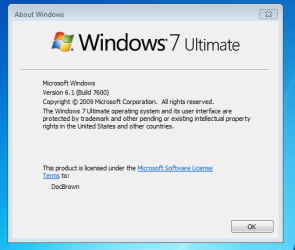
Some of us had a TimeMachine & went to TechNet on Aug 6th :D
 

Attachments

  • Doc_2015_away_we_go.jpg
    Doc_2015_away_we_go.jpg
    27.2 KB · Views: 32
  • WINVER_7600.PNG
    WINVER_7600.PNG
    14.3 KB · Views: 702

My Computer

Computer type
PC/Desktop
Computer Manufacturer/Model Number
Built them myself, Science Experiments !
OS
Win7 Enterprise, Win7 x86 (Ult 7600), Win7 x64 Ult 7600, TechNet RTM on AMD x64 (2.8Ghz)
CPU
AMD fx8350 4ghz, AMD-32 2400mhz, AMD-64 3200mhz, AMDx64 2.8G
Motherboard
SIS 755, ECS-K8M890M-M (Ult 7600), GigaByte & others
Memory
2gb, 4gb on the Ult 7600, 4gb on Technet RTM, 32gb on FX8350
Graphics Card(s)
Draw my own Graphics, several nVidia cards
Sound Card
on motherboard
Monitor(s) Displays
19" flat scr, 28" I-Inc widescr,22" Emprex Widescr, 23" Acer
Screen Resolution
1280 x 1024, 1440 x 900, 1920 x 1080
Hard Drives
6 pata Ide HD's & 2 Sata HD's
added 80gb external on Ult 7600 computer,
numerous extra 1tb, 2TB, 3Tb SATA HD's
A collection of ext HD Docks w/ HDs
PSU
430w, 550w, 600w, 700, 800, etc
Case
All Generic Full Towers
Cooling
Open Air & a few fans, some w/ colored LEDs
Keyboard
Compaq & Dell recycled from GoodWill
Mouse
Made in China Optical Wired Mouse
Internet Speed
Fast Cable InterNet
Antivirus
AVG Free on 24 different Desktops, NO Problems!
Browser
IE 8 is preferred, but use FireFox sometimes
Other Info
Linksys Routers, switches, & Hubs
Too Many USB Flash Drives to count, Biggest is 64GB !
Eight computers in my home network.
Sixteen computers at my business network.
Linked via TeamViewer !
Lots of old used spare computer parts everywhere!

My Computer

Computer type
PC/Desktop
Computer Manufacturer/Model Number
Bruce ... somewhere in his 40's
OS
Windows 7 Ultimate 32bit SP1
CPU
Intel(R) Core(TM)2 Quad CPU @ 2.40GHz, 2400 MHz
Motherboard
INTEL/D975XBX2
Memory
4 GB
Graphics Card(s)
ATI Radeon HD 2600 Pro
Monitor(s) Displays
Samsung SyncMaster 914v
Screen Resolution
1280 x 1024
Hard Drives
2/500GB each ... ST3500630AS ATA Device.
One is not connected
PSU
Rocketfish 700 W
Case
G.Skill Gigabyte Chassis
Keyboard
Standard PS/2 Keyboard
Mouse
Microsoft PS/2 Mouse
Internet Speed
DSL
Antivirus
Avira Internet Security
Browser
IE 11
Other Info
ATI HDMI Audio
That entire thread is now showing that the MSDN-AA for students not going through their University only get access to other things not W7.

I am not sure if this was intentional, but I think the $51 MSDN-AA through the University was the legit one.
 

My Computers

System One System Two

  • Computer type
    PC/Desktop
    Computer Manufacturer/Model Number
    The Beast Model A (homebrew)
    OS
    Windows 11 21H2 Current build
    CPU
    AMD Ryzen 9 3950X
    Motherboard
    MSI MEG X570 GODLIKE
    Memory
    4 * 32 GB - Corsair Vengeance 3600 MHz
    Graphics Card(s)
    EVGA GeForce RTX 3080 Ti XC3 ULTRA GAMING (12G-P5-3955-KR)
    Sound Card
    Realtek® ALC1220 Codec
    Monitor(s) Displays
    2x Eve Spectrum ES07D03 4K Gaming Monitor (Matte) | Eve Spec
    Screen Resolution
    3x 3840 x 2160
    Hard Drives
    3x Samsung 980 Pro NVMe PCIe 4 M.2 2 TB SSD (MZ-V8P2T0B/AM) } 3x Sabrent Rocket NVMe 4.0 1 TB SSD
    PSU
    PC Power & Cooling’s Silencer Series 1050 Watt, 80 Plus Plat
    Case
    Fractal Design Define 7 XL Dark ATX Full Tower Case
    Cooling
    SteelSeries Apex Pro Wired Gaming Keyboard
    Keyboard
    SteelSeries Apex Pro
    Mouse
    Logitech MX Master 3S | MX Master 3 for business
    Internet Speed
    AT&T LightSpeed Gigabit Duplex Ftth
    Antivirus
    Windows Defender + MB 3
    Browser
    Nightly (default) + Firefox (stable),Chrome, Edge
  • Computer type
    PC/Desktop
    System Manufacturer/Model Number
    Dell Latitude E5470
    OS
    ChromeOS Flex Dev Channel (current)
    CPU
    Intel(R) Core(TM) i5-6300U CPU @ 2.40GHz, 2501 Mhz, 2 Core(s), 4 Logical Processor(s)
    Motherboard
    Dell
    Memory
    16 GB
    Graphics Card(s)
    Intel(R) HD Graphics 520
    Sound Card
    Intel(R) HD Graphics 520 + RealTek Audio
    Monitor(s) Displays
    Dell laptop display 15"
    Screen Resolution
    1920 * 1080
    Hard Drives
    Toshiba 128GB M.2 22300 drive
    INTEL Cherryville 520 Series SSDSC2CW180A 180 GB SATA III SSD
    PSU
    Dell
    Case
    Dell
    Cooling
    Dell
    Keyboard
    Dell
    Mouse
    Logitech MX Master 3S (shared w. Sys 1) | Dell TouchPad
    Internet Speed
    AT&T LightSpeed Gigabit Duplex Ftth
Back
Top