shadowman007
New member
- Local time
- 5:42 PM
- Messages
- 13
Ok I did a reinstallation of Windows 7 Ultimate 64 bit but when I was asked where I would like to
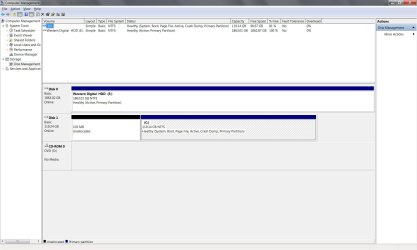
Install the Operating system I found there was a 101mb unallocated System Reserved this was not there
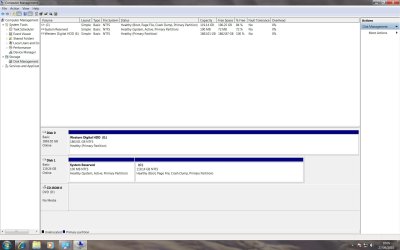
When I first time installed Windows 7 only my SSD and HDD were there I tried deleting it but there was no option
So I ignored it but know in Disk Management it shows the 101mb unallocated and has the option to only format it Can’t delete it still this 101mb unallocated is part of the SSD which has the Windows 7 operating system installed on it if I do format the 101mb unallocated what is the format ? Do I rename it as “System Reserve” or is there a way of deleting it but I do not want to delete it if its important even though if I do format it will erase anything that’s on it but I do not think there is.
Install the Operating system I found there was a 101mb unallocated System Reserved this was not there
When I first time installed Windows 7 only my SSD and HDD were there I tried deleting it but there was no option
So I ignored it but know in Disk Management it shows the 101mb unallocated and has the option to only format it Can’t delete it still this 101mb unallocated is part of the SSD which has the Windows 7 operating system installed on it if I do format the 101mb unallocated what is the format ? Do I rename it as “System Reserve” or is there a way of deleting it but I do not want to delete it if its important even though if I do format it will erase anything that’s on it but I do not think there is.
My Computer
- OS
- Windows 7 Ultimate 64 Bit
- CPU
- i7 950
- Motherboard
- Asus P6X58D-E
- Memory
- Kingston HyperX 1600MHz DDR3
- Hard Drives
- 128GB SSD Crucial C300
2TB Western Digital WD2001FASS Caviar Black
- PSU
- Corsair TX850
- Case
- Cool Master Haf 922
- Cooling
- Thermalright Venomous X