Help with display

PikachuTatoo

New member
Local time
7:36 AM
Messages
1
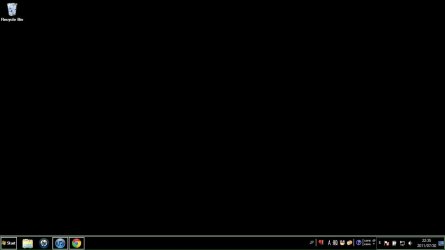
Can someone please tell me how to set my screen back to normal, the image is below
 

Attachments

  • Untitled.jpg
    Untitled.jpg
    15 KB · Views: 7

My Computer

OS
Windows 7 Home Premium x64bit
in windows stat menu, you search for:
"adjust the appearance and performance of windows"

then click "adjust for best appearance"


tell me if it worked!!
 

My Computer

Computer Manufacturer/Model Number
Lenovo G560(this is a laptop)
OS
Windows 7 Ultimate x64
CPU
Intel(R) Core(TM) i3 CPU M370 2.40GHz
Memory
2 GB RAM
Graphics Card(s)
Intel(R) HD Grpahics (not worth the money)
Screen Resolution
1360 x 768
It looks like you have enabled one of the High Contrast selections in your themes. To change it back you should be able to right click on an open area of your desktop and choose Personalize. This will bring up your theme choices. The theme labeled "Windows 7" is the default theme.

http://www.sevenforums.com/tutorials/280-theme-change-save.html
 
Last edited by a moderator:

My Computer

OS
.
Back
Top