
Help with previous Windows installation deletion issues.

ElliottGenocide

New member
Local time
4:57 PM
Messages
39
I have a spare hard drive with a previous windows installation on it, however I can't log onto the installation because I had recently deleted many things needed to run it, but there is a folder "a" that wont seem to delete, it's the standard installation size of windows and it's been telling me I can't delete the items, even after using several deletion software tools it still remains there. It's not much space; 10 gigs, but I could use the 10 gigs.
 

My Computer

OS
64 bit - Microsoft Windows 7 Home Premium
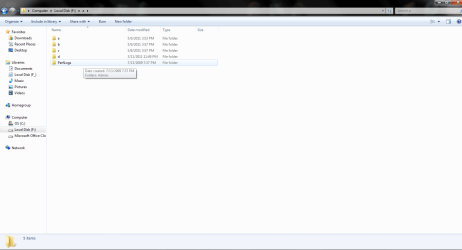
I'm not sure if this is what you're talking about, but here.
 

Attachments

  • Untitled2.png
    Untitled2.png
    30.8 KB · Views: 19

My Computer

OS
64 bit - Microsoft Windows 7 Home Premium
Zeroing out the hard drive might be the best bet (try a simple format first though).
This assumes you don't need anything else off the drive of course.

~Lordbob
 

My Computer

Computer Manufacturer/Model Number
Hera
OS
Windows 7 Ultimate x64, Mint 9
CPU
Intel i5-2500k
Motherboard
ASUS P8P67 Pro
Memory
2x 4Gb Corsair VENGEANCE DDR3-1600
Graphics Card(s)
NVidia GeForce N260GTX Twin Frozr
Sound Card
Realtek HD OnBoard Audio
Monitor(s) Displays
ASUS 24" Monitor
Screen Resolution
1920x1080
Hard Drives
G.SKILL Phoenix Series 60GB SATA II MLC Internal Solid State Drive (SSD)
SAMSUNG Spinpoint F3R 1TB 7200 RPM 32MB Cache SATA II
PSU
Cooler Master Real Power Pro 750W
Case
Cooler Master Haf 932
Cooling
Fans
Keyboard
Razer Tarantula
Mouse
Razer Lachesis
Internet Speed
not fast enough
I actually do have other stuff in separate folders, movies/tv shows, that I would like to keep, I could take them all out but itd take about 8 hours and another 5 to put it all back on.
 

My Computer

OS
64 bit - Microsoft Windows 7 Home Premium
This is not the way an OS is removed. YOu should delete the partition in Disk Mgmt after backing up the data. Partition or Volume - Delete

However if this is not possible and you've already got much of the OS deleted, you can complete deleting the Windows folder by taking ownership of the folder and if necessary the file contents to forcibly delete, using this installed shortcut: Take Ownership Shortcut

But first we need to see a screenshot of your DIsk Mgmt to make sure the OS you're trying to delete doesn't contain the active boot files for your current OS. Type Disk Management in start search box, click on result, maximize window, use Snipping Tool in Start Menu to capture full disk map and listings, attach file using paper clip in reply box.

Then get a screenshot of your remaining Windows folders on the partition in question, not just some lettered folders which mean nothing to us.
 
The A to D my be personal folders.
The old PerfLogs folder is the problem.
 

My Computer

OS
ME/XP/Vista/Win7
Back
Top