

Just found a new icon pack and it's great! Using it for my taskbar icons and was planning on using it on my dock until.... I found out RocketDock cannot show more than a certain amount of icons. This certain icon pack has 2500+ images.
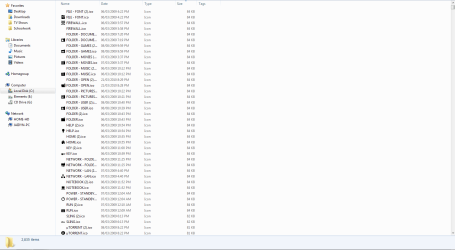
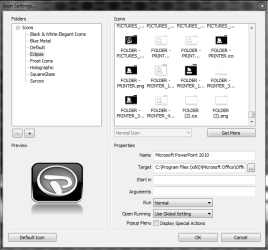
When changing the icon of a shortcut in RocketDock, you can only see a handful of them (see image below). It pretty much just stops at the images starting with 'G'. Unfortunately, most of my programs start with a letter after 'G'.
Does anyone know how to fix this or alternatively, a different way to change the icon of a shortcut in RocketDock so I can see all of the icons?
When changing the icon of a shortcut in RocketDock, you can only see a handful of them (see image below). It pretty much just stops at the images starting with 'G'. Unfortunately, most of my programs start with a letter after 'G'.
Does anyone know how to fix this or alternatively, a different way to change the icon of a shortcut in RocketDock so I can see all of the icons?
My Computer
- Computer Manufacturer/Model Number
- Custom Build
- OS
- Windows 7 Ultimate x64/Windows 8 Consumer Preview x64/Ubuntu 11.04
- CPU
- Intel Pentium Dual Core E6700 3.2GHz
- Motherboard
- ASUS P5G41T-M LX
- Memory
- Strontium 8192MB DDR3 1333Mhz
- Graphics Card(s)
- msi GeForce N560GTX-M2D1GD5 1GB
- Sound Card
- Realtek HD Audio
- Monitor(s) Displays
- CHIMEI CMV 221D 22"
- Screen Resolution
- 1680x1050
- Hard Drives
- Seagate Barracuda LP Green 3.5'' 2TB Internal HDD 5900RPM + WD Elements Desktop 1TB External HDD 7200RPM
- PSU
- SHAW Viper-1500w Gaming PSU
- Case
- Black eMaxx ATX Mini Tower Case
- Keyboard
- Microsoft Wireless Keyboard 1000
- Mouse
- Microsoft Wireless Optical Mouse 2000
- Internet Speed
- 100GB @ 4.76Mbps

