Solved Hey Fans

YTBOY83

New member
Pro User
VIP
Local time
9:39 AM
Messages
615
I have got a pc tower which only has a fan up at the top and at the back????????? The psu is up near the top as well.

My mates used to have the back set as intake and the top as exhaust and got better temps, i tried it and the temps are in the 38% and hwen i ran a couple of programs i ened up at 40 0dd.

When i changed the back to exhaust it went from 38 to 40. What a paint.

Is the any solotion to this man.

How to you go about abdding extra fans with diy,?????
 

My Computer

Computer Manufacturer/Model Number
Customised
OS
Windows 7 64Bit Ultimate Edition SP1
CPU
AMD Phenom II X5 955 @ 3200 Mhz
Motherboard
Asus M5A99X EVO
Memory
G.Skill 12GB DDR3 1333MHz
Graphics Card(s)
Palit GeForce GTX 550 Ti OC Sonic 1GB
Sound Card
Onboard
Monitor(s) Displays
LG 32" HDTV
Screen Resolution
1920x1080 @ 60Hz
Hard Drives
Internal 250GB SATA 3.0 Western Digital WDC WD25 00AAKX-001CA0

Internal 500GB SATA 2.0 Seagate ST350041 3AS

Internal 500GB SATA 2.0 Western Digital WDC WD50 00AAKS-00WWP

External 1TB USB 2.0 Western Digital

External 2TB USB 2.0 Buffalo
PSU
Colors-IT 750w BLACK 12CM Silent
Case
Xigamatek CPC-T45UB-U01 Asgard Chassis
Cooling
4 120mm Fans In Total
Keyboard
ADVENT Illuminated Keyboard
Mouse
Genius
Internet Speed
30MB
Other Info
CPU Cooler - Cooler Master Hyper 212 Plus Cooler
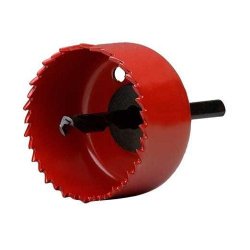
I have a hole saw you attach to a drill which makes perfect 80mm holes. I'll probably get another one for 120mm. Just be very sure where you put them and practice on some scrap sheet metal before you try it on the case! :eek:
 

Attachments

  • HOLESAW.JPG
    HOLESAW.JPG
    13.3 KB · Views: 4

My Computer

Computer Manufacturer/Model Number
Self
OS
Main - Windows 7 Pro SP1 64-Bit; 2nd - Windows Server 2008 R2
CPU
Main - Core i7 2600K; 2nd - Core i7 920
Motherboard
Main - Asus P8Z68-V Pro/Gen3; 2nd - Gigabyte GA-EX58-UDR3
Memory
Main - 16GB Corsair Vengeance; 2nd - 12GB Corsair Vengeance
Graphics Card(s)
Main - XFX Radeon 6870 1GB; 2nd - XFX Radeon 4870 1GB
Sound Card
Both: Onboard Realtek Azalia
Monitor(s) Displays
Main - Hann 25" + I-INC 25" + Acer 23"; 2nd - Upgrading Soon
Screen Resolution
Main - 1920x1080 (All Three Monitors); 2nd - Upgrading Soon
Hard Drives
Main - (1) Crucial M4 128GB (Boot)
Main - (1) Seagate 2TB 64MB Cache (Data)
Main - (1) Seagate 2TB 64MB Cache (Data Backup)
2nd - (1) Intel X25-M SSD 80GB (Boot)
2nd - (3) Seagate 1TB 32MB Cache (Data Backup)
2nd - (1) Seagate 320GB (Because)
PSU
Main - OCZ 600W Modular; 2nd - OCZ 600W
Case
Main - Thermaltake Element G; 2nd - NZXT something or other
Cooling
Main - Corsair H80; 2nd - Prolimatech Megahalems
Keyboard
Main - Razer Reclusa; 2nd - Old MS Keyboard
Mouse
Main - Logitech MX Revolution; 2nd - Old MS Mouse
Internet Speed
20Mbps Time-Warner Cable
hi,
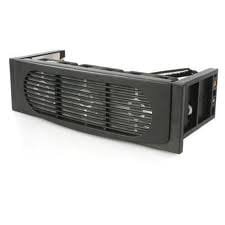
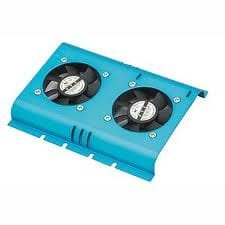
i had this problem my hard drive was running on critical temps (54c) so i fitted a hard drive cooler, a blower fan (that sits in a available pci slot) and a intake fan (3 little fans that sit in the drive bay at the front bezel) and now my temps are always below 40c which is a large drop in temp. the noise is not that bad but i would rather have a bit of fan noise than a overheated inside case that will shorten the life of the components
 

Attachments

  • drive bay cooler.jpg
    drive bay cooler.jpg
    4.2 KB · Views: 111
  • blower.jpg
    blower.jpg
    1.9 KB · Views: 110
  • hard drive cooler.jpg
    hard drive cooler.jpg
    5.6 KB · Views: 111

My Computer

Computer Manufacturer/Model Number
packard bell IXTREME M5722
OS
Operating System : Windows 7 Home Premium Edition 6.01.7600 SP1 (x64)
CPU
Processor : Intel Core 2 Quad Q8300 @ 2500 MHz
Motherboard
Mainboard : Packard Bell (Acer EG43M )
Memory
Physical Memory :8GB Corsair4x 2GB 800MHz C5 DDR2
Graphics Card(s)
Video Card : XFX 6700 AMD
Monitor(s) Displays
Maestro 234DL - BenQ V2220 - BenQ VW2420H
Screen Resolution
Current Display :1920x1080p pixels at 60 Hz in HD LED
Hard Drives
Hard Disks : WDC (1000 GB)
Drive C: (Hard Disk) : 428 GB available on 491 GB
Drive D: (Hard Disk) : 426 GB available on 492 GB
SAMSUNG spinpoint HD103SJ 1000.2 GB
(X 2) KINGSTON SSD NOW V 30GB
PSU
XFX ProSeries 550W PSU
Case
PACKARD BELL IXTREME
Cooling
System Blower Current: 150mA Air Flow16CFM ;Akasa 90mm rear
Keyboard
Gigabyte Aivia K8100
Mouse
TRUST-Wireless Laser Mouse - Carbon edition MI-7770C
Internet Speed
TP-LINK > TL-WN951N / AV500 Gigabit Powerline Adapters
Browser
chrome dev
Other Info
EXTRA COOLING>(FAN CONTROLLER) PC Bay Cooler 3 x 40mm fans; Akasa AK-HD-BL Blue hard drive cooler 2 x 40 mm fan 4500 rpm 29.7 dBA
Bios> American Megatrends Inc.
Version : P01-A1
Date : 08/31/2009
Electric Jigsaw, masking tape, marker, and steady hands.
Go slow , use a fine tooth metal blade with at least 24 TPI and be patient.

Practice a couple of times on an old Pc case or similar thickness scrap sheet metal.

I would suggest that you go with 120mm fans, as they have the widest selection of noise/versus airflow.


OHH yes, absolutely, positively remove all components from your case before cutting the fanhole.

Electronics do not like metal chips on them , they tend to go all sparky and poofy.
then the magic smoke comes out and you'll never get that back in again, believe me , Ive tried....
 

My Computer

Computer Manufacturer/Model Number
Custom
OS
Win 7 pro 64, Soloris, Xp pro 32
CPU
[email protected]
Motherboard
Evga P55 FTW
Memory
8GB G.skill Ddr3-1600
Graphics Card(s)
2-Evga Gtx295, Quad SLI
Sound Card
who cares, this darn Pc sounds like a hair dryer
Monitor(s) Displays
Hanns-G 281D 28" LCD
Screen Resolution
1920x1200
Hard Drives
W.D Black 640 Raid 0
PSU
Pc Power and cooling 750, thermaltake power express 450 VGA
Case
Thermaltake Custom
Cooling
Tuniq Tower Extreme, with 2 Scyth 113Cfm Pwm fans
Keyboard
Saitek Eclipse
Mouse
Logitech Trackman
Internet Speed
16Mb Comcast
Other Info
I'm in YOUR fridge, eating YOUR foods...LOL
I have got a pc tower which only has a fan up at the top and at the back????????? The psu is up near the top as well.

My mates used to have the back set as intake and the top as exhaust and got better temps, i tried it and the temps are in the 38% and hwen i ran a couple of programs i ened up at 40 0dd.

When i changed the back to exhaust it went from 38 to 40. What a paint.

Is the any solotion to this man.

How to you go about abdding extra fans with diy,?????

what temperatures are you talking about? cpu , gpu , case temp?? those temps aint hot
 
Last edited:

My Computer

Computer type
PC/Desktop
Computer Manufacturer/Model Number
Custom
OS
Win 10 Home Premium 64 Bit
CPU
I7 5930K @ 4.5
Motherboard
Asus X99 s
Memory
16GB Kingston Hyper X Fury DDR4
Graphics Card(s)
EVGA 980ti SC + ACX 2.0
Sound Card
Onboard
Monitor(s) Displays
ROG Swift PG278Q
Screen Resolution
2560x1440
Hard Drives
Kingston Hyper X 250gb SSD
Samsung 2TB mechanical
PSU
Corsair RM 850
Case
NZXT H440 Red
Cooling
Corsair H100i GTX
Keyboard
Razer Reclusa
Mouse
Logitech G5 Gamer
Internet Speed
34mb
Antivirus
Eset Smart Security
Browser
Firefox
What is the make and model of your case? Then we can see what can be done. It may have places to mount additional fans already.

Jim :geek:
 

My Computer

Computer type
PC/Desktop
Computer Manufacturer/Model Number
Home Built
OS
Windows 8.1 Pro w/Media Center 64bit, Windows 7 HP 64bit
CPU
Phenom II X6 1100T
Motherboard
ASUS M5A99X EVO
Memory
Crucial Balistic 8gb DDR3-1866 CL9
Graphics Card(s)
MSI R6850 Cyclone IGD5 PE
Sound Card
On Board
Monitor(s) Displays
ASUS VE258Q 25" LED with DVI-HDMI-DisplayPort
Screen Resolution
1920 x 1080
Hard Drives
Two WD Cavier Black 2TB Sata III, WD My Book Essential 2TB USB 3.0
PSU
Seasonic X650 80 Plus GOLD Modular
Case
Corsair 400R
Cooling
Antec Kuhler H2O 620, Two 120mm and four 140mm
Keyboard
Logitech K120
Mouse
Logitech Marble Mouse USB, Logitech Precision Game Pad
Internet Speed
15MB
Antivirus
Norton IS 2013, Malwarebytes Pro Beta 2
Browser
IE-11, FF-27
Other Info
APC UPS ES 750, Netgear WNR3500L Gigabit & Wireless N Router with SamKnows Test Program, Motorola SB6120 Gigabit Cable Modem. Brother HL-2170W Laser Printer, Epson V300 Scanner
It is ok now. I have went for a new build.

Thank you.
 

My Computer

Computer Manufacturer/Model Number
Customised
OS
Windows 7 64Bit Ultimate Edition SP1
CPU
AMD Phenom II X5 955 @ 3200 Mhz
Motherboard
Asus M5A99X EVO
Memory
G.Skill 12GB DDR3 1333MHz
Graphics Card(s)
Palit GeForce GTX 550 Ti OC Sonic 1GB
Sound Card
Onboard
Monitor(s) Displays
LG 32" HDTV
Screen Resolution
1920x1080 @ 60Hz
Hard Drives
Internal 250GB SATA 3.0 Western Digital WDC WD25 00AAKX-001CA0

Internal 500GB SATA 2.0 Seagate ST350041 3AS

Internal 500GB SATA 2.0 Western Digital WDC WD50 00AAKS-00WWP

External 1TB USB 2.0 Western Digital

External 2TB USB 2.0 Buffalo
PSU
Colors-IT 750w BLACK 12CM Silent
Case
Xigamatek CPC-T45UB-U01 Asgard Chassis
Cooling
4 120mm Fans In Total
Keyboard
ADVENT Illuminated Keyboard
Mouse
Genius
Internet Speed
30MB
Other Info
CPU Cooler - Cooler Master Hyper 212 Plus Cooler
Back
Top