Consequences
New member
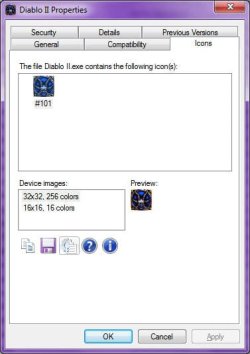
On my second display I house all of my game icons and they're set to extra large. For some time all displayed properly but recently a few of them started to show up in their lower resolution form. I've tried re-setting the icon and that didn't work. I've tried rebuilding the icon database and that didn't work. Here is a shot for visual aid:

It is super irritating to me as I love my big icons.
Apologies if this was solved elsewhere.. I looked.
Oh I guess I should also note that they are internet shortcuts created by Steam.
Thanks in advance.
It is super irritating to me as I love my big icons.
Apologies if this was solved elsewhere.. I looked.
Oh I guess I should also note that they are internet shortcuts created by Steam.
Thanks in advance.
Last edited by a moderator:
My Computer
- OS
- Windows 7
- CPU
- AMD Phenom II X4 925 @ 2.8GHz
- Motherboard
- Gigabyte M68M-S2
- Memory
- 4 GB Kingston DDR2
- Graphics Card(s)
- ZOTAC GeForce GTX 260 Core 216
- Sound Card
- Realtek OnBoard
- Monitor(s) Displays
- 20" HP S2031a & Acer 19" AL1916W
- Screen Resolution
- 1600x900 & 1440x900
- Hard Drives
- 160 GB Hitachi Deskstar
250 GB Seagate Barracuda
- PSU
- Corsair TX 650
- Case
- Xclio
- Cooling
- Air
- Keyboard
- Logitech Wireless K250 Dark Fleur
- Mouse
- Logitech MX Revolution
- Internet Speed
- 30 Mbps Cable