- Local time
- 2:18 PM
- Messages
- 32
I have a homegroup on 3 different computers all running windows 7.
but for some reason I can't access folders on one computer from the other. Only the folders that are by default accessible such as users and public but I don
t want to move files to that folder anytime I want to move files between computer I want to share my own folders
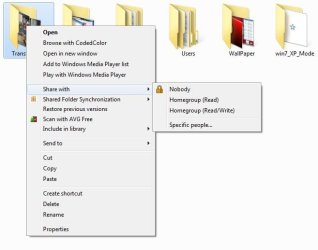
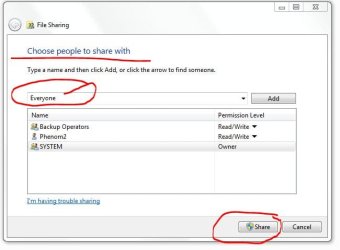
When I share my own folders I check the box with the full control, but when I try to access the folder from a different computer I get
"you don't have permission to access \\COMPUTER NAME\NAME OF FOLDER. Contact your network administrator to request access"
as I said I did do Full Control on the folder in question and it didn't help. and the same happens in every folder I try to share on all the computers from all the computers.
but for some reason I can't access folders on one computer from the other. Only the folders that are by default accessible such as users and public but I don
t want to move files to that folder anytime I want to move files between computer I want to share my own folders
When I share my own folders I check the box with the full control, but when I try to access the folder from a different computer I get
"you don't have permission to access \\COMPUTER NAME\NAME OF FOLDER. Contact your network administrator to request access"
as I said I did do Full Control on the folder in question and it didn't help. and the same happens in every folder I try to share on all the computers from all the computers.
My Computer
- OS
- Windows 7
- CPU
- 5300 Dual Core
- Memory
- 4 gb
- Graphics Card(s)
- Geforce 9400GT 1024 mb