
Horizontal Lines!

arghbluescreen

New member
Local time
6:04 PM
Messages
8
What causes this and how can I fix it? Changing settings in ATI's Catalyst Control Center did nothing. It seems to only affect some shows sometimes, but it will be for the full 30 minutes, etc.

P.S. The image has to be viewed at full size to see the lines.
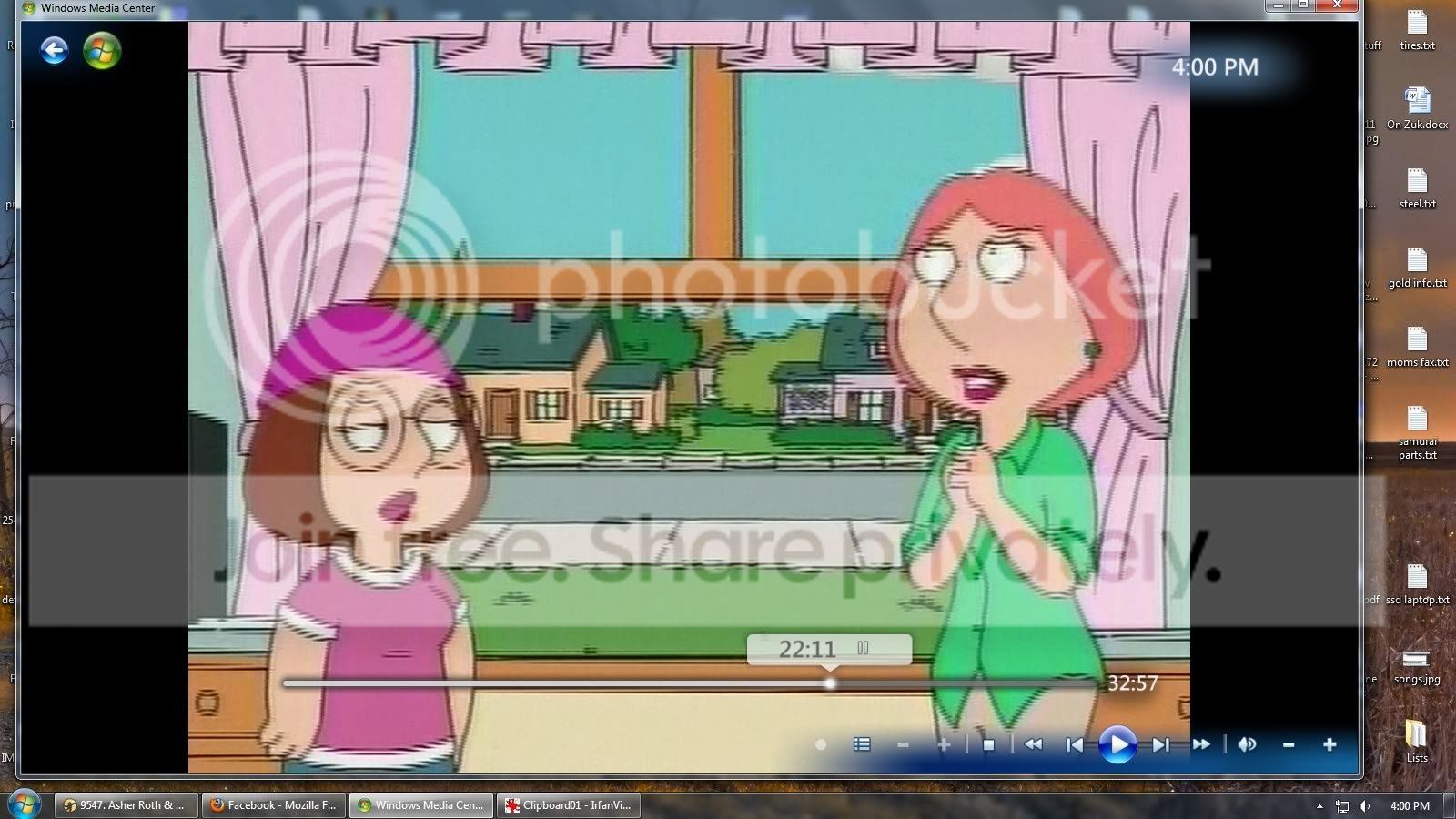
arghlines.jpg
 

My Computer

OS
win 7
i'm not sure, but that looks a bit like interlacing, due to a poorly recorded/encoded video file.

i don't use media center, so i don't know if there's a de-interlacing filter built into it.

try playing it with vlc, then right-click on the video playback >> video >> deinterlace on.
 

My Computer

Computer Manufacturer/Model Number
mickey megabyte 1234
OS
ultimate 64 sp1
CPU
i5 2500K [email protected]
Motherboard
MSI P67A-GD53
Memory
8 gigs GSkill Ripjaws 1600
Graphics Card(s)
amd hd6950
Sound Card
creative x-fi gamer
Monitor(s) Displays
samsung 24"
Screen Resolution
1920x1080
Hard Drives
ocz vertex 2e 60 gig, samsung f3 1tb, buffalo 2tb ext
PSU
antec 550
Case
antec three hundred
Cooling
i'm a cooling fan
Keyboard
saitek eclipse ii
Mouse
logitech g3
Internet Speed
about 4 Mbps
Other Info
i love win7
It's a .wtv file, and my VLC doesn't play it. In media player classic it looks much better with the deinterlace filter on, but it's still visible.
 

My Computer

OS
win 7
Might try going into your catalyst control center , under gaming click 3D application settings.. go down to Frame Rate Control and turn on Wait for Vertical Refresh. The lines look kinda like image tearing. See if that helps.
 

My Computer

Computer type
PC/Desktop
Computer Manufacturer/Model Number
Dell Studio
OS
Win 10
CPU
i7 3770
Motherboard
Dell 0NW73C
Memory
12gb DDR3
Graphics Card(s)
Radeon R9 200 series
Antivirus
windows defender
Browser
google chrome
Back
Top