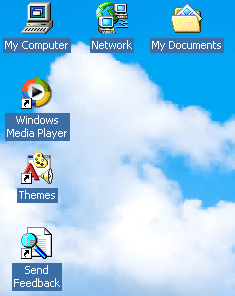
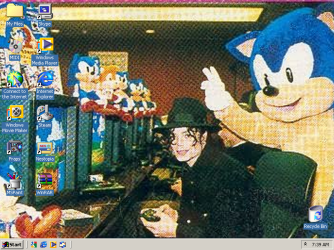
I've been making my windows 7 look as much as windows 200 as i can and i want to know if there is any way to have the blue box drop shadow around the desktop icon text like in older versions of windows. here's what i want it to look like
not exactly. when i enable drop shadows, i just get the black shadow over the text but im trying to get the blue box around the text at all times, kinda like what happens if you were to highlight an icon
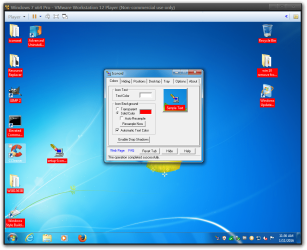
The only way I know how to do it is to use a third-party program called Iconoid Iconoid - Hide and show desktop icons, maketransparent backgrounds I personally use it for changing the text color on the desktop but it also does many other things including what you want to do. You will also have to disable the drop shadows on the desktop.
Jerry
My Computer
At a glance
Win 7 Pro x64 / Win 10 ProIntel(R) Core(TM) i7-3630QM CPU @ 2.40GHz12 GB(1) Intel(R) HD Graphics 4000 (2) NVIDIA GeFo...
Computer type
Laptop
Computer Manufacturer/Model Number
Sager NP9170
OS
Win 7 Pro x64 / Win 10 Pro
CPU
Intel(R) Core(TM) i7-3630QM CPU @ 2.40GHz
Motherboard
CLEVO P170EM
Memory
12 GB
Graphics Card(s)
(1) Intel(R) HD Graphics 4000 (2) NVIDIA GeForce GTX 675M
Sound Card
(1) Realtek High Definition Audio (2) Intel(R) Display Aud
Monitor(s) Displays
17.3
Screen Resolution
1920x1080
Hard Drives
(1) Samsung 860 EVO 500GB(OS) (1) Samsung 860 EVO 500GB(Data)
Keyboard
Backlite
Antivirus
MSE, Malwarebytes Pro
Browser
Firefox
Other Info
DESKTOP: Custom-built.
OS: Win 10 Pro x64.
CASE: Rosewill R5.
CPU: Intel I5 4670K CPU @ 3.40GHz.
CPU COOLER: Cool Master Hyper 212 EVO.
MOTHERBOARD: Asus Z87-A.
MEMORY: Kingston HyperX 2x4 GB.
GPU: Nvidia Geforce 650 TI.
PSU: Corsair TX750.
DRIVES: (1) Samsung 840 120 GB SSD (2) Western Digital blue 500 GB 7200 RPM.
thanks! this is exactly what i was looking for. the only problem was that it would keep making the classic tray and desktop icons disappear but i think i ended that by putting "never hide" on the "hiding bar".