molokaicreeper
New member
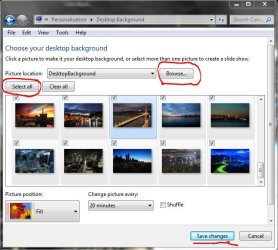
In Windows Vista, your web wallpapers would stay saved in a directory in case you wanted to chose them later. I want to do the same thing with Windows 7. Assuming it worked the same way, I've lost at least 10 desktop wallpapers that I meant to keep for use later. I've searched far and wide in the web for an answer to this, but all I find is how to get to your default wallpapers; and how to delete wallpapers you no longer want. I do not want to delete anything, I just want to be able to select desktop wallpapers I've selected straight from web, into my computer for use later.
If this is a browser related issue, I use all of these browsers: IE, Firefox and Safari and want to keep everything I choose as wallpaper. How can I do this?
If this is a browser related issue, I use all of these browsers: IE, Firefox and Safari and want to keep everything I choose as wallpaper. How can I do this?
My Computer
At a glance
Windows 7 Home Premium 64-bitT4500(2.30GHz)3GB MemoryIntel GMA 4500M
- Computer Manufacturer/Model Number
- Acer Aspire AS5736Z-4801 Notebook
- OS
- Windows 7 Home Premium 64-bit
- CPU
- T4500(2.30GHz)
- Motherboard
- Intel Pentium dual-core T4500(2.30GHz)
- Memory
- 3GB Memory
- Graphics Card(s)
- Intel GMA 4500M
- Sound Card
- MS-Sound compatible
- Monitor(s) Displays
- 1366 x 768 LED backlight 15.6"
- Screen Resolution
- 1366x768
- Hard Drives
- 250GB HDD 5400rpm internal