How can i slim down my Windows 7? Any kind of program

I haven't read thru the thread, but---

All of those tweak programs are a waste of your time and money.

Win 7 is NOT XP

Win 7 is NOT XP

Win 7 is NOT Vista

Win 7 is NOT Vista

Trying to remove the pain that people inflict upon themselves with tweak programs already consumes too much of my time.

People stay away from tweak programs.
 

My Computer My Computer

At a glance

MS Windows 7 Ultimate SP1 64-bitAMD A10-4600M6.00 GB Dual-Channel DDR3 @ 798MHz (11-11-12-28)AMD Radeon HD 7660G
Computer Manufacturer/Model Number
Toshiba Satellite S875D-S7239 laptop
OS
MS Windows 7 Ultimate SP1 64-bit
CPU
AMD A10-4600M
Motherboard
AMD Pumori (Socket FT1)
Memory
6.00 GB Dual-Channel DDR3 @ 798MHz (11-11-12-28)
Graphics Card(s)
AMD Radeon HD 7660G
Sound Card
High Definition Audio Device
Monitor(s) Displays
Generic PnP Monitor (1600x900@60Hz)
Screen Resolution
1600x900@60Hz
Hard Drives
SSD 119GB Corsair CSSD-V128GB2 ATA Device
Keyboard
Standard PS/2 Keyboard
Mouse
HP Wireless Optical Mobile Mouse Model FHA-3410
Internet Speed
What the local pub, local coffee shop offers.
Other Info
Optical Drive:MATSHITA BD-CMB UJ160B ATA Device


Also have an Asus ha1002xp netbook with Win 7 Ultimate installed.
Just about the only "tweaking" you would ever need to do is turn off certain services at startup, and even then you won't see a huge difference.

If you want a faster overall PC, then install a light AV (like MSE), get an SSD, an i7, and a 480.

~Lordbob
 

My Computer My Computer

At a glance

Windows 7 Ultimate x64, Mint 9Intel i5-2500k2x 4Gb Corsair VENGEANCE DDR3-1600NVidia GeForce N260GTX Twin Frozr
Computer Manufacturer/Model Number
Hera
OS
Windows 7 Ultimate x64, Mint 9
CPU
Intel i5-2500k
Motherboard
ASUS P8P67 Pro
Memory
2x 4Gb Corsair VENGEANCE DDR3-1600
Graphics Card(s)
NVidia GeForce N260GTX Twin Frozr
Sound Card
Realtek HD OnBoard Audio
Monitor(s) Displays
ASUS 24" Monitor
Screen Resolution
1920x1080
Hard Drives
G.SKILL Phoenix Series 60GB SATA II MLC Internal Solid State Drive (SSD)
SAMSUNG Spinpoint F3R 1TB 7200 RPM 32MB Cache SATA II
PSU
Cooler Master Real Power Pro 750W
Case
Cooler Master Haf 932
Cooling
Fans
Keyboard
Razer Tarantula
Mouse
Razer Lachesis
Internet Speed
not fast enough
Don't see whether it's 32- or 64-bit. 64-bit might need more than 4gb RAM to be fast. It's right on the border.
But 32 bit should run fine @ 4gb.
 
Just about the only "tweaking" you would ever need to do is turn off certain services at startup, and even then you won't see a huge difference.

After I used Black Viper's excellent and comprehensive explanations of Win 7 services and their dependencies I trimmed unneeded services in Win 7 and my Ultrack 340 stopwatch now tells me that it starts 4 seconds faster than it did when it was new back in July. Its only a 17% improvement, but it puts a smile on my face each morning when I start the computer which makes it well worth the hour of time I invested in disabling services I will never need anyway.

~Maxx~
.
da59fa57.png
 

My Computer My Computer

At a glance

Windows 7 x64 Home PremiumIntel Core i7 930 @ 2.8 Ghz Socket 1366 LGA8 GB 1366 Mhz DDR3 (PC3-10700) RAMATI Radeon 5770 1 GB DDR5 RAM
Computer Manufacturer/Model Number
HP HPE 270f
OS
Windows 7 x64 Home Premium
CPU
Intel Core i7 930 @ 2.8 Ghz Socket 1366 LGA
Motherboard
Pegatron Truckee v1.04E41
Memory
8 GB 1366 Mhz DDR3 (PC3-10700) RAM
Graphics Card(s)
ATI Radeon 5770 1 GB DDR5 RAM
Sound Card
Realtech High Definition
Monitor(s) Displays
32" Sony Bravia
Screen Resolution
1366 X 768
Hard Drives
Intel 25nm 120 GB Series 320 SSD HD Tune- 265 MBps Read/ 130 MBps Write

LaCie 1TB + 1TB RAID 0 eSATA Drive HD Tune- 160 MBps Read/ 90 MBps Write
Keyboard
Logitech Illuminated
Mouse
Logitech MX Revolution
Internet Speed
36.4 Mbps Maximum on a 37 Mbps Motorola SB501 Modem
BOOT AND SHUTDOWN PERFORMANCE

How to use Event Viewer to view your Boot and Shutdown Performance

WIN key | type EVENTVWR.MSC | ENTER key

First wait for the Event Viewer to be populated-watch the Summary of Administrative Events section.

Now, using the left-hand pane tunnel down as follows:
Applications and services logs | Microsoft | Windows | Diagnostics-Performance | Operational

Right-click on Operational.

In the top-section of the middle pane, various events are listed.

Click on EventID to sort the events from smallest to largest.

EventID 100 is for Boot Performance.
EventID 200 is for Shutdown Performance
 

My Computer My Computer

At a glance

MS Windows 7 Ultimate SP1 64-bitAMD A10-4600M6.00 GB Dual-Channel DDR3 @ 798MHz (11-11-12-28)AMD Radeon HD 7660G
Computer Manufacturer/Model Number
Toshiba Satellite S875D-S7239 laptop
OS
MS Windows 7 Ultimate SP1 64-bit
CPU
AMD A10-4600M
Motherboard
AMD Pumori (Socket FT1)
Memory
6.00 GB Dual-Channel DDR3 @ 798MHz (11-11-12-28)
Graphics Card(s)
AMD Radeon HD 7660G
Sound Card
High Definition Audio Device
Monitor(s) Displays
Generic PnP Monitor (1600x900@60Hz)
Screen Resolution
1600x900@60Hz
Hard Drives
SSD 119GB Corsair CSSD-V128GB2 ATA Device
Keyboard
Standard PS/2 Keyboard
Mouse
HP Wireless Optical Mobile Mouse Model FHA-3410
Internet Speed
What the local pub, local coffee shop offers.
Other Info
Optical Drive:MATSHITA BD-CMB UJ160B ATA Device


Also have an Asus ha1002xp netbook with Win 7 Ultimate installed.
I disagree... there are a few things you can do to trim down windows 7 for gaming purposes without losing anything important... start by removing features, then disable startup items in MSconfig.. even the AV and your graphics card startup programs can be disabled. Doing that doesn't turn off the AV or disable the graphics card, just the interface for controlling it. Then manually stop and disable unnecessary services.. attached is the present service configuration I have running on 7 professional, very trimmed down.. and absolutely nothing important has stopped working. Windows 7 pro x64 at startup configured this way uses >700MB out of 4GB total on the laptop I'm using right now.. It boots in >25 seconds from a cold start.. (as posted on the reboot time thread about a week ago) ..and takes about 6 seconds from the time the desktop appears to load all the delayed services.. so about 31 seconds from a cold boot to the time it takes to get on the internet or start a game.. and everything still works, and that's without using a SSD
 
Last edited:
Darn folks, I don't get. Four seconds faster boot. Take a deep breath and the 4 seconds is gone. I have posted many times that I don't know of any 3rd party tweaking programs that are needed with Windows 7. The old days of tweaking are gone when you use Windows 7. Isn't that the kind of operating system we have been begging for? If I have to download a 3rd party tweaking program to gain 4 seconds, I need to get a life.
 

My Computer My Computer

At a glance

Windows 10 Pro. 64/ version 1709 Windows 7 Pr...Intel i7-6800K @ 4.3Corsair Platinum 16 gig @2400EVGA GTX 1070 OC
Computer type
PC/Desktop
Computer Manufacturer/Model Number
Home made Desktop
OS
Windows 10 Pro. 64/ version 1709 Windows 7 Pro/64
CPU
Intel i7-6800K @ 4.3
Motherboard
ASUS X-99 Deluxe II
Memory
Corsair Platinum 16 gig @2400
Graphics Card(s)
EVGA GTX 1070 OC
Monitor(s) Displays
Asus 27" LED LCD/VE278Q
Screen Resolution
1920-1080 or 1280-720 HDMI
Hard Drives
INTEL SSD 730-240 Gb Sata 3.0/
PSU
EVGA Platium 1200W
Case
Phanteks Luxe Tempered Glass 8 fans/ one radiator
Cooling
XSPC/ Water Cooled CPU
Keyboard
Das 4 Professional
Mouse
Logitech M705/MX Anywhere 2-S
Internet Speed
100 mbits
Antivirus
Microsoft Security Essentials/ Malwarebytes Premium 3.0/ SAS
Browser
I.E. 11 default/Firefox/ ISP Time Warner Cable/Spectrum
Other Info
LG BluRay Burner/
Sound system-KLipsch-THX/
Icy Dock ssd Hot Swap bays.
Thanks karlsnooks great information. Doing this without a 3rd party program, shame on you.:sarc:
+ 1
 

My Computer My Computer

At a glance

Windows 10 Pro. 64/ version 1709 Windows 7 Pr...Intel i7-6800K @ 4.3Corsair Platinum 16 gig @2400EVGA GTX 1070 OC
Computer type
PC/Desktop
Computer Manufacturer/Model Number
Home made Desktop
OS
Windows 10 Pro. 64/ version 1709 Windows 7 Pro/64
CPU
Intel i7-6800K @ 4.3
Motherboard
ASUS X-99 Deluxe II
Memory
Corsair Platinum 16 gig @2400
Graphics Card(s)
EVGA GTX 1070 OC
Monitor(s) Displays
Asus 27" LED LCD/VE278Q
Screen Resolution
1920-1080 or 1280-720 HDMI
Hard Drives
INTEL SSD 730-240 Gb Sata 3.0/
PSU
EVGA Platium 1200W
Case
Phanteks Luxe Tempered Glass 8 fans/ one radiator
Cooling
XSPC/ Water Cooled CPU
Keyboard
Das 4 Professional
Mouse
Logitech M705/MX Anywhere 2-S
Internet Speed
100 mbits
Antivirus
Microsoft Security Essentials/ Malwarebytes Premium 3.0/ SAS
Browser
I.E. 11 default/Firefox/ ISP Time Warner Cable/Spectrum
Other Info
LG BluRay Burner/
Sound system-KLipsch-THX/
Icy Dock ssd Hot Swap bays.
Check out the time difference between booting a pretty picture for a desktop and a plain solid color.

 

My Computer My Computer

At a glance

Windows 10 Pro. 64/ version 1709 Windows 7 Pr...Intel i7-6800K @ 4.3Corsair Platinum 16 gig @2400EVGA GTX 1070 OC
Computer type
PC/Desktop
Computer Manufacturer/Model Number
Home made Desktop
OS
Windows 10 Pro. 64/ version 1709 Windows 7 Pro/64
CPU
Intel i7-6800K @ 4.3
Motherboard
ASUS X-99 Deluxe II
Memory
Corsair Platinum 16 gig @2400
Graphics Card(s)
EVGA GTX 1070 OC
Monitor(s) Displays
Asus 27" LED LCD/VE278Q
Screen Resolution
1920-1080 or 1280-720 HDMI
Hard Drives
INTEL SSD 730-240 Gb Sata 3.0/
PSU
EVGA Platium 1200W
Case
Phanteks Luxe Tempered Glass 8 fans/ one radiator
Cooling
XSPC/ Water Cooled CPU
Keyboard
Das 4 Professional
Mouse
Logitech M705/MX Anywhere 2-S
Internet Speed
100 mbits
Antivirus
Microsoft Security Essentials/ Malwarebytes Premium 3.0/ SAS
Browser
I.E. 11 default/Firefox/ ISP Time Warner Cable/Spectrum
Other Info
LG BluRay Burner/
Sound system-KLipsch-THX/
Icy Dock ssd Hot Swap bays.
Gentleman,
The threader asked if there was any tips to trimming out his puter for gaming. He did not ask for hacks or negative responses, telling him he's being bad. LOL he never used the word tweak, y'all did, He did not say he was concerned about boot times, he did not even ask about over clocking.
He asked if there is away to be sure his puter is focused on the games he plays and not multi tasking whilest gaming.

Process reduction will help in that. Reducing the decisions a puter makes on its own will help. ie max performance power saving selected, any type of automatic response mechanism disabled.

Only thing that will even show a difference is the bench mark scores, you will never notice it yourself in game, really. Games are about vid cards, ram, and cpu. Get a cpu pushing 4GHz and you wil see a difference, but thats a hardware boost not a software boost.

IMO stay away from 3rd party boost software, not worth it. Ultimately you should spend time with Google researching. Then you can make the changes you want and understand what it is your changing.
 

My Computer My Computer

At a glance

W7 Ulti/64, XP Pro/32INTEL i7 920 DO, Core2 Duo 6400KINGSTON DDR3 1333MHz, CORSAIR DDR2 800MHzEVGA GTX 260 x2, 8800 GTX
Computer Manufacturer/Model Number
DIY #3, #2
OS
W7 Ulti/64, XP Pro/32
CPU
INTEL i7 920 DO, Core2 Duo 6400
Motherboard
GIGABYTE EX58 UD3R-SLI, EP45-UD3R
Memory
KINGSTON DDR3 1333MHz, CORSAIR DDR2 800MHz
Graphics Card(s)
EVGA GTX 260 x2, 8800 GTX
Sound Card
REALTEK HD onboard, ditto
Monitor(s) Displays
SONY 40" BRAVIA LCD
Screen Resolution
1360 X 768
Hard Drives
OCZ VERTEX/RAID0 -3, Vertex 30GB
PSU
COOLERMASTER 900W, ENERMAX 850W
Case
COOLERMASTER HAF 932 x2
Cooling
stock
Keyboard
MS
Mouse
MS
Internet Speed
ADSL 3MB/768KBs
Other Info
amateur enthusiast
Check out the time difference between booting a pretty picture for a desktop and a plain solid color.

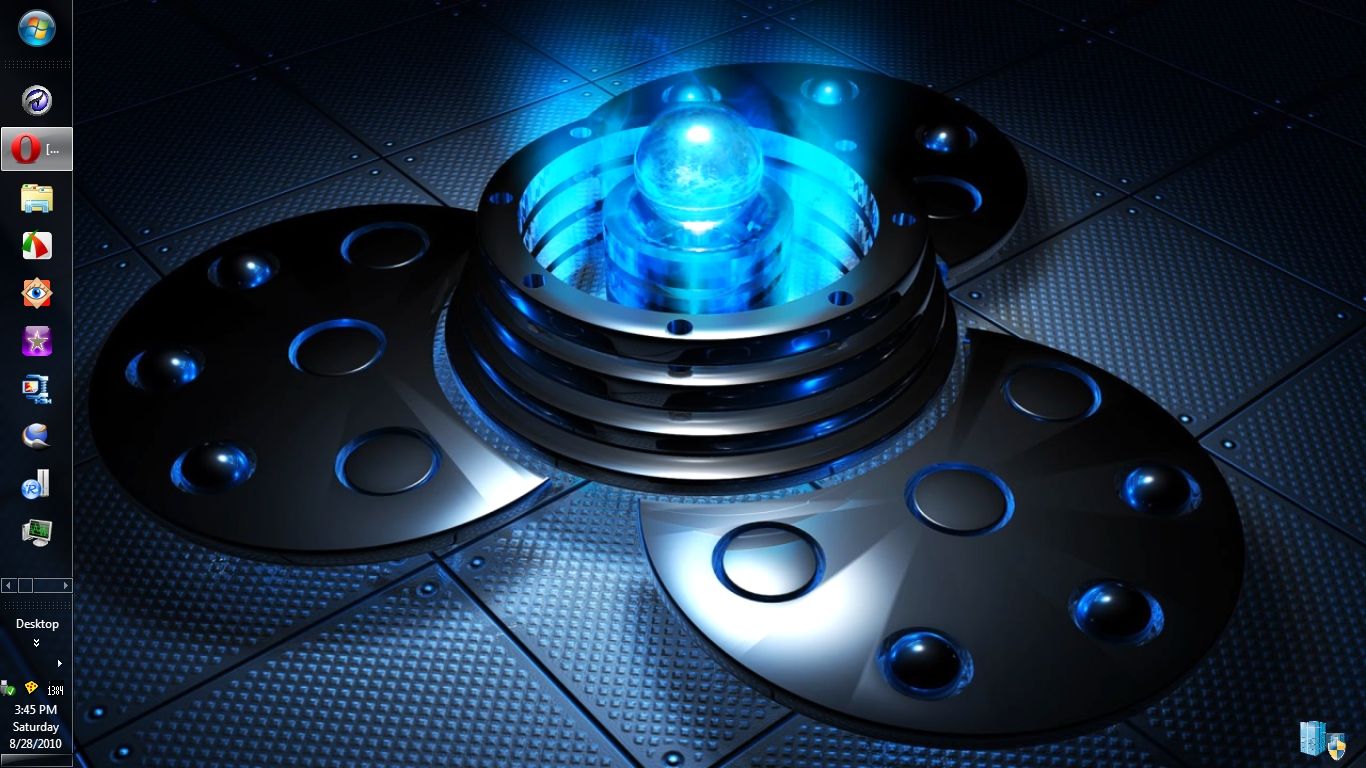
Plain solid color will increase the start up time compared to using default Windows 7 wallpapers (specially Harmony along with that theme).

In contrast the previous in editions (say Win 2000) the solid blue color decreased the startup time.


There is no meaning of using a chopped down version of Windows 7; if it really could be made completely bug free, then Microsoft itself would sell "Windows 7 Gamers' Edition".

I can see lot of such editions in Warez sites only, I dont know any standard Windows forum have tested them or not.

To measure the hardware capability, one can use WEI.
 

My Computer My Computer

At a glance

Windows 7 Ultimate 64 bit, Mac OS X 10.6Intel Pentium Dual Core @2.0GHz12GBNVIDIA Graphics For Mobile 512MB VRAM
Computer Manufacturer/Model Number
COMPAQ Presario Laptop
OS
Windows 7 Ultimate 64 bit, Mac OS X 10.6
CPU
Intel Pentium Dual Core @2.0GHz
Motherboard
Compaq Generic
Memory
12GB
Graphics Card(s)
NVIDIA Graphics For Mobile 512MB VRAM
Sound Card
IDT High definition Audio
Monitor(s) Displays
Laptop LCD Display
Screen Resolution
1280*800 Bright View Widescreen
Hard Drives
500 GB Primary Master@7200rpm + 1 TB External HDD
Cooling
Direct ; generic fan
Keyboard
Generic Laptop Keyboard
Mouse
Touch Pad
Internet Speed
3.1 Mbps wireless Broadband
Other Info
Generic Dock
Check out the time difference between booting a pretty picture for a desktop and a plain solid color.

8fece356.jpg


I use a 3 MB .png version of this .jpeg graphic as a log on screen and a 14.5 MB Dreamscene video on the desktop and my Win 7 computer still sboots in less than 20 seconds just as it always has since I disabled all unneeded services.

0767c0f5.jpg


~Maxx~
.
da59fa57.png
 
Last edited:

My Computer My Computer

At a glance

Windows 7 x64 Home PremiumIntel Core i7 930 @ 2.8 Ghz Socket 1366 LGA8 GB 1366 Mhz DDR3 (PC3-10700) RAMATI Radeon 5770 1 GB DDR5 RAM
Computer Manufacturer/Model Number
HP HPE 270f
OS
Windows 7 x64 Home Premium
CPU
Intel Core i7 930 @ 2.8 Ghz Socket 1366 LGA
Motherboard
Pegatron Truckee v1.04E41
Memory
8 GB 1366 Mhz DDR3 (PC3-10700) RAM
Graphics Card(s)
ATI Radeon 5770 1 GB DDR5 RAM
Sound Card
Realtech High Definition
Monitor(s) Displays
32" Sony Bravia
Screen Resolution
1366 X 768
Hard Drives
Intel 25nm 120 GB Series 320 SSD HD Tune- 265 MBps Read/ 130 MBps Write

LaCie 1TB + 1TB RAID 0 eSATA Drive HD Tune- 160 MBps Read/ 90 MBps Write
Keyboard
Logitech Illuminated
Mouse
Logitech MX Revolution
Internet Speed
36.4 Mbps Maximum on a 37 Mbps Motorola SB501 Modem
If you make a png of a solid color, it will boot faster than if you use a solid color from a theme
 
If you make a png of a solid color, it will boot faster than if you use a solid color from a theme

Yes, you are right. The reason is, Windows will take it as a light image. Good point indeed.
 

My Computer My Computer

At a glance

Windows 7 Ultimate 64 bit, Mac OS X 10.6Intel Pentium Dual Core @2.0GHz12GBNVIDIA Graphics For Mobile 512MB VRAM
Computer Manufacturer/Model Number
COMPAQ Presario Laptop
OS
Windows 7 Ultimate 64 bit, Mac OS X 10.6
CPU
Intel Pentium Dual Core @2.0GHz
Motherboard
Compaq Generic
Memory
12GB
Graphics Card(s)
NVIDIA Graphics For Mobile 512MB VRAM
Sound Card
IDT High definition Audio
Monitor(s) Displays
Laptop LCD Display
Screen Resolution
1280*800 Bright View Widescreen
Hard Drives
500 GB Primary Master@7200rpm + 1 TB External HDD
Cooling
Direct ; generic fan
Keyboard
Generic Laptop Keyboard
Mouse
Touch Pad
Internet Speed
3.1 Mbps wireless Broadband
Other Info
Generic Dock
Well I think most are getting my point. There are so many things that can change how things work, a little this and a little that but most of them might show on a graft but a human eye will never notice the deference. If one wants a gamer computer there are things to do. Faster multi core cpu, more and faster ram, one or more wop ass video cards, clocked and cooled. Little tweaks (or what ever you want to call them) in services or other operating system things will not bring a speed up of any amount that the human will notice. Windows 7 Gamer operating system is a great idea if one would never need those serveries when there was a problem. How many post have you all read they don't have a restore point, it's turned off. There will be 10 or more people on this site trying to help with 30 or more post when if the restore option was working the repair would just be a few clicks away. The only service I have off are anything that has to do with remote access.
 

My Computer My Computer

At a glance

Windows 10 Pro. 64/ version 1709 Windows 7 Pr...Intel i7-6800K @ 4.3Corsair Platinum 16 gig @2400EVGA GTX 1070 OC
Computer type
PC/Desktop
Computer Manufacturer/Model Number
Home made Desktop
OS
Windows 10 Pro. 64/ version 1709 Windows 7 Pro/64
CPU
Intel i7-6800K @ 4.3
Motherboard
ASUS X-99 Deluxe II
Memory
Corsair Platinum 16 gig @2400
Graphics Card(s)
EVGA GTX 1070 OC
Monitor(s) Displays
Asus 27" LED LCD/VE278Q
Screen Resolution
1920-1080 or 1280-720 HDMI
Hard Drives
INTEL SSD 730-240 Gb Sata 3.0/
PSU
EVGA Platium 1200W
Case
Phanteks Luxe Tempered Glass 8 fans/ one radiator
Cooling
XSPC/ Water Cooled CPU
Keyboard
Das 4 Professional
Mouse
Logitech M705/MX Anywhere 2-S
Internet Speed
100 mbits
Antivirus
Microsoft Security Essentials/ Malwarebytes Premium 3.0/ SAS
Browser
I.E. 11 default/Firefox/ ISP Time Warner Cable/Spectrum
Other Info
LG BluRay Burner/
Sound system-KLipsch-THX/
Icy Dock ssd Hot Swap bays.
I recommend CCleaner. It is like Windows Disk Cleanup, except that it is highly configurable and feature many more options, including support for cleaning various third party programs. It also has an effective, safe registry cleaner that allows you to backup you registry before cleaning.

Also, you should go to Add/Remove Programs in the Control Panel and uninstall thing you don't need or use.

Defragmenting your Hard Drive can also help out a lot. You can use Windows own defragmenter, or use a third-party tool. I use third-party tools myself just because it seems like the built-in utility takes forever and a day to finish the job, and ends up the with the same result as the other (faster) third-party utilities.

Keep an organized directory structure of your various pictures, video, etc. and keep your Start Menu organized.

Lastly, use Microsoft Security Essentials as your anti-virus. It's lean and mean compared to the resource-intensive Norton, Avira, AVG, McAfee, etc...
 

My Computer My Computer

At a glance

Windows 7 Ultimate x86-64, via Bootcamp.2.4 GHz Intel Core 2 Duo.4 GiB DDR3 1066 MHz.NVIDIA GeForce 320M.
Computer Manufacturer/Model Number
2010 Apple MacBook Pro 13'. (Laptop.)
OS
Windows 7 Ultimate x86-64, via Bootcamp.
CPU
2.4 GHz Intel Core 2 Duo.
Memory
4 GiB DDR3 1066 MHz.
Graphics Card(s)
NVIDIA GeForce 320M.
Screen Resolution
1280 x 800.
Hard Drives
250 GB 5400rpm HDD.
Internet Speed
Download: 20.91 Mb/s. Upload: 2.97 Mb/s.
The only service I have off are anything that has to do with remote access.

Same here along with Fax Service, Bit Locker Drive Encryption Service, Bluetooth Support Service, Encrypting File System Service, Human Interface Device Service, Parental Controls Service, PNRP Service, Smart Card and Smart Card Removal Service, SNMP Trap Service, Tablet PC Input Service, TMP Base Services, Web Client Service along with scores of others of Win 7's 164 Services that I do not use including ones like Windows Defender and Windows Firewall which I have replaced with award winning 3rd party programs that have kept my computers attack free and completely without infection for many years.

~Maxx~
.
da59fa57.png
 

My Computer My Computer

At a glance

Windows 7 x64 Home PremiumIntel Core i7 930 @ 2.8 Ghz Socket 1366 LGA8 GB 1366 Mhz DDR3 (PC3-10700) RAMATI Radeon 5770 1 GB DDR5 RAM
Computer Manufacturer/Model Number
HP HPE 270f
OS
Windows 7 x64 Home Premium
CPU
Intel Core i7 930 @ 2.8 Ghz Socket 1366 LGA
Motherboard
Pegatron Truckee v1.04E41
Memory
8 GB 1366 Mhz DDR3 (PC3-10700) RAM
Graphics Card(s)
ATI Radeon 5770 1 GB DDR5 RAM
Sound Card
Realtech High Definition
Monitor(s) Displays
32" Sony Bravia
Screen Resolution
1366 X 768
Hard Drives
Intel 25nm 120 GB Series 320 SSD HD Tune- 265 MBps Read/ 130 MBps Write

LaCie 1TB + 1TB RAID 0 eSATA Drive HD Tune- 160 MBps Read/ 90 MBps Write
Keyboard
Logitech Illuminated
Mouse
Logitech MX Revolution
Internet Speed
36.4 Mbps Maximum on a 37 Mbps Motorola SB501 Modem
so i want to install windows 7 and i am agamer. so i need to slim it down and delete the things i dont need. SO is there any program that will let me do it? or can i do after installing it?

So, Did you get your answer yet?
 

My Computer My Computer

At a glance

Win 10 Pro x64Intel I5-2500K @3.3GHz16GB G.Skill Ripjaws X (4x4GB)EVGA GeForce 750 Ti SC 2GB
Computer type
PC/Desktop
Computer Manufacturer/Model Number
Self Built
OS
Win 10 Pro x64
CPU
Intel I5-2500K @3.3GHz
Motherboard
Asrock P67 Extreme4
Memory
16GB G.Skill Ripjaws X (4x4GB)
Graphics Card(s)
EVGA GeForce 750 Ti SC 2GB
Sound Card
ASUS Xonar DG 5.1 Channels 24-bit 96KHz PCI Interface Sound
Monitor(s) Displays
auria eq2367
Screen Resolution
1920 x 1080
Hard Drives
250GB Samsung 850 EVO SSD
1TB WD Blue
1TB Hitachi
PSU
SeaSonic X 650W 80 Plus Gold
Case
Corsair Obsidian 750D
Cooling
Corsair H60, Three 140mm case fans
Keyboard
Logitech Wireless Keyboard K520
Mouse
Logitech Wireless Mouse M310
Internet Speed
Wave Broadband ~ 100 dn 5 up
Antivirus
Windows Defender, Malwarebytes Premium
Browser
Edge, IE11, Chrome
Other Info
Laptop specs: HP g7-1365dx /
CPU: AMD A6-3420M APU with Radeon(tm) HD Graphics /
RAM: Crucial 8Gb (2x4Gb) /
SSD: Crucial M4-CT128M4SSD2 ATA Device/ FW 000F /
GFX: AMD Radeon HD 6520G /
OS: Windows 10 Pro x64
Back
Top
