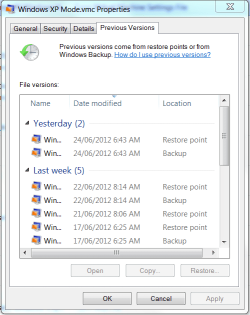
Following a forced restart of the actual machine, I an no longer access XPmode. I get as far as "Could not enable integration features" window. Numerous attempts to Retry only produce black screen with two error messages
lsass.exe - Unable to locate component
The application has failed to start because SAMSRV.dll was not found. Reinstalling the application may fix this problem.
and
services.exe - Unable to locate component
The application has failed to start because NCObjAPI.dll was not found. Reinstalling the application may fix this problem.
I have tried assorted solutions found on web (without success), but none seems to refer to these specific messages.
On settings, this the result for Integration features:
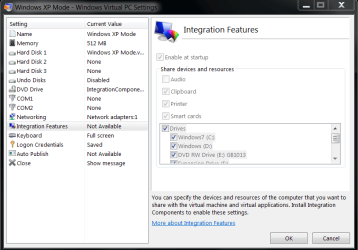
It will be seen that on one side it says unavailable, the settings are greyed out, but preferences retained.
As my main use for XPmode is for OutlookExpress, and it holds all my (1000s) of emails, I am most anxious not to do anything which lose these!
Can anyone help with a solution, please.
Kind regards,
John
lsass.exe - Unable to locate component
The application has failed to start because SAMSRV.dll was not found. Reinstalling the application may fix this problem.
and
services.exe - Unable to locate component
The application has failed to start because NCObjAPI.dll was not found. Reinstalling the application may fix this problem.
I have tried assorted solutions found on web (without success), but none seems to refer to these specific messages.
On settings, this the result for Integration features:
It will be seen that on one side it says unavailable, the settings are greyed out, but preferences retained.
As my main use for XPmode is for OutlookExpress, and it holds all my (1000s) of emails, I am most anxious not to do anything which lose these!
Can anyone help with a solution, please.
Kind regards,
John
My Computer
- OS
- Windows 7 Professional 64bit with VirtualXP