According to the usual help
open task sched, select the task, right click or select a command in the action panel.
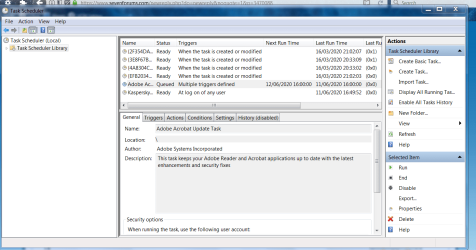
unfortunately there isnt a delete or disable command in the action panel and right click does nothing.
in the action panel on the right i can see the following
connect to a computer
create basic task
create task
import task
display all running tasks
disable all task history
at service account config
view [hidden tasks]
refresh
help
any clues?
keri
open task sched, select the task, right click or select a command in the action panel.
unfortunately there isnt a delete or disable command in the action panel and right click does nothing.
in the action panel on the right i can see the following
connect to a computer
create basic task
create task
import task
display all running tasks
disable all task history
at service account config
view [hidden tasks]
refresh
help
any clues?
keri
My Computer
At a glance
64 7
- Computer type
- PC/Desktop
- OS
- 64 7