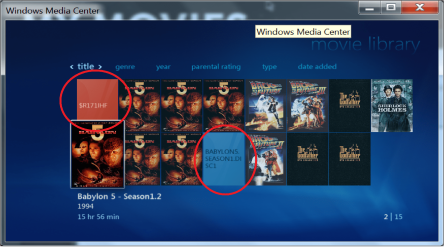
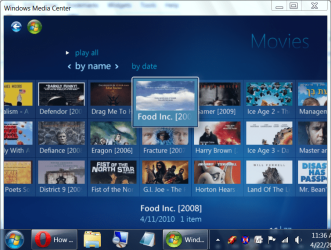
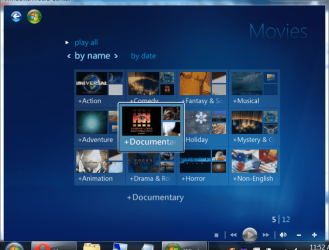
Hello, new to Windows 7 Media Center and these forums. I have begun backing up my movies onto an external hard drive, and have encountered a slight annoyance: I have a few "movies" showing up in my movie library that don't have any files associated with them, and I'm not even sure how they got there in the first place. I'd like to take them off the list, but can't figure out how. I would also like to know how to remove movies from the library for future reference as well. I've attached a picture to demonstrate my issue. Thank you!
Answer: Go back into that Movie section and do nothing... just let it sit there on that screen... and go to sleep or go shopping or something.
See, the way WMC works is that it scans files extensively... I think for the purpose of scouting out protected files... If you read their Terms and Conditions and agreed to them you end up giving them the right to do that... Anyhow, you don't need to worry though. They don't understand how to regulate content made by people at home whom rip dvd's into an avi.. So what's the point? Because microsoft has to appease the major tv and movie companies to get them interested in bringing safe content to their product... so they do that to make it look like something is being done.
So we must suffer as it does it's thorough scans.
And, as you can guess, this takes a while.. So you basically have to wait for the background scanning process to eventually make it up the directory structure and figure out that that movie no longer exists... or to figure out a file has been moved or renamed... in which case you will then see duplicates until the scan has figured it out...
What is even more annoying is that you can delete a movie straight from there and it may leave an empty icon/picture like it is still there... until the scan catches up with it's own deletions... lol
Anyhow. There is your answer:
Stay in that section... The moment you leave it to go to anothere section or if you play anything or do ANYTHING THAT TAKES YOU OUT OF THE MOVIE SECTION.. IT STOPS IT'S SCAN.
I think I have about 400 movies.. and it probably takes about 2-4 hours for it to run it's course... it starts over from the begining everytime you reenter.
You can test what I say by simply entering and staying there for like a few minutes, exit back to the main section, wait 5 seconds and then reenter it to find it may have updated a few files in that time. If you leave it there before going to bed everything will be done by the next day. But you must leave it in that screen that is in your photo... and you won't know if anything has changed until you exit it and reenter. So don't be tempted to keep exiting if you want it to ever finish.