How do I restore the preinstalled windows7 in Vaio laptop after format

Le Omar

New member
Local time
3:25 PM
Messages
7
Hi everyone ..

I have a problem in my vaio laptop i7, I used to have the preinstalled windows 7 home premium but i mistakingly formatted the recovery partition while installing Ubuntu 11.04 in the machine.

Previously I have made 4 discs which are the recovery discs. The current problem is when i insert disc#1 the recovery process stops at 9% .. I was able to get the partition back by setting the BIOS into the default value. but still it cant seem to be restoring..

any guidance would be much appreciated ..

Thanks :)
 

My Computer My Computer

At a glance

Windows Vista Home Premium 32bit.
OS
Windows Vista Home Premium 32bit.
All Linux code must be deleted using the CLEAN ALL command.As you have had linux on the HD you need do a Clean all & full format.

Try a full clean & full format in command prompt.
1) Boot DVD & Press Shift+F10 (for command prompt)
http://www.sevenforums.com/tutorials/119713-diskpart-pc-startup.html
2) Boot DVD, & http://www.sevenforums.com/tutorials/682-command-prompt-startup.html
(for command prompt)

Type in command line
DISKPART
LIST DISK
SELECT DISK # (win HD)
CLEAN ALL
CREATE PARTITION PRIMARY
SELECT PARTITION 1
ACTIVE
FORMAT fs=NTFS
ASSIGN
EXIT
EXIT

List Disk.PNG


http://www.sevenforums.com/tutorials/91339-ssd-hdd-optimize-windows-reinstallation.html
 

My Computer My Computer

At a glance

ME/XP/Vista/Win7
OS
ME/XP/Vista/Win7
Thank you very much theog for the wonderful explanation, i just finished the steps mentioned but i still have the same problem, when i choose the recovery option it starts with formatting and then restoring which stops at 9% and does not move further. the CD tray suddenly stops spinning the disc but the hard disk LED is always blinking and on because of processing..

I need some help ..
 

My Computer My Computer

At a glance

Windows Vista Home Premium 32bit.
OS
Windows Vista Home Premium 32bit.
One of your Sony Recovery Disks may be a bad burn.
1) Clean the DVD Drive.
2) Clean the DVD Disks.

How to order Sony Recovery disks:
1.Go to http://servicesales.sel.sony.com.
2.Enter your computer's model number (for example, PCV-XXXX), and click List Parts and accessories.
3.Follow the online instructions to order the Recovery Media Kit.
If you are not able to access the Sony Direct Accessories and Parts Center Web site, contact a customer service representative at 1-800-488-7669.
 

My Computer My Computer

At a glance

ME/XP/Vista/Win7
OS
ME/XP/Vista/Win7
Thank you theog for the quick reply, yes it seems like a problem in the dics. I couldnt access the web address mentioned. when i contacted the customer service online, they directed me to contact www.hermanelectronics.com to buy the recovery dics whereas i stay out of the US at the moment.

Thank again mate for the help :)
 

My Computer My Computer

At a glance

Windows Vista Home Premium 32bit.
OS
Windows Vista Home Premium 32bit.
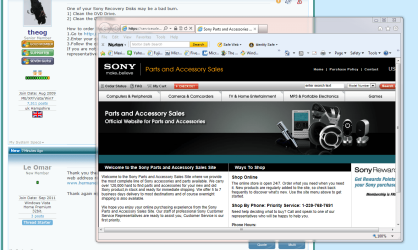
The link is OK from the UK.


CaptureSony.PNG
 

My Computer My Computer

At a glance

ME/XP/Vista/Win7
OS
ME/XP/Vista/Win7
inaccessible in Malaysia :( .. probably something wrong with my browser!
 

My Computer My Computer

At a glance

Windows Vista Home Premium 32bit.
OS
Windows Vista Home Premium 32bit.
Find a Win7 installation DVD for your licensed version and reinstall with the Product Key on COA sticker. The detailed steps are in the link below in my signature.
 
Thank you gregrocker for the suggestion, that was my first solution i tried before i do anything else, I managed to update and everything is good, but it is not the Vaio edition of Windows 7, hence its not what i am looking for. But thanks anyway for the reply .. :)
 

My Computer My Computer

At a glance

Windows Vista Home Premium 32bit.
OS
Windows Vista Home Premium 32bit.
I just called Sony center in The US and they said they don't have the CD recovery for the model, plus if they have they wont be able to send it overseas, both ways I have to look for an alternative. :(

any suggestions ?
 

My Computer My Computer

At a glance

Windows Vista Home Premium 32bit.
OS
Windows Vista Home Premium 32bit.
This is still your best option and cleanest install:

Find a Win7 installation DVD for your licensed version and reinstall with the Product Key on COA sticker. The detailed steps are in the link below in my signature.
 
thanks :) .. i read the post (Perfect Reinstall) and i wanna ask does that mean i will make a recovery disc for the actual preinstalled image to get the factory condition windows 7? or is it the recovery disc for the installed and activated copy of windows 7?
 

My Computer My Computer

At a glance

Windows Vista Home Premium 32bit.
OS
Windows Vista Home Premium 32bit.
Recovery Disk and the Recovery partition are booted or run to restore your computer to factory condition with all of the preinstalled bloatware and factory utilities.

Finding a Win7 installation disk to clean reinstall only installs the OS without any of the factory bloatware programs or utilities.
 
The sony website seems to be pretty good about having all the drivers and even the utility an addon software available seperately as well.

Here: Sony eSupport - Computers - Laptop - Select Your Model

Select your model and DL all the software and drivers you want.

Then you can just reinstall windows from a normal disk (using your already paid for reg code) and add these drivers and software as you wish. No need for the official sony windows install disks.
 

My Computer My Computer

At a glance

Windows 7 x64 Ultimatei7 96012 Gig Corsair DominatorNvidia 480
Computer Manufacturer/Model Number
Scratch built
OS
Windows 7 x64 Ultimate
CPU
i7 960
Motherboard
Asus P6X58D
Memory
12 Gig Corsair Dominator
Graphics Card(s)
Nvidia 480
Sound Card
Maudio Delta 44 + breakout box
Monitor(s) Displays
Dell UltraSharp U2410 24in and Samsung 21 dual monitors
Screen Resolution
1920x1200 and 1280x1024
Hard Drives
Primary: Intel X-25M G2 160G SSD
Secondary: Segate baracuda 1.0 TB
HDs in AHCI mode.
PSU
Corasair TX850
Case
Cooler Master HAF
Cooling
Corsair H50
Keyboard
Logitech G15 + N52 game pad
Mouse
Logitech MX518
Internet Speed
15kbs down 4.5kbps up
Other Info
WEI 7.6
CPU & RAM 7.6
Graphics 7.9
Hard disk 7.7
Actually, just to eat my own dog food...

After finding this out and being very dissapointed in the horrendous performance of the HD in my VAIO when the laptop itself is otherwise amazing, I took the SSD I have being wasted in the guest computer and stuck it in my vaio. I then installed W7 ultimate on it while DLing the 40 or so driver and app files for my model off the above website. and burned them to a DVD.

I then installed everything one by one (Except some of the dubious sony specific software).

ALL the hardware works, camera, SD card slot, touchpad, 3d, DVD/blueray, WiFi, audio, video, all the special function keys on the KB and along the top of the case, everything.

I've decided that I may stick with sony from now on. This kind of thing is simply not done by most other manufacturers, it's really sort of amazing!

So now my laptop feels 10 times faster after about 4 solid hours of work with the new SSD (And 1/4 the HD space :P)
 

My Computer My Computer

At a glance

Windows 7 x64 Ultimatei7 96012 Gig Corsair DominatorNvidia 480
Computer Manufacturer/Model Number
Scratch built
OS
Windows 7 x64 Ultimate
CPU
i7 960
Motherboard
Asus P6X58D
Memory
12 Gig Corsair Dominator
Graphics Card(s)
Nvidia 480
Sound Card
Maudio Delta 44 + breakout box
Monitor(s) Displays
Dell UltraSharp U2410 24in and Samsung 21 dual monitors
Screen Resolution
1920x1200 and 1280x1024
Hard Drives
Primary: Intel X-25M G2 160G SSD
Secondary: Segate baracuda 1.0 TB
HDs in AHCI mode.
PSU
Corasair TX850
Case
Cooler Master HAF
Cooling
Corsair H50
Keyboard
Logitech G15 + N52 game pad
Mouse
Logitech MX518
Internet Speed
15kbs down 4.5kbps up
Other Info
WEI 7.6
CPU & RAM 7.6
Graphics 7.9
Hard disk 7.7
Back
Top