I have searched all the applicable posts I could find here and elsewhere and I cannot seem to find a solution.
Two days ago, I turned my desktop PC on and my sound, network, action center and power icons were missing. I have made no software or hardware changes to the PC in a long time except for normal Windows 7 updates. I have Windows 7 Professional 64 bit and I have been using it for almost 10 years. This is the first instance of this behavior I've ever experienced.
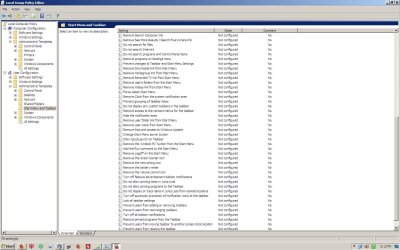
I opened gpedit.msc as Administrator and verified the settings as per the tutorial I found on this forum.
I downloaded Enable_Volume_Notification_Icon.reg and ran it.
I re-booted several times.
I checked my sound card drivers for updates and none were found.
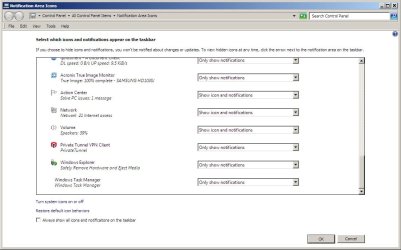
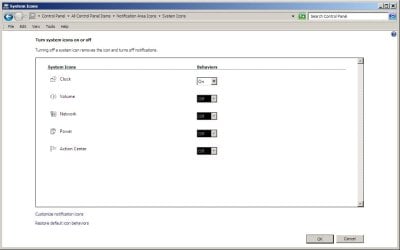
The icons are greyed out and when I select Turn system icons on and off they are OFF and I cannot turn them back on.
Here are screen prints of gpedit, and taskbar settings


Two days ago, I turned my desktop PC on and my sound, network, action center and power icons were missing. I have made no software or hardware changes to the PC in a long time except for normal Windows 7 updates. I have Windows 7 Professional 64 bit and I have been using it for almost 10 years. This is the first instance of this behavior I've ever experienced.
I opened gpedit.msc as Administrator and verified the settings as per the tutorial I found on this forum.
I downloaded Enable_Volume_Notification_Icon.reg and ran it.
I re-booted several times.
I checked my sound card drivers for updates and none were found.
The icons are greyed out and when I select Turn system icons on and off they are OFF and I cannot turn them back on.
Here are screen prints of gpedit, and taskbar settings
My Computer
At a glance
7
- OS
- 7