You 1st download the Iso file from the link that was provided at least 2 times now.
Then you use Rufus to put the Iso file on a usb stick, you can't just copy the Iso file.
Rufus - Create bootable USB drives the easy way
Then you insert the usb stick into a usb 2.0 slot.
Then you start the PC and keep tapping the Function key that will bring up the boot menu (usually F8)
You will then see the usb stick in the list of the boot menu.
Use the up or down arrow key to highlite the usb stick.
You then hit enter and the install will start. You may or may not get a "Press any key to boot from dvd/usb" if you get that message just push any key on the keyboard and the install will start.
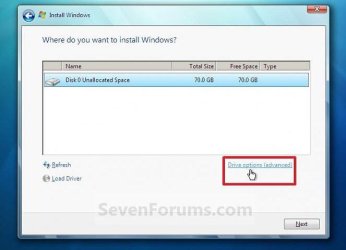
After a while the PC will reboot to continue the install, when it does this, do not touch anything, let the install finish.
Read this.
Clean Install Windows 7 - Windows 7 Help Forums
Then you use Rufus to put the Iso file on a usb stick, you can't just copy the Iso file.
Rufus - Create bootable USB drives the easy way
Then you insert the usb stick into a usb 2.0 slot.
Then you start the PC and keep tapping the Function key that will bring up the boot menu (usually F8)
You will then see the usb stick in the list of the boot menu.
Use the up or down arrow key to highlite the usb stick.
You then hit enter and the install will start. You may or may not get a "Press any key to boot from dvd/usb" if you get that message just push any key on the keyboard and the install will start.
After a while the PC will reboot to continue the install, when it does this, do not touch anything, let the install finish.
Read this.
Clean Install Windows 7 - Windows 7 Help Forums
My Computer
At a glance
Windows 10 Pro x64Intel Core i7 6700KGSkill TridentZ RGB 16GB 3600 16-16-16-36EVGA GTX 980 Ti SC x2
- Computer type
- PC/Desktop
- Computer Manufacturer/Model Number
- Skylake Special #666
- OS
- Windows 10 Pro x64
- CPU
- Intel Core i7 6700K
- Motherboard
- Asus Sabertooth Z170 Mark 1
- Memory
- GSkill TridentZ RGB 16GB 3600 16-16-16-36
- Graphics Card(s)
- EVGA GTX 980 Ti SC x2
- Sound Card
- Realtek High Definition
- Monitor(s) Displays
- AOC G2460PG
- Screen Resolution
- 1920 x 1080 144Hz
- Hard Drives
- Samsung 860 Pro 256GB, Seagate Barracuda 4TB x2
- PSU
- EVGA 1000 P2, EVGA White Custom Braided Cables
- Case
- Corsair Vengeance C70 Gunmetal Black
- Cooling
- Corsair H100i v2, Corsair ML120 x2, Thermal Grizzly Kryonaut
- Keyboard
- Logitech G910 Orion Spectrum
- Mouse
- Logitech G700s
- Internet Speed
- Verizon Fios Quantum Gateway 75/75
- Antivirus
- Windows Defender, Malwarebytes Free 3.8.3
- Browser
- Chrome
- Other Info
- Corsair SP120 x4, LG Blu-ray Drive, Durabrand HT-395 100 Watt Dolby Digital Amp, Corsair H2100 Wireless 7.1 Headset