During W7 installation does setup perform a brute force scan of all .inf files to find proper devices or does the device provide info that is used to determine the name of the .inf file to be used?
PnP ("plug and play") devices provide their own hardware ID to the operating system, Win7 installer, etc.. Each device has a unique ID assigned to it based on the manufacturer and then model, agreed to by the manufacturer and Microsoft (and probably Apple, and any other computer manufacturer providing a PnP-aware operating system).
If you go into Device Manager (right-click on Computer, select Properties, then select Device Manager) and right-click on a device, and then select Properties for that device, and then select the Details tab, and then select Hardware Ids from the Property drop-down list, you will see that precise "Hardware ID" value for that device.
This is the information which is found in the INF file, which on an installed Win7 system are all located in C:\Windows\System32\DriverStore\FileRepository... either because they came pre-delivered from the Win7 installation DVD, or applied subsequently by a Microsoft Update or plugging in a USB device and getting drivers downloaded automatically, or if provided by the manufacturer on a CD.
So yes... the entire FileRepository IS scanned when a new PnP device is first plugged in, to find whether or not there exists a proper INF driver file for it. The Win7 installer scans its own equivalent delivered driver directory provided on the DVD (which got copied to hard drive early on, and is scanned from there).
And as more devices are plugged in for the first time, it is possible that proper driver INF files will be located in FileRepository, or if not then they might be obtained from the MS Update Catalog site... or even from a manufacturer-provided driver installation file downloaded from them or provided on CD.
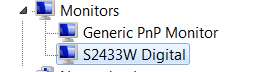
So... just for example. I have TWO monitors by Eizo. One is the HD2441W and the other is an S2433W. As you can see, the HD2441W shows up in Device Manager simply as "generic PnP Monitor" while the S2433W shows up in Device Manager by its true name:
Why the difference?? And where did that "true name" come from for the S2433W??
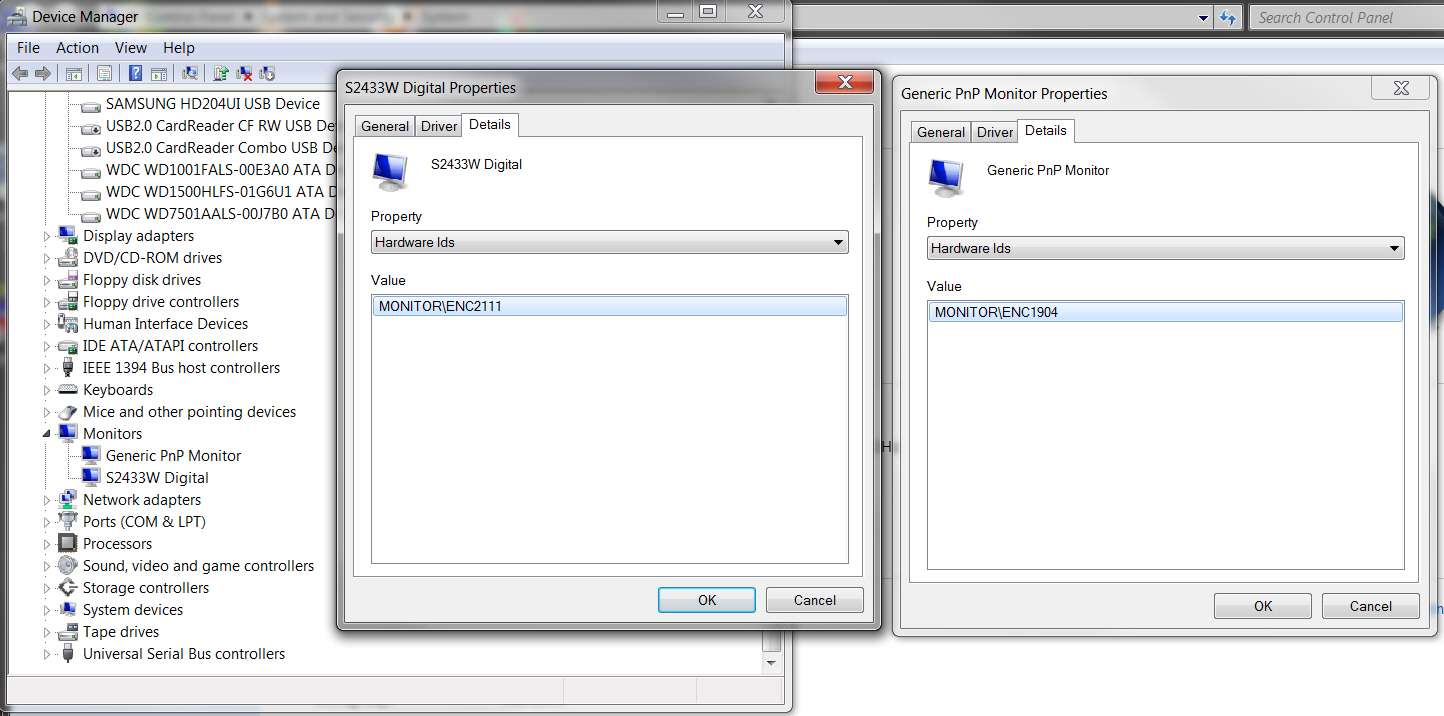
(1) Right-clicking on both monitors and going to their Properties -> Details tab and looking at the "Hardware IDs" we see the following:
So the HD2441W is "Monitor\ENC1904" and the S2433W is "Monitor\ENC2111". These are the two "hardware IDs" by which these two devices are universally known to the world.
(2) Are the "drivers" (if any) for these two PnP devices available from Microsoft, or from the manufacturer (Nanao), or both?
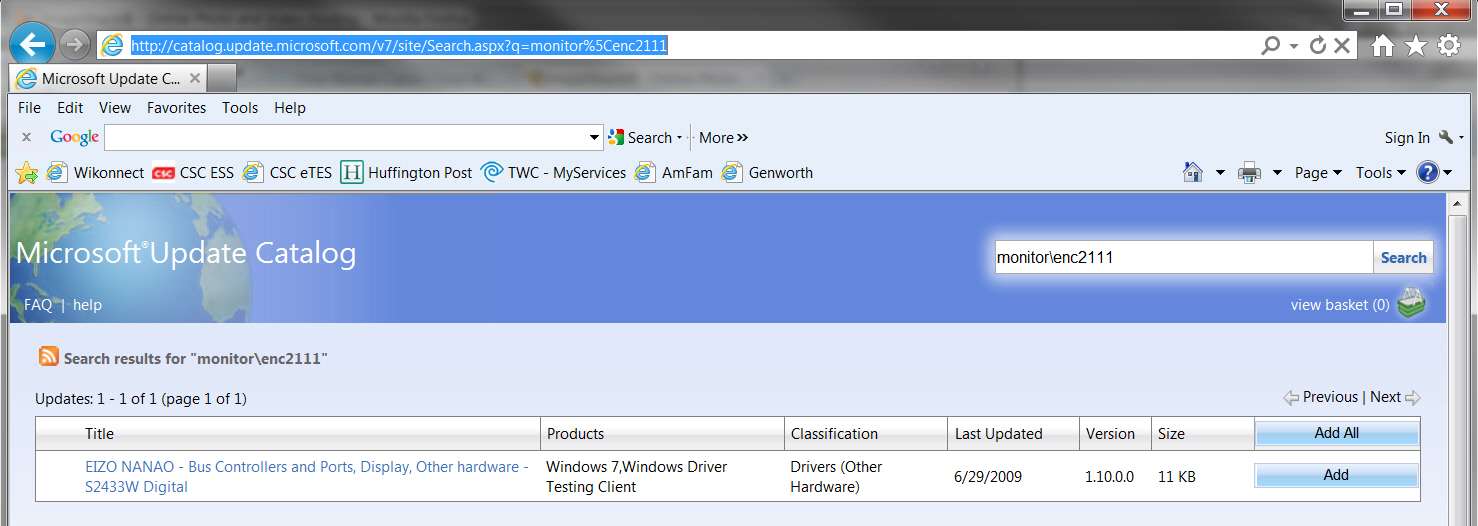
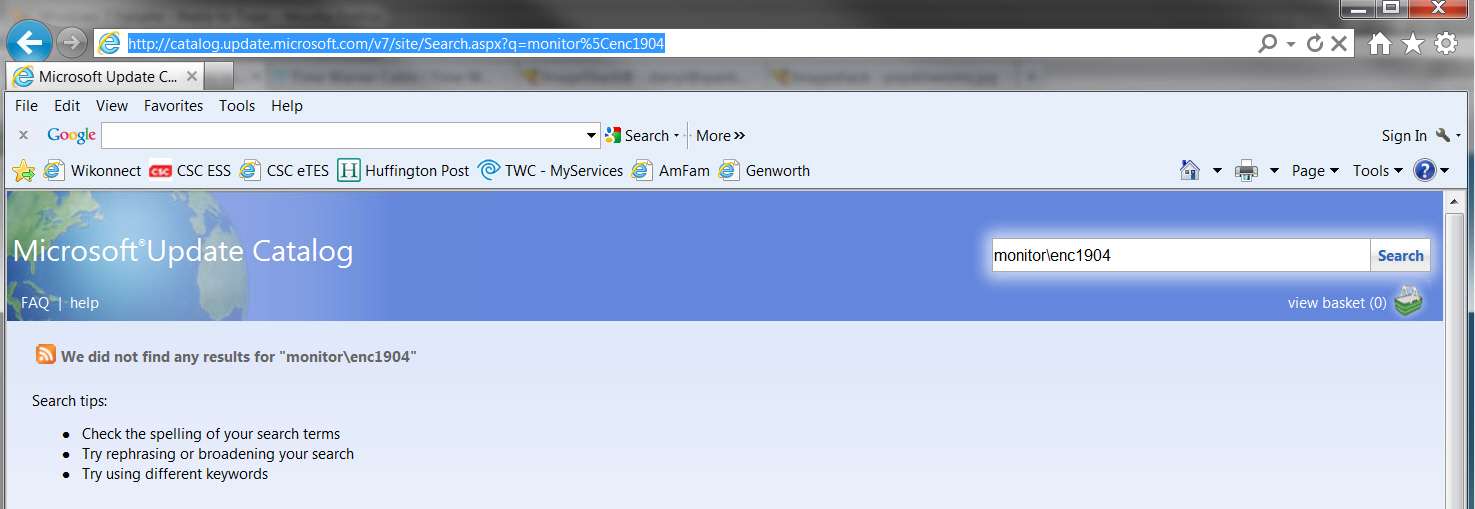
If you use Internet Explorer (not Firefox) to go to the Microsoft Update Catalog web site, and enter these two hardware ID values in the "search" area, you WILL get a hit for the S2433W but you will NOT get a hit for the HD2441W:
So right away, we have a good idea why there WOULD be a "proper name" shown for the S2433W, because at least Microsoft has a driver available for download for this device... even if there is no such driver delivered on the official Win7 installation DVD when it was first created 4 years or so ago. It might be on newer installation DVD's (e.g. with SP1 installed on it) or maybe not.
Regardless, the proper driver for the S2433W is for sure available now... downloadable (by user, or by Windows Update) if needed from the Microsoft Update Catalog site. This is where ALL downloadable drivers are kept, to be accessed by your Win7 system if you enable Windows Update to find "current drivers" when you plug in a new PnP device for the first time.
In contrast, there is no such luck with the HD2441W. Nor is there a driver for it provided by Nanao.
Fortunately, it is a "generic PnP monitor" and can pretty much operate 100% normally on its own, with the MS-provided generic video drivers. Of course there might not be "optimizations" (like ICM color profiles) installed for it (at least not by default), but at least it will function.
(3) So when you plug in a new device the driver FileRepository is searched for an INF file which contains that specific "hardware ID" in its text. If one is found, it will be used.
Or, if Windows Update is enabled for "current drivers" the MS Update Catalog site will be queried to see if a newer driver is available. If so, it will be downloaded and installed into the FileRepository on your hard drive, for possible future use.
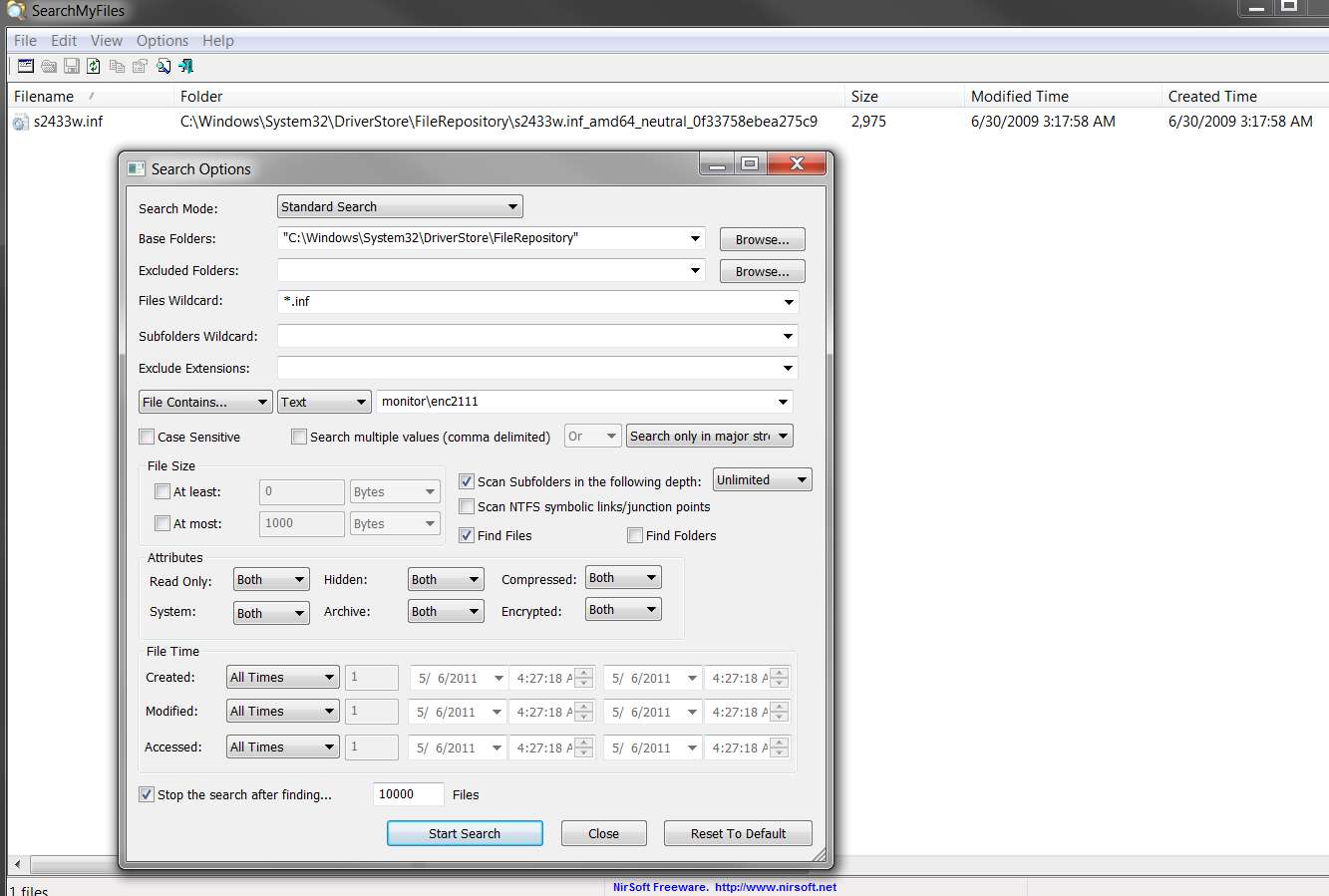
In the current example, I did a "SearchMyFiles" for "monitor\enc2111" in my current FileRepository, and found the following:
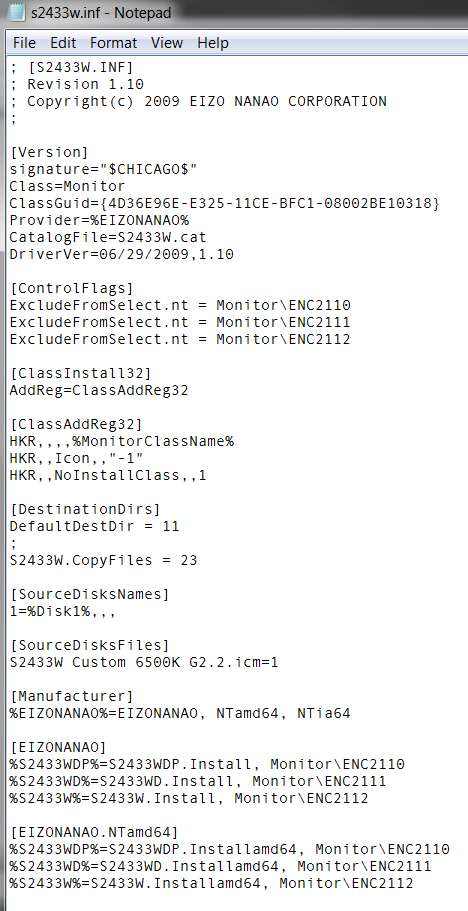
(4) And when that INF file is examined, sure enough all of the matching variables are seen:
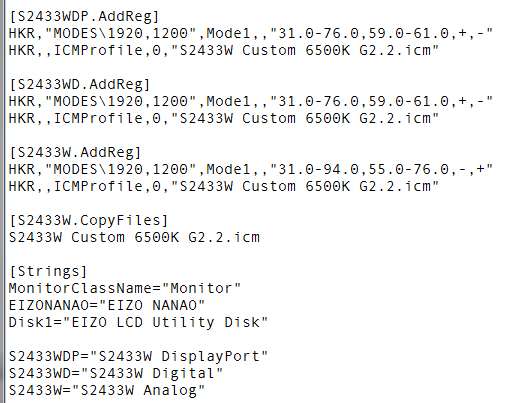
Obviously the S2433W connected by DVI with hardware ID "Monitor\ENC2111" corresponds to what the driver INF considers to be device S2433WD. And this is thus given the name of "S2433W Digital" by the "strings" section of the driver INF file:
(5) And that's how my S2433W came to be recognized when I first connected it via DVI and powered it on, driver obtained from Microsoft and installed into my FileRepository, and why it has a proper name shown in Device Manager.
In contrast, my HD2441W has no such luck. So it's simply a "generic PnP monitor".
NOTE: before I changed video cards in my machine from HD4850 (DVI/VGA) to HD5770 (dual-DVI), my HD2441W monitor was the one connected by DVI/digital cable and the other S2433W was connected by VGA/analog cable. And the S2433W at that time was shown in Device Manager as "S2433W Analog".
Based on reading the relevant sections of the driver INF file, obviously when using that VGA/analog cable it clearly had been considered by the driver INF file to be device S2433W, and obviously must have been delivering its PnP hardware ID of "Monitor\ENC2112" instead of the current "Monitor\Enc2111" when connected by DVI/digital cable.