
You are using an out of date browser. It may not display this or other websites correctly.
You should upgrade or use an alternative browser.
You should upgrade or use an alternative browser.
How i write arabic numbers
- Thread starter Aali
- Start date
Hello Aali and welcome to Seven Forums.
If I understand your question, you'd like to use Hindi to display numbers and possibly text. This Microsoft article may help:
Microsoft Products and Arabic Support
If I understand your question, you'd like to use Hindi to display numbers and possibly text. This Microsoft article may help:
Microsoft Products and Arabic Support
My Computer
- Computer type
- Laptop
- Computer Manufacturer/Model Number
- Sony Vaio VPCEB47GM Laptop
- OS
- Win 7 Pro 64-bit
- CPU
- Intel i5 2.4 Ghz
- Memory
- 8GB DDR3
- Graphics Card(s)
- Intel HD 3000
- Sound Card
- IDT High Definition
- Monitor(s) Displays
- 15.6 WGXA Anti-Glare LED
- Screen Resolution
- 1280x800
- Hard Drives
- 640Gb 7200rpm
- Antivirus
- MSE
- Browser
- Opera (primary) with IE9 backup
I install arabic language in my PC (window 7/ MS office 2007)... I can type in arabic but cant type arabic number like this (this is copy paste  ..)١٢٣٤٥٦٧٧ can u guide me how i can type this ----->> ١٢٣٤٥٦٧٧ in my doc.
..)١٢٣٤٥٦٧٧ can u guide me how i can type this ----->> ١٢٣٤٥٦٧٧ in my doc.My Computer
- OS
- window 7
Hi again, Aali. I'm not familiar with the Arabic language pack and how it's supposed to work with Windows 7 and Office 2007. A language pack is supposed to change all the numbers on the keyboard (the numbers on the top row and the number pad on the right side of the keyboard when the Num Lock key is pressed.)
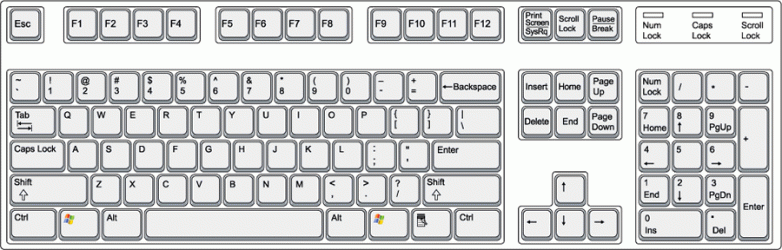
Are you having problems with both? If yes, you might have to wait for one of our Office 2007 experts because I'm not sure what the problem might be.
Are you having problems with both? If yes, you might have to wait for one of our Office 2007 experts because I'm not sure what the problem might be.
My Computer
- Computer type
- Laptop
- Computer Manufacturer/Model Number
- Sony Vaio VPCEB47GM Laptop
- OS
- Win 7 Pro 64-bit
- CPU
- Intel i5 2.4 Ghz
- Memory
- 8GB DDR3
- Graphics Card(s)
- Intel HD 3000
- Sound Card
- IDT High Definition
- Monitor(s) Displays
- 15.6 WGXA Anti-Glare LED
- Screen Resolution
- 1280x800
- Hard Drives
- 640Gb 7200rpm
- Antivirus
- MSE
- Browser
- Opera (primary) with IE9 backup

This is included in the link above from marsmimar:
Steps for Displaying Arabic numbers:
- Launch Microsoft Office Word 2007
- Click on the "Office" button then -> Select "Word Options"
- Click on the "Advanced" tab, and scroll down to the "Show Document Content"
- From the "Numeral" option, click on the combo box and select the "Hindi" option for displaying numbers in the Arabic shapes.

My Computer
- Computer type
- PC/Desktop
- Computer Manufacturer/Model Number
- Packard Bell
- OS
- Windows 7 Home Premium 64bit
- CPU
- Intel(R) Core(TM) i3-2120 CPU @ 3.30GHz
- Motherboard
- Packard Bell IPISB-AG
- Memory
- 3.00 GB
- Graphics Card(s)
- (1) Intel(R) HD Graphics (2) VNC Mirror Driver
- Sound Card
- Realtek High Definition Audio
- Monitor(s) Displays
- AIO LCD
- Screen Resolution
- 1920 x 1080
- Hard Drives
- WDC WD10EADX-22TDHB0 ATA Device
Fixed hard disk media
4 partitions
931.51 GB
- Keyboard
- Wireless
- Mouse
- Wireless
- Antivirus
- Microsoft Security Essentials
- Browser
- IE; Firefox
- Other Info
- Also:
Samsung N220 Plus Netbook - Windows 7 Home
HP laptop
iPad 5
sami hicham
New member
- Local time
- 11:57 PM
- Messages
- 1
if you can't apply this solution you can use this online arabic keyboard
My Computer
- Computer type
- PC/Desktop
- OS
- windows 7, 32bit