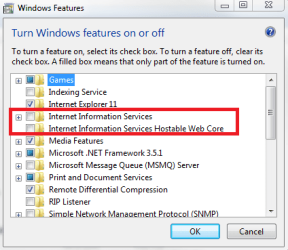
Is it possible to setup a directory on own Win7 Pro system as WebDAV directory?
I have no Windows server installation but only a Win 7 pro system.
Is it possible to setup one of my directories (e.g. D:\work\transfer\) for WebDAV access (from inhouse LAN)?
I created a share (with sharename "ttt") for the mentioned directory and entered afterwards the following command:
net use W: \\127.0.0.1\ttt
It works insofar that now a drive W: appears in my Windows Explorer and shows the content of D:\work\transfer\
The question is: Can I access the content via WebDAV connection (=with WebDAV commands) as well?
What will be the WebDAV address for it?
Does https://127.0.0.1/ttt work without a full local Web server?
Alternatively is there a most easy workaround?
Thank you
Peter
I have no Windows server installation but only a Win 7 pro system.
Is it possible to setup one of my directories (e.g. D:\work\transfer\) for WebDAV access (from inhouse LAN)?
I created a share (with sharename "ttt") for the mentioned directory and entered afterwards the following command:
net use W: \\127.0.0.1\ttt
It works insofar that now a drive W: appears in my Windows Explorer and shows the content of D:\work\transfer\
The question is: Can I access the content via WebDAV connection (=with WebDAV commands) as well?
What will be the WebDAV address for it?
Does https://127.0.0.1/ttt work without a full local Web server?
Alternatively is there a most easy workaround?
Thank you
Peter
My Computer
At a glance
win7pro 64bit
- Computer type
- PC/Desktop
- OS
- win7pro 64bit