- Local time
- 10:29 AM
- Messages
- 171
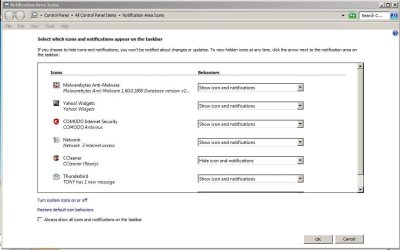
Many programs add their own icons to the Notification Area, Others never do it, but sometimes it is convenient.
I have been searching for a long time for how to add an icon to a couple of programs, and couldn't find a tutorial here. Almost all have icons included with their executive files, so maybe it won’t be very difficult to add one clickable icon. Any idea of how to do it, please?
I have been searching for a long time for how to add an icon to a couple of programs, and couldn't find a tutorial here. Almost all have icons included with their executive files, so maybe it won’t be very difficult to add one clickable icon. Any idea of how to do it, please?
My Computer
- Computer type
- PC/Desktop
- Computer Manufacturer/Model Number
- Home assembled
- OS
- Windows 7 Ultimate 64-bit SP1
- CPU
- AMD Athlon 64 II X3 440
- Motherboard
- M4A785TD-V EVO
- Memory
- Kingston kit 4GB DDR3 1333MHz (KVR1333D3N9K2/4)
- Monitor(s) Displays
- ASUS AS VH198S
- Screen Resolution
- 1440x900
- Hard Drives
- Crucial MX300 2.5" SSD SATA,
Western Digital Caviar Black WD1002FAEX SATA-III,
Samsung HD161HJ SATA-II,
Seagate Barracuda ST3120022A ATA,
Western Digital WD800BB ATA.
- Case
- Standard
- Cooling
- Standard
- Keyboard
- Safeway SW-20
- Mouse
- Logitech Anywhere, Logitech MX Anywhere 2S, Technet M006
- Internet Speed
- 130 Mbs fiber
- Antivirus
- Avast Premier
- Browser
- Firefox, Ice Dragon and Opera
- Other Info
- PCI ATA-133 Adapter,
Parallel Port Card PCI - PU005V2.