Infinite
Closed as requested
- Local time
- 4:47 AM
- Messages
- 958
Hi Guys,
I am still trying to Install Windows 7 x64, and I have been told by Customer Services to do the following:
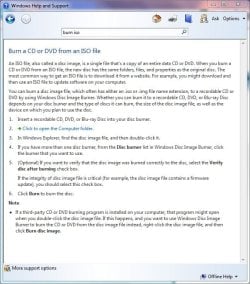
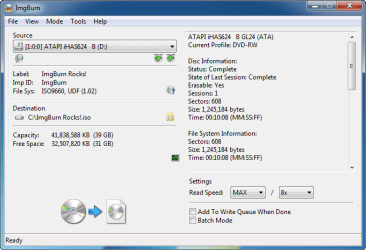
I have downloaded IMGBurn and would like advice on how to do this.
I am still trying to Install Windows 7 x64, and I have been told by Customer Services to do the following:
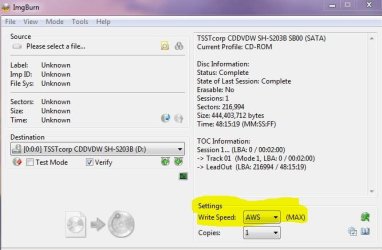
"The only times that I’ve seen this problem, it’s been caused by an error with the disc in use. I would recommend using ImgBurn (available from The Official ImgBurn Website) to burn the disc, and burning it at the slowest speed possible, and then choosing the option to verify the disc afterwards.
If this does not work, please get back in contact and we can arrange for the machine to come back and be tested, however a hardware fault does seem unlikely."
I have downloaded IMGBurn and would like advice on how to do this.
My Computer
At a glance
Windows 7 Ultimate SP1 - 64 BitIntel Core i5 2500k2x4GB DDR3 1333HzAti Radeon 6770
- Computer type
- PC/Desktop
- Computer Manufacturer/Model Number
- Novatech iRush Pro
- OS
- Windows 7 Ultimate SP1 - 64 Bit
- CPU
- Intel Core i5 2500k
- Motherboard
- Foxconn H67M-S/H67M-V/H67
- Memory
- 2x4GB DDR3 1333Hz
- Graphics Card(s)
- Ati Radeon 6770
- Sound Card
- None
- Monitor(s) Displays
- Samsung S22B150
- Screen Resolution
- 1920x1080
- Hard Drives
- 2x500GB
- PSU
- 500W
- Cooling
- Fan
- Keyboard
- HP KU0316
- Mouse
- Wireless Logitech M185
- Internet Speed
- 20MB/s
- Antivirus
- Avast Free
- Browser
- Google Chrome
- Other Info
- Logitech M185 Mouse
KU-M316 Keyboard