
how to change the command of the startup service

moju88

New member
Local time
3:38 AM
Messages
1
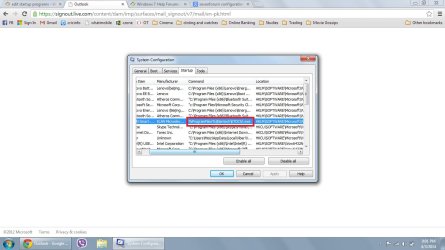
I m user of windows 7 home. one of the startup service is not running because the command at startup of system configration is changed to "%programfiles%Elantech\ETDctrl.exe" instead of "C:\programfiles\Elantech\ETDctrl.exe"

Please guide me, how to change the command of the startup service.
 

Attachments
  • Untitled.jpg
    Untitled.jpg
    92.6 KB · Views: 9

My Computer My Computer

At a glance

windows 7 HomeCore i54 gbNo
Computer type
Laptop
Computer Manufacturer/Model Number
Lenovo
OS
windows 7 Home
CPU
Core i5
Memory
4 gb
Graphics Card(s)
No
Hard Drives
500 gb
Hi Moju, welcome to the Seven Forums.

C:\Program Files and %programfiles% are exactly the same thing. Windows can and will use both absolute paths like C:\Program Files as well as so called Environment Variables like the %programfiles% to point to a location.

You can test this by yourself by typing %programfiles% in Explorer's addressbar and pressing Enter which will open the C:\Program Files folder, additionally on x64 systems %programfiles(x86)% which will open the C:\Program Files (x86) folder. More about Windows Environment Variables in this post: http://www.sevenforums.com/general-...fter-windows-7-place-upgrade.html#post2693823

Using an environment variable instead of absolute path in a startup command cannot be the reason for the service or program not to start, simply because for Windows both mean exactly the same, point to an exactly same location. The reason for this service not starting must be elsewhere.

Check first if you can start the service manually, see this tutorial for instructions: http://www.sevenforums.com/tutorials/2495-services-start-disable.html

Kari
 

My Computer My Computer

At a glance

Windows 10 Pro x64 EN-GB1.6 GHz Intel Core i7-720QM Processor6 GBATI Mobility Radeon HD 5850 Graphics
Computer type
Laptop
Computer Manufacturer/Model Number
HP ENVY 17-1150eg
OS
Windows 10 Pro x64 EN-GB
CPU
1.6 GHz Intel Core i7-720QM Processor
Memory
6 GB
Graphics Card(s)
ATI Mobility Radeon HD 5850 Graphics
Sound Card
Beats sound system with integrated subwoofer
Monitor(s) Displays
17" laptop display, 22" LED and 32" Full HD TV through HDMI
Screen Resolution
1600*900 (1), 1920*1080 (2&3)
Hard Drives
Internal: 2 x 500 GB SATA Hard Disk Drive 7200 rpm
External: 2TB for backups, 3TB USB3 network drive for media
Cooling
As Envy runs a bit warm, I have it on a Cooler Master pad
Keyboard
Logitech diNovo Media Desktop Laser (bluetooth)
Mouse
Logitech Performance Mouse MX
Internet Speed
50/10 Mbps VDSL
Antivirus
Windows Defender 4.3.9431.0
Browser
Maxthon 3.5.2., IE11
Back
Top