rakeshbose
New member
Hello,
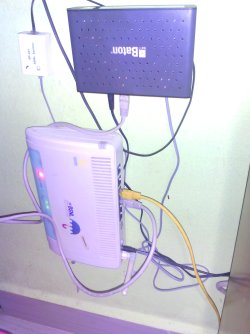
I have a BSNL wireless modem having inbuilt router.The modem has some DSL problem and cannot use the ethernet port to connect to my desktop.So I bought a new Baton DSL modem without wifi facility.
I now need the WIFI connectivity to connect with my phone for browsing net.
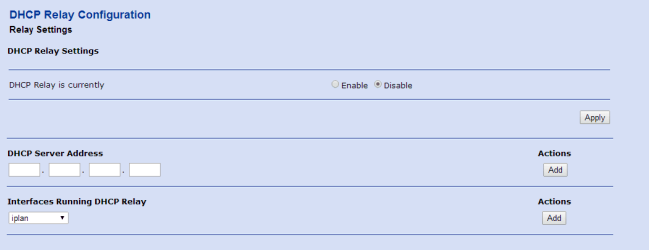
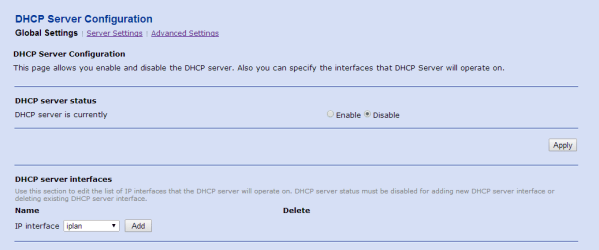
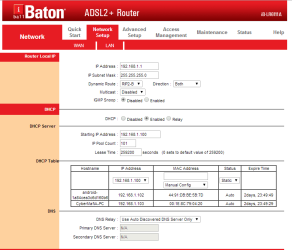
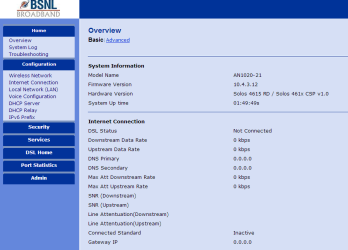
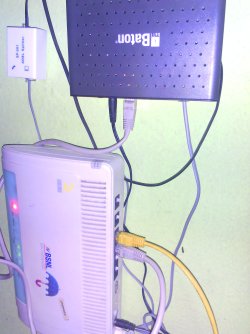
For that I connected the Ethernet port of new DSL modem with the old BSNL wifi modem and applied the following configuration.
I changed the IP address of router from 192.168.1.1 to 192.168.1.2
But I get only WIFI connection to connect to phone and not correctly getting the connection on desktop through the ethernet.Sometimes i get the connection and sometimes the connection lost.
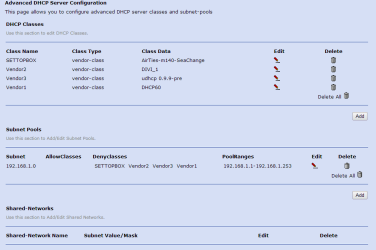
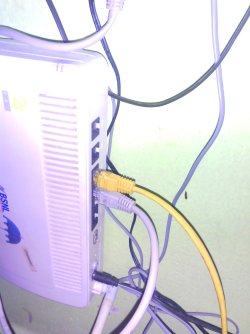
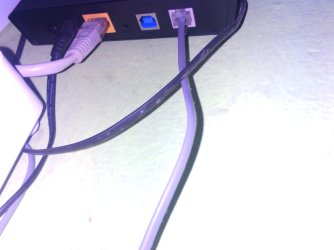
I attached some images here.
pls help me to fix the problem.
Thanks & Regards
RAKESH BOSE
I have a BSNL wireless modem having inbuilt router.The modem has some DSL problem and cannot use the ethernet port to connect to my desktop.So I bought a new Baton DSL modem without wifi facility.
I now need the WIFI connectivity to connect with my phone for browsing net.
For that I connected the Ethernet port of new DSL modem with the old BSNL wifi modem and applied the following configuration.
I changed the IP address of router from 192.168.1.1 to 192.168.1.2
But I get only WIFI connection to connect to phone and not correctly getting the connection on desktop through the ethernet.Sometimes i get the connection and sometimes the connection lost.
I attached some images here.
pls help me to fix the problem.
Thanks & Regards
RAKESH BOSE
Attachments

Last edited:
My Computer
At a glance
Windows 7 Ultimate 32bitAsusTranscendNvidia
- Computer type
- PC/Desktop
- Computer Manufacturer/Model Number
- Asus
- OS
- Windows 7 Ultimate 32bit
- CPU
- Asus
- Motherboard
- Asus
- Memory
- Transcend
- Graphics Card(s)
- Nvidia
- Hard Drives
- Western Digital
- Antivirus
- AVG
- Browser
- Google Chrome