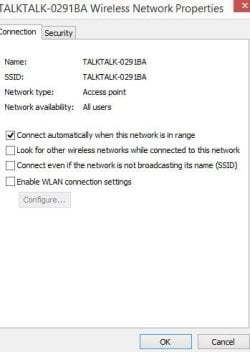
I have a discrete Bigfoot Networks Killer 2100 NIC installed, which I have been using for my internet access. My motherboard also has a built-in Intel network adapter, and I was going to switch to using that so that I can remove the NIC and use that PCIe slot for a different card. Before doing this, I was just testing that the onboard network adapter would work since I had never really used it before.
I found that it does work, BUT when Windows 7 starts up with the Intel adapter enabled and the Bigfoot disabled, it searches "Unidentified network" for internet connectivity for about a minute before giving up. Then when I open the "Network and Sharing Center" it adds a "Network 2" and finds the internet connection. So while it works in this configuration, there is significant "down time" at Windows start-up before one is online.
I noticed that if I open the Network and Sharing Center immediately after start-up, "Network 2" is not even listed. It is only after Windows exhaustively searches "Unidentified network" for connectivity that it adds "Network 2" to the list of active networks and finds the internet connection.
When I run my connection through the Bigfoot Networks NIC, I noticed that my internet access is still shown as being through "Network 2" in the Network and Sharing Center. Only it is listed immediately as for some reason Windows apparently defaults to this when I connect through the NIC.
To complicate matters, I have VMWare Workstation installed, and it has several virtual network adapters installed under the "Unidentified Network". I don't want to disrupt those for the virtual machines I have installed. I don't think they should really matter as the outside connections of my host machine should be transparent to VMWare, i.e. it shouldn't make any difference to VMware whether my external internet connection is through a NIC or an onboard network adapter. I just don't want to delete the "Unidentified Network" because it contains the virtual network adapters.
All of that said, is there a way to set "Network 2" as the default so that Windows finds it right away as it does when I run my connection through the Bigfoot Networks NIC?
Thanks!
I found that it does work, BUT when Windows 7 starts up with the Intel adapter enabled and the Bigfoot disabled, it searches "Unidentified network" for internet connectivity for about a minute before giving up. Then when I open the "Network and Sharing Center" it adds a "Network 2" and finds the internet connection. So while it works in this configuration, there is significant "down time" at Windows start-up before one is online.
I noticed that if I open the Network and Sharing Center immediately after start-up, "Network 2" is not even listed. It is only after Windows exhaustively searches "Unidentified network" for connectivity that it adds "Network 2" to the list of active networks and finds the internet connection.
When I run my connection through the Bigfoot Networks NIC, I noticed that my internet access is still shown as being through "Network 2" in the Network and Sharing Center. Only it is listed immediately as for some reason Windows apparently defaults to this when I connect through the NIC.
To complicate matters, I have VMWare Workstation installed, and it has several virtual network adapters installed under the "Unidentified Network". I don't want to disrupt those for the virtual machines I have installed. I don't think they should really matter as the outside connections of my host machine should be transparent to VMWare, i.e. it shouldn't make any difference to VMware whether my external internet connection is through a NIC or an onboard network adapter. I just don't want to delete the "Unidentified Network" because it contains the virtual network adapters.
All of that said, is there a way to set "Network 2" as the default so that Windows finds it right away as it does when I run my connection through the Bigfoot Networks NIC?
Thanks!
My Computer
At a glance
Windows 7 Ultimate x643930kCorsair Dominator Platinum 18662 x EVGA GTX 680 in SLI
- Computer type
- PC/Desktop
- Computer Manufacturer/Model Number
- custom build
- OS
- Windows 7 Ultimate x64
- CPU
- 3930k
- Motherboard
- ASUS Rampage IV extreme
- Memory
- Corsair Dominator Platinum 1866
- Graphics Card(s)
- 2 x EVGA GTX 680 in SLI
- Hard Drives
- 3 x Intel 520 SSD
WD VelociRaptor
- Antivirus
- Emsisoft Antimalware
- Browser
- FireFox