Solved How to fix "Error Loading Operating System"

Iptt

New member
Local time
1:54 AM
Messages
11
I tried to format my c drive to reinstall Windows XP. I followed the steps from one the posts in this forum by typing the following steps in the command prompt. However, after I rebooted my computer, now I got the "Error loading operating system". I can't doing anything from here. I hope anyone can help me fix this problem.

Manythanks,
iptt


If you would like a nice clean install, try a full clean & full format in command prompt.

Disk - Clean and Clean All with Diskpart Command
Partition or Volume - Delete
Partition or Volume - Create New
Partition - Mark as Active

1) Boot DVD, & Press Shift+F10 (for command prompt)
DISKPART : At PC Startup
2) Boot DVD, & Command Prompt at Startup
(for command prompt)

Type in command line
DISKPART
LIST DISK
SELECT DISK # (win HD)
CLEAN ALL
CREATE PARTITION PRIMARY
SELECT PARTITION 1
ACTIVE
FORMAT fs=NTFS
ASSIGN
EXIT
EXIT
 

My Computer

OS
Windows Xp
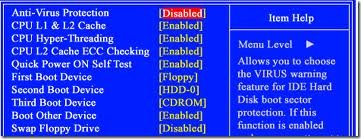
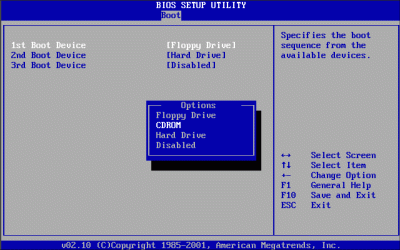
Make sure the DVD Drive is the first boot device in the BIOS, boot from the Win 7 DVD, then run Setup when prompted.
 

My Computer

Computer Manufacturer/Model Number
Self
OS
Main - Windows 7 Pro SP1 64-Bit; 2nd - Windows Server 2008 R2
CPU
Main - Core i7 2600K; 2nd - Core i7 920
Motherboard
Main - Asus P8Z68-V Pro/Gen3; 2nd - Gigabyte GA-EX58-UDR3
Memory
Main - 16GB Corsair Vengeance; 2nd - 12GB Corsair Vengeance
Graphics Card(s)
Main - XFX Radeon 6870 1GB; 2nd - XFX Radeon 4870 1GB
Sound Card
Both: Onboard Realtek Azalia
Monitor(s) Displays
Main - Hann 25" + I-INC 25" + Acer 23"; 2nd - Upgrading Soon
Screen Resolution
Main - 1920x1080 (All Three Monitors); 2nd - Upgrading Soon
Hard Drives
Main - (1) Crucial M4 128GB (Boot)
Main - (1) Seagate 2TB 64MB Cache (Data)
Main - (1) Seagate 2TB 64MB Cache (Data Backup)
2nd - (1) Intel X25-M SSD 80GB (Boot)
2nd - (3) Seagate 1TB 32MB Cache (Data Backup)
2nd - (1) Seagate 320GB (Because)
PSU
Main - OCZ 600W Modular; 2nd - OCZ 600W
Case
Main - Thermaltake Element G; 2nd - NZXT something or other
Cooling
Main - Corsair H80; 2nd - Prolimatech Megahalems
Keyboard
Main - Razer Reclusa; 2nd - Old MS Keyboard
Mouse
Main - Logitech MX Revolution; 2nd - Old MS Mouse
Internet Speed
20Mbps Time-Warner Cable
Thanks for the reply. The problem is that I can't get to any command prompt so I am not sure how to check for BIOS. By the way, I am trying to install windows XP not WIN 7. I think I have messed up my partition. When I did LIST DISK, I only saw PARTITION 0 and then when I created PARTITION 1, I made PARTITION 1 ACTIVE. Do you think it's still can be fixed?
 

My Computer

OS
Windows Xp

My Computer

Computer Manufacturer/Model Number
Toshiba Satellite S875D-S7239 laptop
OS
MS Windows 7 Ultimate SP1 64-bit
CPU
AMD A10-4600M
Motherboard
AMD Pumori (Socket FT1)
Memory
6.00 GB Dual-Channel DDR3 @ 798MHz (11-11-12-28)
Graphics Card(s)
AMD Radeon HD 7660G
Sound Card
High Definition Audio Device
Monitor(s) Displays
Generic PnP Monitor (1600x900@60Hz)
Screen Resolution
1600x900@60Hz
Hard Drives
SSD 119GB Corsair CSSD-V128GB2 ATA Device
Keyboard
Standard PS/2 Keyboard
Mouse
HP Wireless Optical Mobile Mouse Model FHA-3410
Internet Speed
What the local pub, local coffee shop offers.
Other Info
Optical Drive:MATSHITA BD-CMB UJ160B ATA Device


Also have an Asus ha1002xp netbook with Win 7 Ultimate installed.
You usually get into the BIOS by hitting the Delete key as soon as you turn the computer on. After that it's a matter of finding the right place to adjust the setting.
 

Attachments

  • boot1.jpg
    boot1.jpg
    16.1 KB · Views: 154
  • Boot2.gif
    Boot2.gif
    8.3 KB · Views: 180

My Computer

Computer Manufacturer/Model Number
Self
OS
Main - Windows 7 Pro SP1 64-Bit; 2nd - Windows Server 2008 R2
CPU
Main - Core i7 2600K; 2nd - Core i7 920
Motherboard
Main - Asus P8Z68-V Pro/Gen3; 2nd - Gigabyte GA-EX58-UDR3
Memory
Main - 16GB Corsair Vengeance; 2nd - 12GB Corsair Vengeance
Graphics Card(s)
Main - XFX Radeon 6870 1GB; 2nd - XFX Radeon 4870 1GB
Sound Card
Both: Onboard Realtek Azalia
Monitor(s) Displays
Main - Hann 25" + I-INC 25" + Acer 23"; 2nd - Upgrading Soon
Screen Resolution
Main - 1920x1080 (All Three Monitors); 2nd - Upgrading Soon
Hard Drives
Main - (1) Crucial M4 128GB (Boot)
Main - (1) Seagate 2TB 64MB Cache (Data)
Main - (1) Seagate 2TB 64MB Cache (Data Backup)
2nd - (1) Intel X25-M SSD 80GB (Boot)
2nd - (3) Seagate 1TB 32MB Cache (Data Backup)
2nd - (1) Seagate 320GB (Because)
PSU
Main - OCZ 600W Modular; 2nd - OCZ 600W
Case
Main - Thermaltake Element G; 2nd - NZXT something or other
Cooling
Main - Corsair H80; 2nd - Prolimatech Megahalems
Keyboard
Main - Razer Reclusa; 2nd - Old MS Keyboard
Mouse
Main - Logitech MX Revolution; 2nd - Old MS Mouse
Internet Speed
20Mbps Time-Warner Cable
I was able to change the first boot device to CD ROM but then I got "disk boot failure, insert system disk". I'm not sure what system disk I am supposed to insert. I only have the Windows XP disk.
 

My Computer

OS
Windows Xp
Watch the screen carefully as soon as you turn the computer on. You should see a notice like "Press any key to boot from cdrom". (Or it might tell you a specific key you need to press.)
 

My Computer

Computer Manufacturer/Model Number
Self
OS
Main - Windows 7 Pro SP1 64-Bit; 2nd - Windows Server 2008 R2
CPU
Main - Core i7 2600K; 2nd - Core i7 920
Motherboard
Main - Asus P8Z68-V Pro/Gen3; 2nd - Gigabyte GA-EX58-UDR3
Memory
Main - 16GB Corsair Vengeance; 2nd - 12GB Corsair Vengeance
Graphics Card(s)
Main - XFX Radeon 6870 1GB; 2nd - XFX Radeon 4870 1GB
Sound Card
Both: Onboard Realtek Azalia
Monitor(s) Displays
Main - Hann 25" + I-INC 25" + Acer 23"; 2nd - Upgrading Soon
Screen Resolution
Main - 1920x1080 (All Three Monitors); 2nd - Upgrading Soon
Hard Drives
Main - (1) Crucial M4 128GB (Boot)
Main - (1) Seagate 2TB 64MB Cache (Data)
Main - (1) Seagate 2TB 64MB Cache (Data Backup)
2nd - (1) Intel X25-M SSD 80GB (Boot)
2nd - (3) Seagate 1TB 32MB Cache (Data Backup)
2nd - (1) Seagate 320GB (Because)
PSU
Main - OCZ 600W Modular; 2nd - OCZ 600W
Case
Main - Thermaltake Element G; 2nd - NZXT something or other
Cooling
Main - Corsair H80; 2nd - Prolimatech Megahalems
Keyboard
Main - Razer Reclusa; 2nd - Old MS Keyboard
Mouse
Main - Logitech MX Revolution; 2nd - Old MS Mouse
Internet Speed
20Mbps Time-Warner Cable
Iptt,
First, nowadays, F2 is the more common key for getting to the bios although some do use the Del key for this purpose.

2nd, for a one time boot order change, nowadays, most bioses will recognize F12 and give you a choice of the boot device.

3rd, You will need to prepare a System Repair Disc on a Win 7 system.

4th. boot from the System Repair Disc
Don't worry about it having been prepared on a win 7 system. All you want to do is use it to run diskpart.

5th. run the diskpart sequence to clean all. Do NOT partition, do NOT mark active or anything else.

Remove the system repair disc, insert the xp disc and shutdown your system. Now boot up from the XP disc.

What you've done is made the disk look like a virgin disk.

To make a system repair disc on your win 7 system:
:orb: | type Repair Disc | ENTER
you will be prompted to insert a CD/DVD
Either a CD or a DVD may be used.
 

My Computer

Computer Manufacturer/Model Number
Toshiba Satellite S875D-S7239 laptop
OS
MS Windows 7 Ultimate SP1 64-bit
CPU
AMD A10-4600M
Motherboard
AMD Pumori (Socket FT1)
Memory
6.00 GB Dual-Channel DDR3 @ 798MHz (11-11-12-28)
Graphics Card(s)
AMD Radeon HD 7660G
Sound Card
High Definition Audio Device
Monitor(s) Displays
Generic PnP Monitor (1600x900@60Hz)
Screen Resolution
1600x900@60Hz
Hard Drives
SSD 119GB Corsair CSSD-V128GB2 ATA Device
Keyboard
Standard PS/2 Keyboard
Mouse
HP Wireless Optical Mobile Mouse Model FHA-3410
Internet Speed
What the local pub, local coffee shop offers.
Other Info
Optical Drive:MATSHITA BD-CMB UJ160B ATA Device


Also have an Asus ha1002xp netbook with Win 7 Ultimate installed.
Thank you so much for the detail instruction.
I followed your advice and created a repair disc. Reboot from the disc, then I was prompt to System Recover Options. I was given 2 choices:

1) Use recover tools that can help fix problems starting Windows.
2) Restore your computer using a system image that you created earlier.

If I selected choice #1, there is no Operating system is listed for me to select for repaired or recovered. The system would then me to load drivers. From here I'm not sure what to do next.

2) However, if I selected choice #2, the system stated that it couldn't find any system image that I created earlier

I then selected command prompt and I got to:

X:\windows\system32\

Now, I'm not sure what to do from here.
I then typed in:
DISKPART
LIST DISK
SELECT DISK 0
CLEAN ALL

But then nothing happened. I put in the XP disc and tried to reboot and got the system error message that "DISK BOOT Failure...."

Pershaps you can tell me what I missed here. Thanks again.
 

My Computer

OS
Windows Xp
Good.

Let's see.

once again

When you get to the X: prompt, then
1. remove the win 7 repair disc
2. insert the xp disc

carry out the diskpart commands as explained below:

Diskpart
list disk
select disk 0
detail disk

does the "detail" correspond to your disk?

If yes, then
CLEAN ALL

wait for what may seem like forever until the cursor shows backup indicating that the clean has finiished and that you can enter the next command.

EXIT to exit diskpart
EXIT to exit the command shell
Power off
Power on and boot to the XP disc.
 

My Computer

Computer Manufacturer/Model Number
Toshiba Satellite S875D-S7239 laptop
OS
MS Windows 7 Ultimate SP1 64-bit
CPU
AMD A10-4600M
Motherboard
AMD Pumori (Socket FT1)
Memory
6.00 GB Dual-Channel DDR3 @ 798MHz (11-11-12-28)
Graphics Card(s)
AMD Radeon HD 7660G
Sound Card
High Definition Audio Device
Monitor(s) Displays
Generic PnP Monitor (1600x900@60Hz)
Screen Resolution
1600x900@60Hz
Hard Drives
SSD 119GB Corsair CSSD-V128GB2 ATA Device
Keyboard
Standard PS/2 Keyboard
Mouse
HP Wireless Optical Mobile Mouse Model FHA-3410
Internet Speed
What the local pub, local coffee shop offers.
Other Info
Optical Drive:MATSHITA BD-CMB UJ160B ATA Device


Also have an Asus ha1002xp netbook with Win 7 Ultimate installed.
I tried to format my c drive to reinstall Windows XP. I followed the steps from one the posts in this forum by typing the following steps in the command prompt. However, after I rebooted my computer, now I got the "Error loading operating system". I can't doing anything from here. I hope anyone can help me fix this problem.

Manythanks,
iptt


If you would like a nice clean install, try a full clean & full format in command prompt.

Disk - Clean and Clean All with Diskpart Command
Partition or Volume - Delete
Partition or Volume - Create New
Partition - Mark as Active

1) Boot DVD, & Press Shift+F10 (for command prompt)
DISKPART : At PC Startup
2) Boot DVD, & Command Prompt at Startup
(for command prompt)

Type in command line
DISKPART
LIST DISK
SELECT DISK # (win HD)
CLEAN ALL
CREATE PARTITION PRIMARY
SELECT PARTITION 1
ACTIVE
FORMAT fs=NTFS
ASSIGN
EXIT
EXIT

My post is for use with Vista & Windows 7, not for Win XP.

Capture.PNG Capture2.PNG

If using Win XP CD.

Type in command line
DISKPART
LIST DISK
SELECT DISK # (win HD)
CLEAN ALL
EXIT


Clean Install Windows XP - How To Perform a Clean Installation of Windows XP - Part 1 of 4
 

My Computer

OS
ME/XP/Vista/Win7
Why would you expect an operating system to be present if you´re wiping the HD, which point is to zero it out?

And even if it remained due to failure of the steps given, how would opening an OS command prompt facilitate wiping the HD from the OS you want to wipe out? Only the Roadrunner can erase himself.

Easier to just boot the XP CD using the one-time BIOS Boot Menu key given on first screen, delete all partitions and create new one, full format NTFS. Wiping the HD is overkill unless you have data you need overwritten with zeroes so it can´t be pieced together by forensic experts. It provides absolutely no installation benefit unless there is boot sector corruption which otherwise blocks the install, and then the simple "Clean" command is sufficient.
 
I put in the XP disc and tried to reboot and got the system error message that "DISK BOOT Failure...."

This sounds like a bad xp install disc.

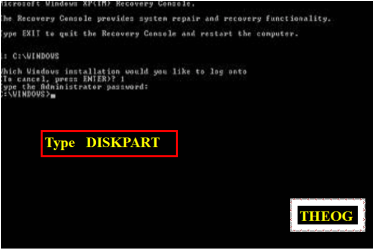
You can get to a command prompt with an xp install disk also. After it loads some files you will see it say starting windows and gives option to install or repair. Press shift + F10 to get to command prompt to run diskpart or format.

TJG
 

My Computer

Computer Manufacturer/Model Number
Dell Dimension E510
OS
Windows 7 Home Premium 32bits
CPU
Intel Pentium 4 521
Motherboard
Dell Inc. ORD203
Memory
DDR2 4096MBytes
Graphics Card(s)
ATI Radeon HD 2400 Series
Sound Card
On-Board Sigma Tel High Definition Audio
Monitor(s) Displays
Dell ST2210 1920x1080x60 hertz
Hard Drives
320 SATA
500 SATA
PSU
Antec 430 Watts
Case
Dell
Cooling
Standard Fans
Have you tried the one-time BIOS Boot Menu key, and then did you get a prompt to ¨"Press and key...?"

If so and it still doesn´t boot then confirm your ISO integrity and burn another DVD using ImgBurn at 4x speed.
 
incidentally, the clean all does eliminate boot sector malware and any other malware from the computer.

It's not just a feature for the paranoid.
 

My Computer

Computer Manufacturer/Model Number
Toshiba Satellite S875D-S7239 laptop
OS
MS Windows 7 Ultimate SP1 64-bit
CPU
AMD A10-4600M
Motherboard
AMD Pumori (Socket FT1)
Memory
6.00 GB Dual-Channel DDR3 @ 798MHz (11-11-12-28)
Graphics Card(s)
AMD Radeon HD 7660G
Sound Card
High Definition Audio Device
Monitor(s) Displays
Generic PnP Monitor (1600x900@60Hz)
Screen Resolution
1600x900@60Hz
Hard Drives
SSD 119GB Corsair CSSD-V128GB2 ATA Device
Keyboard
Standard PS/2 Keyboard
Mouse
HP Wireless Optical Mobile Mouse Model FHA-3410
Internet Speed
What the local pub, local coffee shop offers.
Other Info
Optical Drive:MATSHITA BD-CMB UJ160B ATA Device


Also have an Asus ha1002xp netbook with Win 7 Ultimate installed.
I did the following steps:

When you get to the X: prompt, then
1. remove the win 7 repair disc
2. insert the xp disc

carry out the diskpart commands as explained below:

Diskpart
list disk
select disk 0
detail disk

does the "detail" correspond to your disk?

If yes, then
CLEAN ALL


However, it's been 2 hours since I did CLEAN ALL and nothing appeared to happen. Is that usual? How long does it take CLEAN ALL to complete its process?
 

My Computer

OS
Windows Xp
The diskpart CLEAN ALL was just completed.

I then exit out of diskpart and the command prompt. Shutdown and reboot from the XP disk but I got the following error again:

"DISK BOOT FAILURE, INSERT SYSTEM DISK AND PRESS ENTER".
 

My Computer

OS
Windows Xp
'Now insert the dvd for the os you want to install and boot to the cd/dvd.
 

My Computer

Computer Manufacturer/Model Number
Toshiba Satellite S875D-S7239 laptop
OS
MS Windows 7 Ultimate SP1 64-bit
CPU
AMD A10-4600M
Motherboard
AMD Pumori (Socket FT1)
Memory
6.00 GB Dual-Channel DDR3 @ 798MHz (11-11-12-28)
Graphics Card(s)
AMD Radeon HD 7660G
Sound Card
High Definition Audio Device
Monitor(s) Displays
Generic PnP Monitor (1600x900@60Hz)
Screen Resolution
1600x900@60Hz
Hard Drives
SSD 119GB Corsair CSSD-V128GB2 ATA Device
Keyboard
Standard PS/2 Keyboard
Mouse
HP Wireless Optical Mobile Mouse Model FHA-3410
Internet Speed
What the local pub, local coffee shop offers.
Other Info
Optical Drive:MATSHITA BD-CMB UJ160B ATA Device


Also have an Asus ha1002xp netbook with Win 7 Ultimate installed.
My computer is working now! I was able to get OS installed successfully! Thank you so so so much for everyone's help!

Just fyi, for some reasons, I kept getting the Disk Boot failure when I put the XP OS in. Finally, I tried to put the Win 7 OS in and reboot my computer and it worked!

Again, thank you everyone. I really appreciate all your help.
 

My Computer

OS
Windows Xp
Excellent.
Glad to hear that all is well.
 

My Computer

Computer Manufacturer/Model Number
Toshiba Satellite S875D-S7239 laptop
OS
MS Windows 7 Ultimate SP1 64-bit
CPU
AMD A10-4600M
Motherboard
AMD Pumori (Socket FT1)
Memory
6.00 GB Dual-Channel DDR3 @ 798MHz (11-11-12-28)
Graphics Card(s)
AMD Radeon HD 7660G
Sound Card
High Definition Audio Device
Monitor(s) Displays
Generic PnP Monitor (1600x900@60Hz)
Screen Resolution
1600x900@60Hz
Hard Drives
SSD 119GB Corsair CSSD-V128GB2 ATA Device
Keyboard
Standard PS/2 Keyboard
Mouse
HP Wireless Optical Mobile Mouse Model FHA-3410
Internet Speed
What the local pub, local coffee shop offers.
Other Info
Optical Drive:MATSHITA BD-CMB UJ160B ATA Device


Also have an Asus ha1002xp netbook with Win 7 Ultimate installed.
Back
Top