Solved How to highlight control panel views

vidanova

New member
Member
Local time
9:42 AM
Messages
57
Hi

When I open control panel
then Programs
then default programs

under view the items
Ext large icons
Med icons
small
list details
tiles
auto arrange
sort by
group

Are not highlighted and am unable to choose which I prefer.

Its probabley a simple thing to put right but I am not sure how.

Thanks in anticipation of a simple reply :(
 

My Computer

Computer Manufacturer/Model Number
Samsung
OS
windows 7 home premium 64 bit
CPU
Core i5
Memory
1 TB
Hi

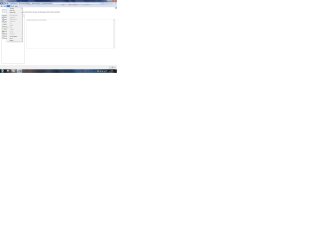
Have added screen shot


Screen shot.jpg
 

My Computer

Computer Manufacturer/Model Number
Samsung
OS
windows 7 home premium 64 bit
CPU
Core i5
Memory
1 TB
I get the same thing, vidanova. Apparently these choices are only available in certain Control Panel items. E.g., the View option you want is available in the Fonts section of Control Panel
 

My Computer

Computer Manufacturer/Model Number
Dell Inspiron 580s
OS
Windows 7 Home Premium SP1
CPU
i3
Memory
6 GB
Graphics Card(s)
ATI Radeon
Hi gini

I felt sure this option was available before but maybe its an aging memory fault (mine).........LOL :D
 

My Computer

Computer Manufacturer/Model Number
Samsung
OS
windows 7 home premium 64 bit
CPU
Core i5
Memory
1 TB
Hmmm, I just had a look on mine out of curiosity and the option IS there.

I am just looking into it now.
 

My Computer

OS
Windows 7 Professional 64 bit
My apologies, I was in the wrong section. I can confirm its NOT there when I am on the same screen as you posted.
 

My Computer

OS
Windows 7 Professional 64 bit
Thanks paulpicks21

I felt sure it WAS an option but obviously mistaken?
 

My Computer

Computer Manufacturer/Model Number
Samsung
OS
windows 7 home premium 64 bit
CPU
Core i5
Memory
1 TB
I just had a pretty good dig around trying to find ways to enable them but didn't find one.

Cheers

Paul.
 

My Computer

OS
Windows 7 Professional 64 bit
Back
Top