najamfazal
New member
- Local time
- 7:30 AM
- Messages
- 3
I am using windows 7 professional x32
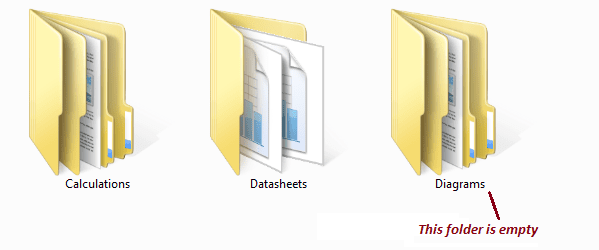
I have a layout of folder organization for my projects. This means each of my project folder have a dedicated number of folders and sub-folders such as Diagrams folder will have sub folders like network, P&ID, wiring etc.
In some of my projects, some of the above folders may be empty but they should be there in order make harmony in the layout. Now I have added a column "size" but it doesn't show the size of the folder.
Is there an immediate way of telling that the folder and sub folders are empty ? I know hovering the mouse over the folder will tell you that its empty but why bother
Also, I don't want to install a separate software.
I have a layout of folder organization for my projects. This means each of my project folder have a dedicated number of folders and sub-folders such as Diagrams folder will have sub folders like network, P&ID, wiring etc.
In some of my projects, some of the above folders may be empty but they should be there in order make harmony in the layout. Now I have added a column "size" but it doesn't show the size of the folder.
Is there an immediate way of telling that the folder and sub folders are empty ? I know hovering the mouse over the folder will tell you that its empty but why bother
Also, I don't want to install a separate software.
My Computer
- Computer type
- PC/Desktop
- Computer Manufacturer/Model Number
- HP 6530b
- OS
- Windows 7 Professional x32
- CPU
- Intel Core2Duo 2.53 GHz
- Motherboard
- Intel 4 series
- Memory
- 2 GB
- Hard Drives
- 160 GB SATA
- Antivirus
- avast
- Browser
- firefox, chrome



 rb: > Type in "disk clean" and hit Enter.