How to lower the average ping?

pal I used to run a few CS servers with a few mates. Ping has very little to do with how well you do (unless you have an exceedingly high ping - which you don't) it all has to do with latency.
Think of it like this .... if your friend lives 2 doors down from the server and has a ping of say 1 then he should in theory win every game, but it doesn't work like this as the servers account for vast differences in distance to a degree.
If you turn off all or some of the heavy graphics and blood etc. then you will get a better latency. Try looking for some config files that will give you a better latency, the game wont look so pretty but you will have a better gaming experience and your play style will improve.
Remember there are ways to mask your real ping that will show others that you are getting a ping of below 5, these are normally cheats and most secure servers or good admins will be able to figure this out and either kick you or even worse ban you from these servers.
Join some of the relative gaming forums to to see how to the others get the best performance, you will be surprised at how easy it is to do without resorting to cheating ;)
 

My Computer

Computer type
PC/Desktop
Computer Manufacturer/Model Number
Self Built
OS
Windows 7 Ultimate 64bit
CPU
AMD Phenom Quad core 9950 black edition
Motherboard
Gigabyte
Memory
16Gb
Graphics Card(s)
2x XFX Radeon 5850
Sound Card
PCI Express X-Fi Titanium / Logitech G35
Monitor(s) Displays
2x HP 2410i
Screen Resolution
1920x1080
Hard Drives
2x 500Gb Seagate
1x 300Gb Seagate
1x 1Tb Seagate
2x 1Tb Hitatchi
PSU
Jean Tech Storm 700W
Case
Cooler Master COSMOS S
Cooling
Akasa Evo Blue Pro
Keyboard
Logitech G15
Mouse
Mad Catz M.M.O. 7
Internet Speed
12mb
Yes anything up to 30 ping is INSANELY FAST. :) Most games are playable very well up to 60-80 with unnoticeable issue. I virtually never see anyone at 5-10, they would have to be living in the same city as the servers or something. May people have to play with pings from 150-300ms and THEN it may start to show some noticeable degradation in reaction speed.

Anyone would (should) be insanely happy with a 30ms ping.

What he says is pretty much right. 25-30 ping on any multiplayer game is average. 80-100+ ping is where the game will start to lag. Your 25 ping won't go any lower. You don't need to be concerned about it. It's when it starts hitting 60-100 is when you should start worrying. Your game's not gonna lag on you. 25-50 ping is pretty normal. Unless you have Dial-Up or DSL, then you're gonna be getting 90 on average.
 

My Computer

Computer Manufacturer/Model Number
Custom
OS
Windows 7 Ultimate 32-Bit
CPU
Intel(R) Core(TM) i7 CPU 920 @ 2.67GHz
Motherboard
Gigabyte Technology Co., Ltd. EX58-UD3R
Memory
Corsair DDR3 4Gb
Graphics Card(s)
Nvidia Ge-Force GTS250
Sound Card
High Definition Audio Device
Monitor(s) Displays
Envision 19 inch
Screen Resolution
1280x1024
Hard Drives
2 physical hard drives (4 letter drives) that equal up to 626.3 gigs of space all together. I think both are Maxtors, but primary is a SATA drive, secondary is a SATA, too.
Case
"Elite" style case
Cooling
"Cooler Master"
Mouse
Microsoft Optical USB Mouse.
Internet Speed
Verizon DSL Internet
Here is a picture from a online game (Counter Strike 1.6).
look a the right side of the table and you see the ping for all player.
My name on the game is vG-A.Inspire you can see that my ping is the highest on the server!


Uploaded with ImageShack.us
 

My Computer

Computer Manufacturer/Model Number
ACPI x64-based PC
OS
Windows 7 Ultimate 64BIT
CPU
DualCore Intel Core i3-2120, 3300 MHz (33 x 100)
Motherboard
Gigabyte GA-H61M-S2-B3
Memory
4GB DDR3, 1333MHz
Graphics Card(s)
AMD Radeon HD 6700 Series (1024 MB)
Sound Card
VIA VT1708S @ Intel Cougar Point PCH
Monitor(s) Displays
Acer V193HQL
Screen Resolution
1366x768
Hard Drives
WDC WD5000AAKX-001CA0 ATA Device (465 GB, IDE)
Case
Thermaltake v3
Keyboard
SteelSeries SHIFT
Mouse
Logitech G9X
Internet Speed
10 MB
You're NOT going to start lagging with a low ping of 25. You really shouldn't worry about it.
 

My Computer

Computer Manufacturer/Model Number
Custom
OS
Windows 7 Ultimate 32-Bit
CPU
Intel(R) Core(TM) i7 CPU 920 @ 2.67GHz
Motherboard
Gigabyte Technology Co., Ltd. EX58-UD3R
Memory
Corsair DDR3 4Gb
Graphics Card(s)
Nvidia Ge-Force GTS250
Sound Card
High Definition Audio Device
Monitor(s) Displays
Envision 19 inch
Screen Resolution
1280x1024
Hard Drives
2 physical hard drives (4 letter drives) that equal up to 626.3 gigs of space all together. I think both are Maxtors, but primary is a SATA drive, secondary is a SATA, too.
Case
"Elite" style case
Cooling
"Cooler Master"
Mouse
Microsoft Optical USB Mouse.
Internet Speed
Verizon DSL Internet
But i want a ping like the others... why i have the highest ping? how to lower it? to 10 or 15? like the others...
 

My Computer

Computer Manufacturer/Model Number
ACPI x64-based PC
OS
Windows 7 Ultimate 64BIT
CPU
DualCore Intel Core i3-2120, 3300 MHz (33 x 100)
Motherboard
Gigabyte GA-H61M-S2-B3
Memory
4GB DDR3, 1333MHz
Graphics Card(s)
AMD Radeon HD 6700 Series (1024 MB)
Sound Card
VIA VT1708S @ Intel Cougar Point PCH
Monitor(s) Displays
Acer V193HQL
Screen Resolution
1366x768
Hard Drives
WDC WD5000AAKX-001CA0 ATA Device (465 GB, IDE)
Case
Thermaltake v3
Keyboard
SteelSeries SHIFT
Mouse
Logitech G9X
Internet Speed
10 MB
But i want a ping like the others... why i have the highest ping? how to lower it? to 10 or 15? like the others...
Did you even try the method that I posted ?
 

My Computer

Computer type
PC/Desktop
Computer Manufacturer/Model Number
custom build
OS
Windows 10 64bit
CPU
AMD Phenom II X4 925 (Deneb)(2.8GHz) OC 3.4GHz
Motherboard
M5A78L-MLX Plus
Memory
Corsair Vengeance DDR3 4GBX2 (8192MB)
Graphics Card(s)
XFX HD 6870 1GB (OC)- 940MHz core, mem 1150MHz
Monitor(s) Displays
Vizio 26' 1920x1080 / Acer 1336x768
Screen Resolution
1920x1080 60Hz /1336x768
Hard Drives
Kingston Digital 60GB SSDNow V300/500gb HDD Western Digital 7200rpm (/WD 160GB HDD 7200rpm
PSU
CORSAIR CX600 600w
Case
AZZA Orion 202 EVO
Cooling
cooler master hyper TX3 cpu cooler
Keyboard
Razer DeathStalker
Mouse
Logitech Optical Gaming Mouse G400
Antivirus
Defualt on win 10
Browser
Firefox
Other Info
cpu is overclocked in bios
well, I want a lot of things. Folks here have given you a lot of information and things to try. Don't get hung up on the ping number.

Try a few suggestions and see where that gets you. Pooman UK and M1GU31 - heap good medicine
 

My Computer

Computer type
Laptop
Computer Manufacturer/Model Number
HP Pavilion dv6-6c10us
OS
x64 (6.3.9600) Win8.1 Pro & soon dual boot x64 (6.1.7601) Win7_SP1 HomePrem
CPU
AMD A6-3420M APU with Radeon(tm) HD Graphics
Motherboard
Hewlett-Packard 1805
Memory
6.00 GB
Graphics Card(s)
AMD Radeon(TM) HD 6520G
Sound Card
(1) AMD High Definition Audio Device (2) IDT High Definiti
Monitor(s) Displays
HP W2072a 20" LCD (1600 x 900) @ 60 Hz
Screen Resolution
1366 x 768 x 32 bits (4294967296 colors) @ 60 Hz
Hard Drives
ST640LM0 00 HM641JI SATA Disk Device
Keyboard
Logitech k520 wireless KB
Mouse
Logitech m320 wireless mouse (bundled with KB)
Internet Speed
15/5 | 54 MB Wireless 'n'
Antivirus
Realtime: Defender or Avast | On-demand: Malwarebytes, ESET
Browser
IE 11 on Win8, IE 10 on win 7
Other Info
Media: [Gimp, Audacity, VLC] || Comm: [WEmail 2012, Skype] || Productivity: [OpenOffice,| Textpad] || Utils: [Sysinternals, cCleaner, Speccy, Defraggler]
why do you want something lower? That ping is pretty normal, most you could do is change your DNS settings. Can't do much unless you get a better isp. 15-25ping is like almost no difference,it's like less then a ms difference. Here test your DNS settings with namebench Downloads - namebench - Open-source DNS Benchmark Utility - Google Project Hosting Download the one for windows.
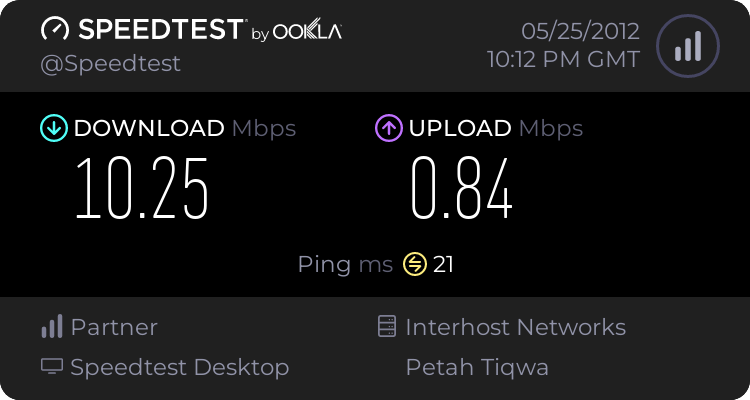
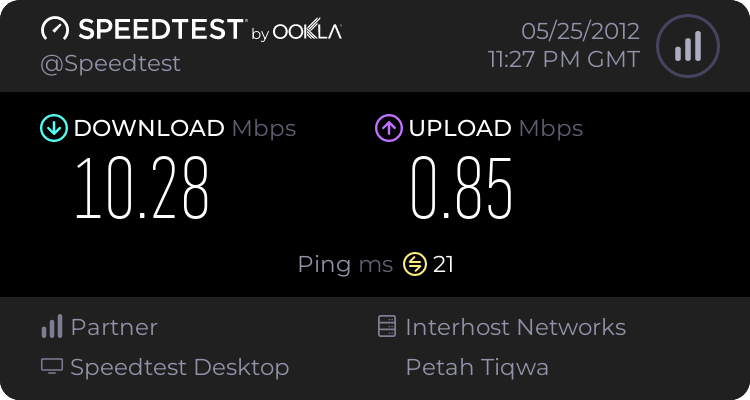
Do a network connection test on Speedtest.net - The Global Broadband Speed Test then when done note it down
Then run namebench and click start benchmark and when the test is over is should bring up a internet page showing you the best dns severs for your connection.

Open Control Panel > Click Network and Internet > Network and Sharing Center > Click Change Adapter Settings,right click local area connection,select Internet protocol version 4 then select properties then tick use the following DNS severs addresses

Then enter the dns best chosen for you that name bench gave you exactly for primary and secondary then press ok and reboot. Remember do the the test with namebench first then enter these numbers for your dns were I told you .
Select the connection for which you want to configure
Then redo the test at Speedtest.net - The Global Broadband Speed Test and you may or may not see a difference, it may even be the same or a tiny bit more speed.


And when the namebench test will end?
 

My Computer

Computer Manufacturer/Model Number
ACPI x64-based PC
OS
Windows 7 Ultimate 64BIT
CPU
DualCore Intel Core i3-2120, 3300 MHz (33 x 100)
Motherboard
Gigabyte GA-H61M-S2-B3
Memory
4GB DDR3, 1333MHz
Graphics Card(s)
AMD Radeon HD 6700 Series (1024 MB)
Sound Card
VIA VT1708S @ Intel Cougar Point PCH
Monitor(s) Displays
Acer V193HQL
Screen Resolution
1366x768
Hard Drives
WDC WD5000AAKX-001CA0 ATA Device (465 GB, IDE)
Case
Thermaltake v3
Keyboard
SteelSeries SHIFT
Mouse
Logitech G9X
Internet Speed
10 MB
Wow, you have better times than I do. Hmmmm,
 

My Computer

Computer type
Laptop
Computer Manufacturer/Model Number
HP Pavilion dv6-6c10us
OS
x64 (6.3.9600) Win8.1 Pro & soon dual boot x64 (6.1.7601) Win7_SP1 HomePrem
CPU
AMD A6-3420M APU with Radeon(tm) HD Graphics
Motherboard
Hewlett-Packard 1805
Memory
6.00 GB
Graphics Card(s)
AMD Radeon(TM) HD 6520G
Sound Card
(1) AMD High Definition Audio Device (2) IDT High Definiti
Monitor(s) Displays
HP W2072a 20" LCD (1600 x 900) @ 60 Hz
Screen Resolution
1366 x 768 x 32 bits (4294967296 colors) @ 60 Hz
Hard Drives
ST640LM0 00 HM641JI SATA Disk Device
Keyboard
Logitech k520 wireless KB
Mouse
Logitech m320 wireless mouse (bundled with KB)
Internet Speed
15/5 | 54 MB Wireless 'n'
Antivirus
Realtime: Defender or Avast | On-demand: Malwarebytes, ESET
Browser
IE 11 on Win8, IE 10 on win 7
Other Info
Media: [Gimp, Audacity, VLC] || Comm: [WEmail 2012, Skype] || Productivity: [OpenOffice,| Textpad] || Utils: [Sysinternals, cCleaner, Speccy, Defraggler]
please help me i dont understand what M1GU31 said me to do.
what to do with the speedtest?
 

My Computer

Computer Manufacturer/Model Number
ACPI x64-based PC
OS
Windows 7 Ultimate 64BIT
CPU
DualCore Intel Core i3-2120, 3300 MHz (33 x 100)
Motherboard
Gigabyte GA-H61M-S2-B3
Memory
4GB DDR3, 1333MHz
Graphics Card(s)
AMD Radeon HD 6700 Series (1024 MB)
Sound Card
VIA VT1708S @ Intel Cougar Point PCH
Monitor(s) Displays
Acer V193HQL
Screen Resolution
1366x768
Hard Drives
WDC WD5000AAKX-001CA0 ATA Device (465 GB, IDE)
Case
Thermaltake v3
Keyboard
SteelSeries SHIFT
Mouse
Logitech G9X
Internet Speed
10 MB
Just remember those values from speedtest and now run namebench.
 

My Computer

OS
Windows 7 Ultimate x64
but the benchmark is running up to 10 minutes and nothing happen... i dont get any internet page...
 

My Computer

Computer Manufacturer/Model Number
ACPI x64-based PC
OS
Windows 7 Ultimate 64BIT
CPU
DualCore Intel Core i3-2120, 3300 MHz (33 x 100)
Motherboard
Gigabyte GA-H61M-S2-B3
Memory
4GB DDR3, 1333MHz
Graphics Card(s)
AMD Radeon HD 6700 Series (1024 MB)
Sound Card
VIA VT1708S @ Intel Cougar Point PCH
Monitor(s) Displays
Acer V193HQL
Screen Resolution
1366x768
Hard Drives
WDC WD5000AAKX-001CA0 ATA Device (465 GB, IDE)
Case
Thermaltake v3
Keyboard
SteelSeries SHIFT
Mouse
Logitech G9X
Internet Speed
10 MB
Pal please remember it doesn't matter what speed tests you do you ain't gonna increase your speed that will make much or any difference. your connection speed is how it is.
You will only be able to control your latency by changing your game settings and this is still not going to make you the elite game player that you hope to be.
This is why game servers control your max/min speed connection, otherwise it would be unfair and unplayable as all those with super fast connection would own.
You haven't said whether you are getting any lag in game? But if you are it doesn't seem that your ping is the cause of this as you have an acceptable ping rate ;)
 

My Computer

Computer type
PC/Desktop
Computer Manufacturer/Model Number
Self Built
OS
Windows 7 Ultimate 64bit
CPU
AMD Phenom Quad core 9950 black edition
Motherboard
Gigabyte
Memory
16Gb
Graphics Card(s)
2x XFX Radeon 5850
Sound Card
PCI Express X-Fi Titanium / Logitech G35
Monitor(s) Displays
2x HP 2410i
Screen Resolution
1920x1080
Hard Drives
2x 500Gb Seagate
1x 300Gb Seagate
1x 1Tb Seagate
2x 1Tb Hitatchi
PSU
Jean Tech Storm 700W
Case
Cooler Master COSMOS S
Cooling
Akasa Evo Blue Pro
Keyboard
Logitech G15
Mouse
Mad Catz M.M.O. 7
Internet Speed
12mb
I know it. but i dont want to control my internet speed... i want to control on how the ping looks not the lags
But i did this benchmark and i set the dns ip and i have a same ping...


My Computer

Computer Manufacturer/Model Number
ACPI x64-based PC
OS
Windows 7 Ultimate 64BIT
CPU
DualCore Intel Core i3-2120, 3300 MHz (33 x 100)
Motherboard
Gigabyte GA-H61M-S2-B3
Memory
4GB DDR3, 1333MHz
Graphics Card(s)
AMD Radeon HD 6700 Series (1024 MB)
Sound Card
VIA VT1708S @ Intel Cougar Point PCH
Monitor(s) Displays
Acer V193HQL
Screen Resolution
1366x768
Hard Drives
WDC WD5000AAKX-001CA0 ATA Device (465 GB, IDE)
Case
Thermaltake v3
Keyboard
SteelSeries SHIFT
Mouse
Logitech G9X
Internet Speed
10 MB
I just said that with speedtest that you test it to see your connection then after applying the new dns settings you can restest and see if your connection got better or not like if your download and upload went up and your ping went down. That's all that I was saying with speedtest,happy to explain if you have any other questions regarding my instructions to clear any confusion.Also the namebench test ends when a IE window pops up showing your results and you should also see some numbers moving on the bottom left of the namebench window

If the ping stays the same then there's not much you can do but go to a different sever to play on that is closer to your area.
Anyways your speeds are very good,hell I wish I got those speeds,I get 5.5Mb/s download with a 64Mb/s upload and a ping of 26. I believe that getting a provider with a higher upload speed might lower it a bit but I cant promise, whats your friends upload speed,his is possibly higher and that's why he gets a slightly lower ping.
 

My Computer

Computer type
PC/Desktop
Computer Manufacturer/Model Number
custom build
OS
Windows 10 64bit
CPU
AMD Phenom II X4 925 (Deneb)(2.8GHz) OC 3.4GHz
Motherboard
M5A78L-MLX Plus
Memory
Corsair Vengeance DDR3 4GBX2 (8192MB)
Graphics Card(s)
XFX HD 6870 1GB (OC)- 940MHz core, mem 1150MHz
Monitor(s) Displays
Vizio 26' 1920x1080 / Acer 1336x768
Screen Resolution
1920x1080 60Hz /1336x768
Hard Drives
Kingston Digital 60GB SSDNow V300/500gb HDD Western Digital 7200rpm (/WD 160GB HDD 7200rpm
PSU
CORSAIR CX600 600w
Case
AZZA Orion 202 EVO
Cooling
cooler master hyper TX3 cpu cooler
Keyboard
Razer DeathStalker
Mouse
Logitech Optical Gaming Mouse G400
Antivirus
Defualt on win 10
Browser
Firefox
Other Info
cpu is overclocked in bios
Ok, here is a ping to Google

Pinging Google [74.125.225.114] with 32 bytes of data:
Reply from 74.125.225.114: bytes=32 time=70ms TTL=53
Reply from 74.125.225.114: bytes=32 time=75ms TTL=53
Reply from 74.125.225.114: bytes=32 time=94ms TTL=53
Reply from 74.125.225.114: bytes=32 time=72ms TTL=53

You can see I run between 70 and 94ms.

Now, let's tracert to google.


Tracing route to Google [74.125.225.114]
over a maximum of 30 hops:

1 12 ms 11 ms 14 ms 192.168.1.1
2 * * * Request timed out.
3 25 ms 14 ms 15 ms 10.15.25.154
4 27 ms 19 ms 22 ms 10.15.24.62
5 28 ms 27 ms 14 ms 10.15.8.49
6 41 ms 30 ms 41 ms core1-0-0-8.lga.net.google.com [198.32.118.39]
7 43 ms 27 ms 30 ms 72.14.232.94
8 49 ms 46 ms 37 ms 209.85.252.2
9 93 ms 81 ms 49 ms 72.14.239.93
10 90 ms 153 ms 82 ms 209.85.242.208
11 82 ms 87 ms 88 ms 209.85.240.150
12 84 ms 75 ms 81 ms ord08s08-in-f18.1e100.net [74.125.225.114]

Trace complete.

So, you can see the first hop, the 12ms to 192.168.1.1 is my computer, going over wireless to my router. So, out of the 70-80ms to google, only about 12ms is within my house. Everything else happens once it's left my router and is out in the Internet.

As others have said, sub 30ms pings to a game server is excellent. Getting to 10ms not going to help you. It's 20ms. That's a tiny amount of time.
 

My Computer

Computer Manufacturer/Model Number
Self-Built in July 2009
OS
Windows 7 Ultimate x64
CPU
Intel Q9550 2.83Ghz OC'd to 3.40Ghz
Motherboard
Gigabyte GA-EP45-UD3R rev. 1.1, F12 BIOS
Memory
8GB G.Skill PI DDR2-800, 4-4-4-12 timings
Graphics Card(s)
EVGA 1280MB Nvidia GeForce GTX570
Sound Card
Realtek ALC899A 8 channel onboard audio
Monitor(s) Displays
23" Acer x233H
Screen Resolution
1920x1080
Hard Drives
Intel X25-M 80GB Gen 2 SSD
Western Digital 1TB Caviar Black, 32MB cache. WD1001FALS
PSU
Corsair 620HX modular
Case
Antec P182
Cooling
stock
Keyboard
ABS M1 Mechanical
Mouse
Logitech G9 Laser Mouse
Internet Speed
15/2 cable modem
Other Info
Windows and Linux enthusiast. Logitech G35 Headset.
but the benchmark is running up to 10 minutes and nothing happen... i dont get any internet page...
Make sure your pressing run benchmark and not just letting it sit there when not pressing anything :cool:
 

My Computer

Computer type
PC/Desktop
Computer Manufacturer/Model Number
custom build
OS
Windows 10 64bit
CPU
AMD Phenom II X4 925 (Deneb)(2.8GHz) OC 3.4GHz
Motherboard
M5A78L-MLX Plus
Memory
Corsair Vengeance DDR3 4GBX2 (8192MB)
Graphics Card(s)
XFX HD 6870 1GB (OC)- 940MHz core, mem 1150MHz
Monitor(s) Displays
Vizio 26' 1920x1080 / Acer 1336x768
Screen Resolution
1920x1080 60Hz /1336x768
Hard Drives
Kingston Digital 60GB SSDNow V300/500gb HDD Western Digital 7200rpm (/WD 160GB HDD 7200rpm
PSU
CORSAIR CX600 600w
Case
AZZA Orion 202 EVO
Cooling
cooler master hyper TX3 cpu cooler
Keyboard
Razer DeathStalker
Mouse
Logitech Optical Gaming Mouse G400
Antivirus
Defualt on win 10
Browser
Firefox
Other Info
cpu is overclocked in bios

My Computer

Computer type
PC/Desktop
Computer Manufacturer/Model Number
custom build
OS
Windows 10 64bit
CPU
AMD Phenom II X4 925 (Deneb)(2.8GHz) OC 3.4GHz
Motherboard
M5A78L-MLX Plus
Memory
Corsair Vengeance DDR3 4GBX2 (8192MB)
Graphics Card(s)
XFX HD 6870 1GB (OC)- 940MHz core, mem 1150MHz
Monitor(s) Displays
Vizio 26' 1920x1080 / Acer 1336x768
Screen Resolution
1920x1080 60Hz /1336x768
Hard Drives
Kingston Digital 60GB SSDNow V300/500gb HDD Western Digital 7200rpm (/WD 160GB HDD 7200rpm
PSU
CORSAIR CX600 600w
Case
AZZA Orion 202 EVO
Cooling
cooler master hyper TX3 cpu cooler
Keyboard
Razer DeathStalker
Mouse
Logitech Optical Gaming Mouse G400
Antivirus
Defualt on win 10
Browser
Firefox
Other Info
cpu is overclocked in bios
Back
Top