Ended not Solved How to make a web shortcut open in different browser
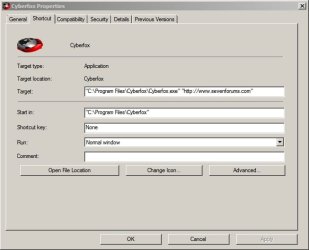
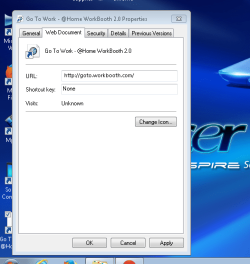
I have made a shortcut on my desktop to a web site, and I need it to open in a browser that isn't default. I have a browser I want to use Chrome as default, but this link goes to a work website, the company software I have on my computer will only work with Internet Explorer, which I hate with a passion, maybe it's a old outdated preference that should be changed, but for now I will use Chrome, just like I used Firefox for years until Chrome changed my preference.
Is it possible to do this, right-clicking and properties doesn't work. I've tried all the options listed in this thread, with no luck.
http://www.sevenforums.com/browsers-mail/321204-can-i-make-shortcut-open-non-default-browser.html
I have made a shortcut on my desktop to a web site, and I need it to open in a browser that isn't default. I have a browser I want to use Chrome as default, but this link goes to a work website, the company software I have on my computer will only work with Internet Explorer, which I hate with a passion, maybe it's a old outdated preference that should be changed, but for now I will use Chrome, just like I used Firefox for years until Chrome changed my preference.
Is it possible to do this, right-clicking and properties doesn't work. I've tried all the options listed in this thread, with no luck.
http://www.sevenforums.com/browsers-mail/321204-can-i-make-shortcut-open-non-default-browser.html
Last edited:
My Computer
At a glance
7x64T-4500 dual-core 2.3ghz2gig shows 1.73 gigintegerated
- Computer type
- PC/Desktop
- Computer Manufacturer/Model Number
- Acer Aspire 5734Z-4386
- OS
- 7x64
- CPU
- T-4500 dual-core 2.3ghz
- Motherboard
- Mobile Intel 4 series ?????
- Memory
- 2gig shows 1.73 gig
- Graphics Card(s)
- integerated
- Sound Card
- integerated
- Monitor(s) Displays
- generic monitor integerated
- Screen Resolution
- 1366X768
- Hard Drives
- Generic HDD 250gig