
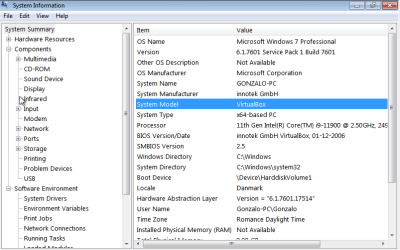
I have a Windows 7 VM and I'm trying to modify the keys in HKEY_LOCAL_MACHINE\SYSTEM\ControlSet001\Control\SystemInformation since I want to change the data in both SystemProductName and BIOSVersion from "VirtualBox" to the values in my actual physical machine. However, the changes I make are not persistent through a reboot.
Looking around I've found that the HKEY_LOCAL_MACHINE hive is reassembled upon reboot and that a GPO overseeing those keys could also be reverting my changes upon reboot. I tried changing the permissions of the SystemInformation folder by unchecking Include inheritable permissions from this object's parents and adding my user as the only user to have (Full-control) permissions on the folder. However, after reboot, these changes reverts back to their original settings (same users with the same permissions from before).
Therefore what can I do to make my changes permanent? I have been looking online but have not found any posts that describe how to do this effectively. I would really appreciate your help.
Looking around I've found that the HKEY_LOCAL_MACHINE hive is reassembled upon reboot and that a GPO overseeing those keys could also be reverting my changes upon reboot. I tried changing the permissions of the SystemInformation folder by unchecking Include inheritable permissions from this object's parents and adding my user as the only user to have (Full-control) permissions on the folder. However, after reboot, these changes reverts back to their original settings (same users with the same permissions from before).
Therefore what can I do to make my changes permanent? I have been looking online but have not found any posts that describe how to do this effectively. I would really appreciate your help.
Attachments
My Computers
-
At a glance
Windows 7 Pro x64- OS
- Windows 7 Pro x64
-
- Computer type
- PC/Desktop