

- Local time
- 1:08 PM
- Messages
- 394
Hello forum,
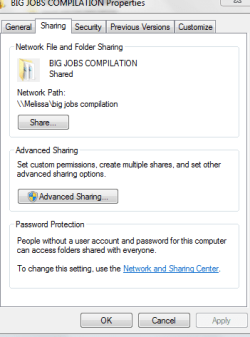
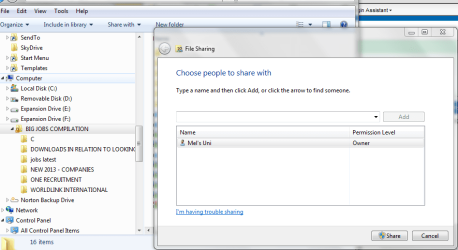
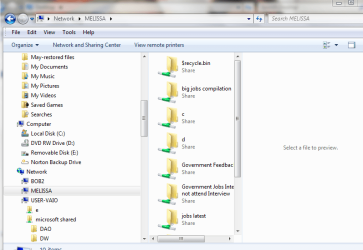
I have been trying to figure out how to change the status of a file that is present on network discovery on another computer.
I am just going through and assessing each file.
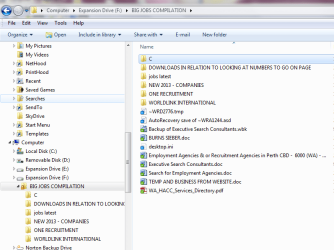
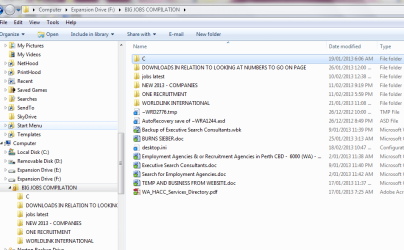
I notice the only person I really would like to share with is anyone that uses the external hard drive - much like the other files on the hard drive that do not have a lock on it.
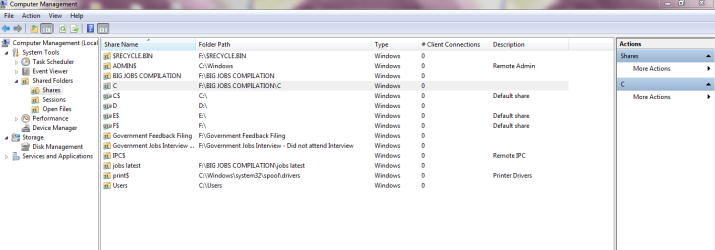
I know that it may be basic - but I just want a work around for the few folders that I managed to see in computer management.
If someone could please give me a basic idea of what menu's to go into - I promise I will not change the behaviour of any folders.
Thank you.
Just basic steps -
As I am on a network/workgroup and do not want the homegroup - what is the best option.
I have been trying to figure out how to change the status of a file that is present on network discovery on another computer.
I am just going through and assessing each file.
I notice the only person I really would like to share with is anyone that uses the external hard drive - much like the other files on the hard drive that do not have a lock on it.
I know that it may be basic - but I just want a work around for the few folders that I managed to see in computer management.
If someone could please give me a basic idea of what menu's to go into - I promise I will not change the behaviour of any folders.
Thank you.
Just basic steps -
As I am on a network/workgroup and do not want the homegroup - what is the best option.
Attachments
My Computer
At a glance
Windows 7 Home Premium 64bitWindows 7 Service Pack 1 x86 NTFS4 GB
- Computer type
- Laptop
- Computer Manufacturer/Model Number
- Sony VAIO / E Series VPCEB46FG
- OS
- Windows 7 Home Premium 64bit
- CPU
- Windows 7 Service Pack 1 x86 NTFS
- Motherboard
- AMD E-350 Processor
- Memory
- 4 GB
- Hard Drives
- 500GB
- Other Info
- 1.6GHz

