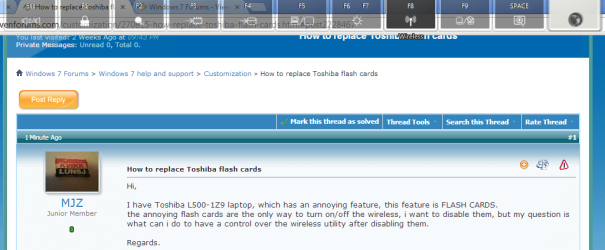
How to replace Toshiba flash cards

MJZ

New member
Local time
1:26 PM
Messages
11
Hi,

I have Toshiba L500-1Z9 laptop, which has an annoying feature, this feature is FLASH CARDS.
the annoying flash cards are the only way to turn on/off the wireless, i want to disable them, but my question is what can i do to have a control over the wireless utility after disabling them.

Regards.
 

My Computer My Computer

OS
Windows 7 home premium 64-bit OS
These are the flash cards I'm talking about.
 

Attachments

  • Untitled.png
    Untitled.png
    38.3 KB · Views: 14

My Computer My Computer

OS
Windows 7 home premium 64-bit OS
Everything I find seems to say FN+F8 to switch WIFI on and off, but that seems to require the Flash cards. The suggested fix for WIFI not working is install Flash cards, so I couldn't find if you can turn WIFI on and off without them :(

A Guy
 

My Computer My Computer

Computer type
PC/Desktop
OS
Windows 10 Home x64
CPU
INTEL Core i5-750 Quad-Core 3.37GHz
Motherboard
ASUS P7P55D
Memory
HyperX Fury Black Series 8GB (2 x 4GB) 1866Mhz
Graphics Card(s)
EVGA GeForce GTX 750 Superclocked 1GB 128-Bit GDDR5
Monitor(s) Displays
LG 32MA68HY 32" IPS
Screen Resolution
1920 x 1080
Hard Drives
Samsung 840 Evo 120GB, SEAGATE 500GB Barracuda® 7200.12, SATA 3 Gb/s, 7200 RPM, 16MB cache
PSU
ANTEC TruePower New TP-550, 80 PLUS, 550W
Case
ANTEC Three Hundred Illusion
Cooling
COOLER MASTER Hyper 212 Plus, 4 x 120mm 1 x 140mm Noctua's
Internet Speed
85 + Mbps
Antivirus
Avast
Browser
Vivaldi
It is the last time for me to put money on a toshibe product, they just suck.
 

My Computer My Computer

OS
Windows 7 home premium 64-bit OS
Back
Top