
How do you search all hard drives, external hard drives and flash drives in windows 7? In win xp you could do this with a single click (might take some time for results tho), in windows 7 I am contently frustrated. Windows 7 does not search anything unless you index it (or open up a folder for every single little data source you want to search).
Is there a solution to this problem, or is this yet another one of the dozensthings win7 does worse then winxp?
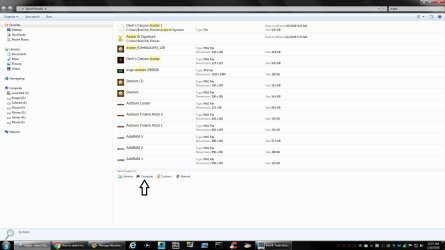
edit: Solution:
1# Open up root of a drive
2# Do your search
3# Click on Customize under 'search again'
4# Expand the 'Computer' tree
5# Select each non-index drive you want to search and hit ok
Is there a solution to this problem, or is this yet another one of the dozensthings win7 does worse then winxp?
edit: Solution:
1# Open up root of a drive
2# Do your search
3# Click on Customize under 'search again'
4# Expand the 'Computer' tree
5# Select each non-index drive you want to search and hit ok
Last edited:
My Computer
- Computer type
- PC/Desktop
- OS
- Windows 7 64bit



 I also have a lot of files, much more than you, so its easier to make a mistake.


